Chapter 4 Web Access
OmniTouch Fax Server User Guide - 8AL_90216_USAA ed.01 45
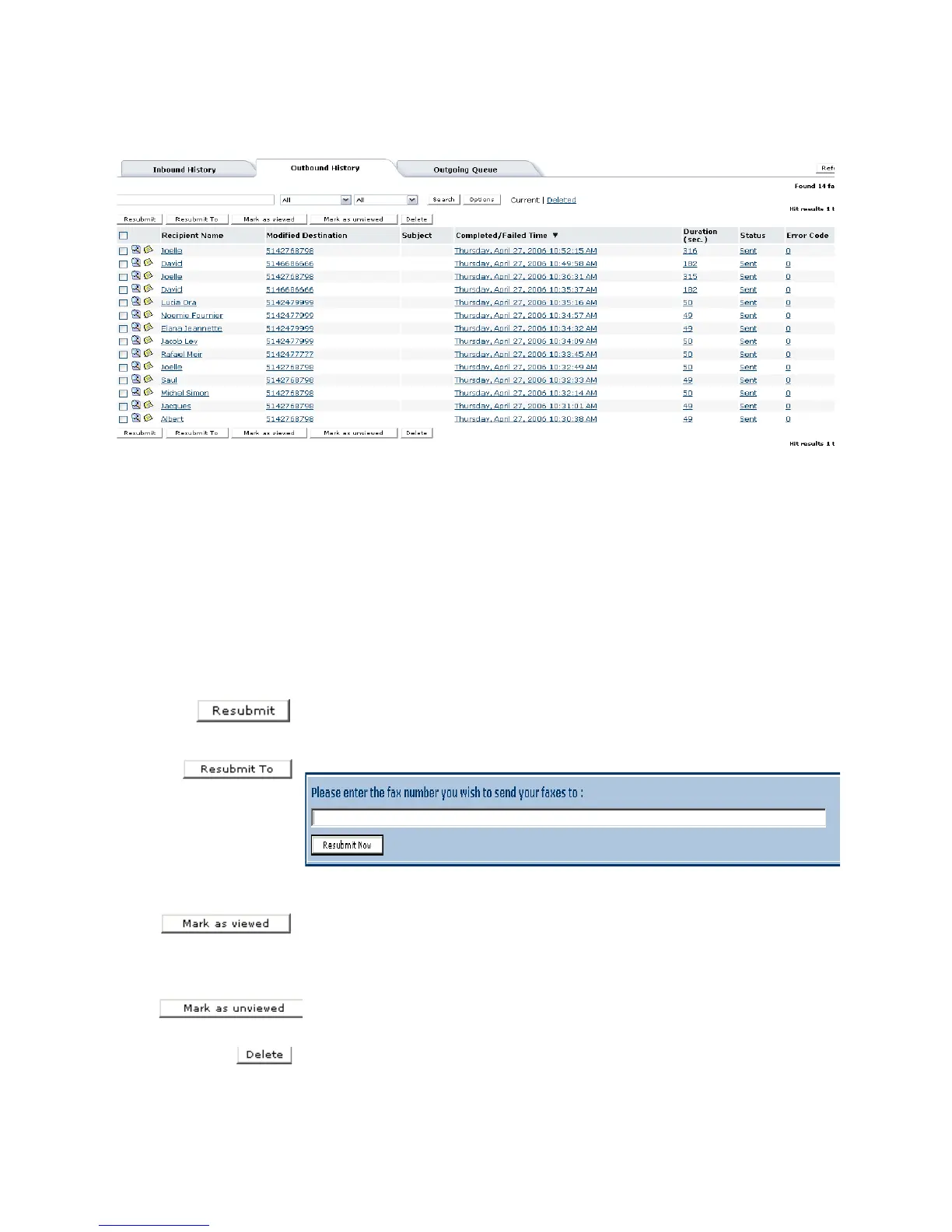
Resubmitting a fax
1 Check the box at the left of all the fax entries in the Outbound
History window, that you want to resubmit.
2Click the Resubmit button.
The selected fax(es) will be sent to the Outgoing Queue for
processing.
Resubmitting a fax to a new destination
1 Check the box at the left of all the fax entries in the Outbound
History window, that you want to resubmit to the same fax number.
2Click the Resubmit button to resubmit a fax to the same
destination.
3Click on the Resubmit To button.
4 Enter the new recipient’s fax number, when prompted.
When a selected fax(es) has been sent to a recipient(s), the fax(es)
selected can be marked as read by clicking the Mark as viewed
button. This action sets the flag status to unbold in the Outbound
History Current view.
By clicking on the Mark as unviewed button, this action resets the
fax(es) as unread by rendering them in bold.
When a user selects a fax(es) and clicks on the Delete button, the
Outbound History Current view refreshes and removes the



 To Next Page