Chapter 4 Web Access
OmniTouch Fax Server User Guide - 8AL_90216_USAA ed.01 37
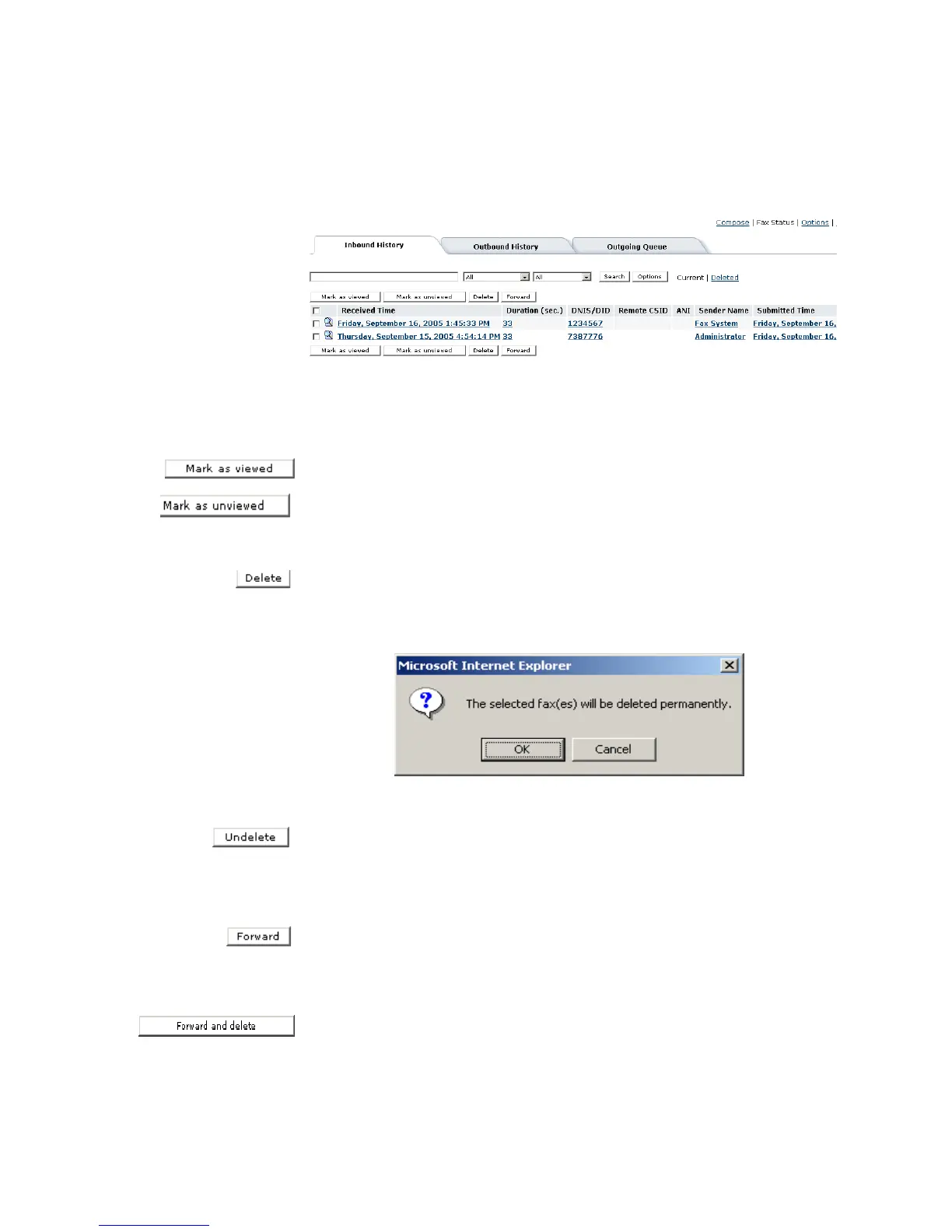
Inbound history Deleted view
All deleted faxes are displayed in the Inbound History Deleted
status view with similar functionality as the Inbound Current view.
When a fax has been read and deleted, a user can mark it as viewed
by clicking on the Mark as viewed button.
A user can opt to mark the status of a deleted fax as unviewed by
clicking the Mark as unviewed button, the fax is reset to bold text
to indicate unread status.
Once in the Deleted display screen, a user has the option to
permanently delete selected fax(es) by clicking on the Delete
button. The user will be prompted with the warning message:
Click the OK button to proceed or the Cancel button to abort.
To undelete the selected fax(es), click on the Undelete button.
When the user clicks the Current button on the search bar, the
fax(es) should now be available.
Forward faxes
A user can forward a selected fax(es) while in the Deleted view by
clicking the Forward button. The fax(es) is forwarded to the new
destination.
When a user clicks the Forward and delete button, from the
Forward Destination screen the selected fax(es) are rerouted to



 To Next Page