Chapter 4 Web Access
OmniTouch Fax Server User Guide - 8AL_90216_USAA ed.01 53
Compose
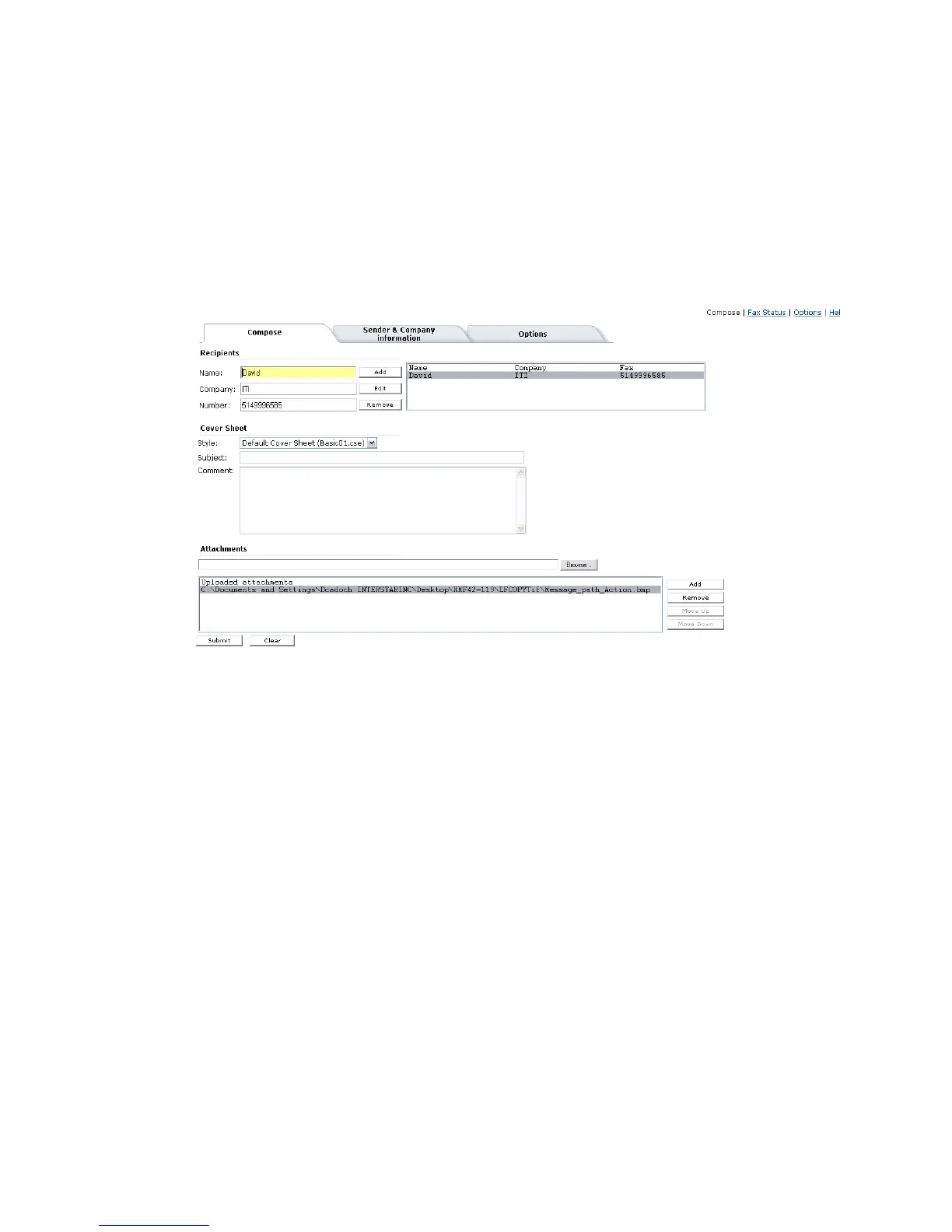
The Compose menu bar tab opens a page from which you can
configure, compose and send faxes, directly from a web browser. It
contains three tabs: Compose (default), Sender & Company
Information and Options.
The dialog for the Compose tab is where you specify the recipients,
the subject, and the contents of the fax.
Fax recipients
The following fields are available:
Name The name of the recipient;
Company The organisation where the recipient works;
Number The fax number of the recipient;
If there is only one recipient, the information contained in the above
fields is used, when sending the fax.
Options
The following fields are available:
Language The name of the recipient;
View Faxes as TIFF/PDF
Change Password Refer to page 104



 To Next Page