Chapter 4 Web Access
32 OmniTouch Fax Server User Guide - 8AL_90216_USAA ed.01
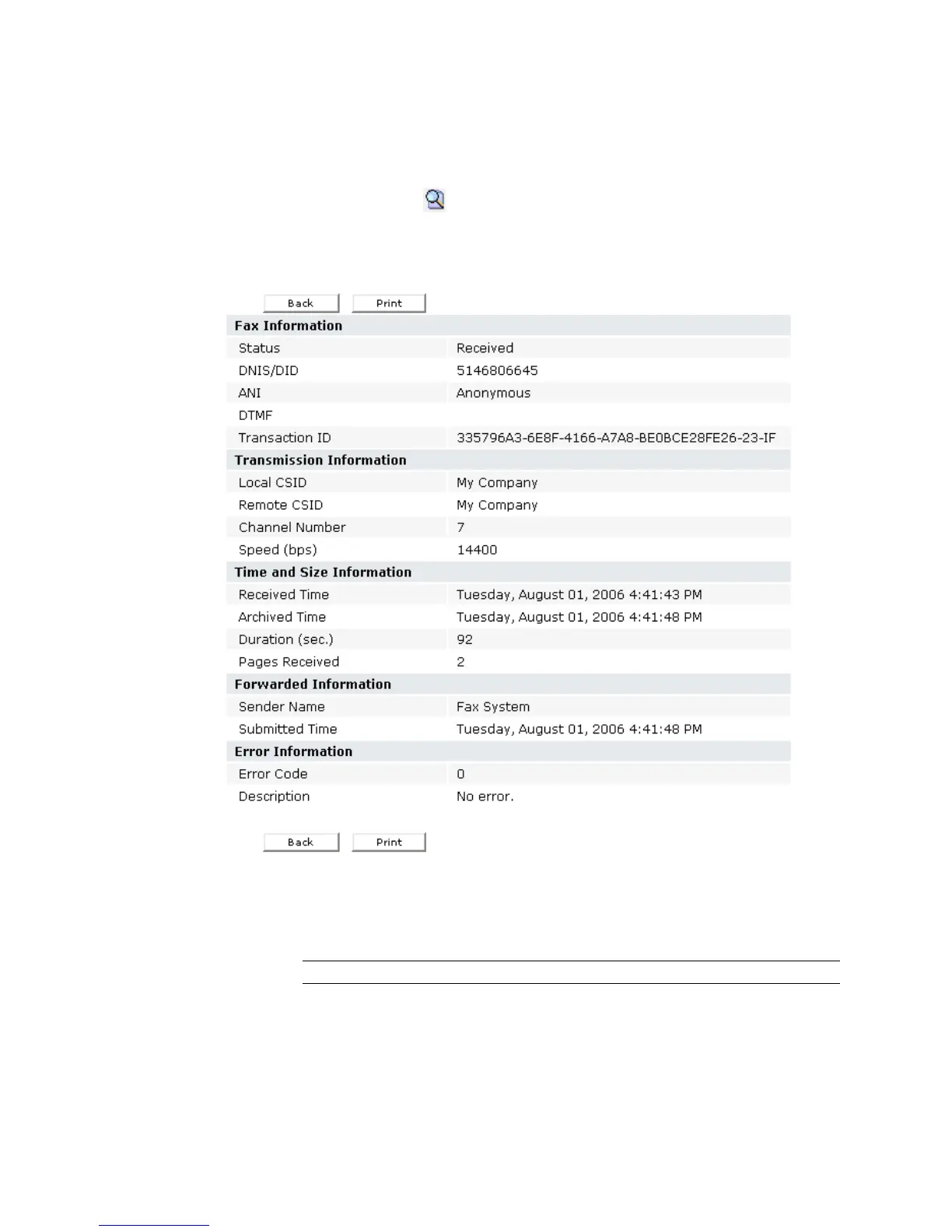
Viewing the inbound fax details
To view the details of a received fax:
1 Click on the button located at the left of the fax entry, in the
Inbound History window.
The following window appears.
2Click the Back button to return to the Inbound History window.
The following properties of the fax are displayed in the internet
browser:
Column Heading Description
ANI
indicates the recipient’s automatic number
identification.
Archived Time
indicates the time the fax was archived.
Channel Number
indicates the channel that received the fax.



 To Next Page