Chapter 4 Web Access
OmniTouch Fax Server User Guide - 8AL_90216_USAA ed.01 31
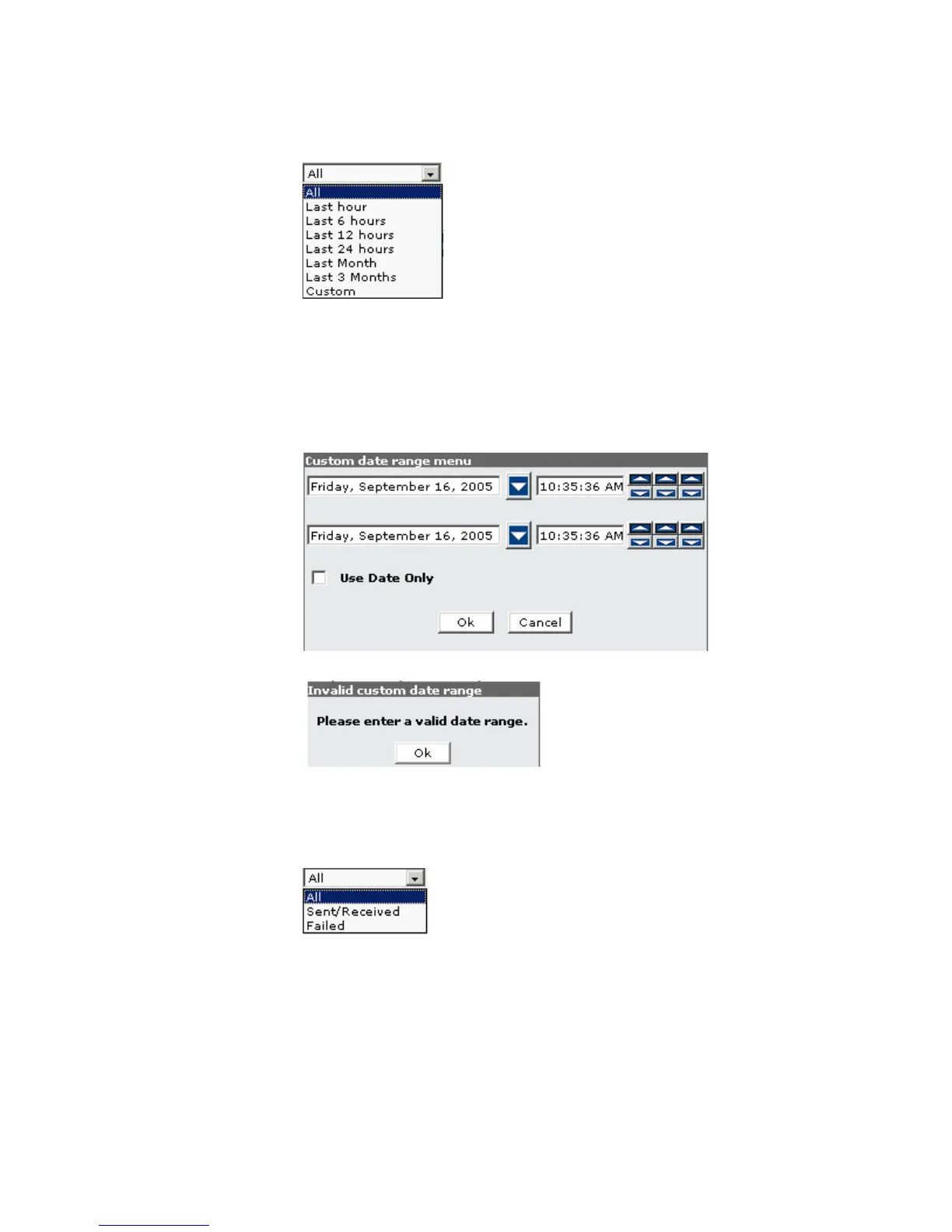
Browsing the first selection box from the left, in the search bar, will
give you the following selection of time ranges:
Click on the desired time range. Selecting Custom opens the
Custom date range menu, where you can specify a range of dates
only, by checking the Use Date Only box and choosing your begin
and end date appropriately. If the box is unchecked, you must also
specify a start time on the begin date and a finish time on the end
date.
An invalid date range entry will result in the following error message:
You can also indicate if you want to view all the current faxes, or
only either the received or the failed ones. To do this, browse the
second selection box in the search bar, and select either of the
following:
Finally, two buttons are also offered at the right of the search bar:
Current Displays the view of the current faxes, as
selected in the box above.
Deleted Displays the view of deleted faxes and
those marked for permanent deletion.



 To Next Page