Chapter 4 Web Access
OmniTouch Fax Server User Guide - 8AL_90216_USAA ed.01 39
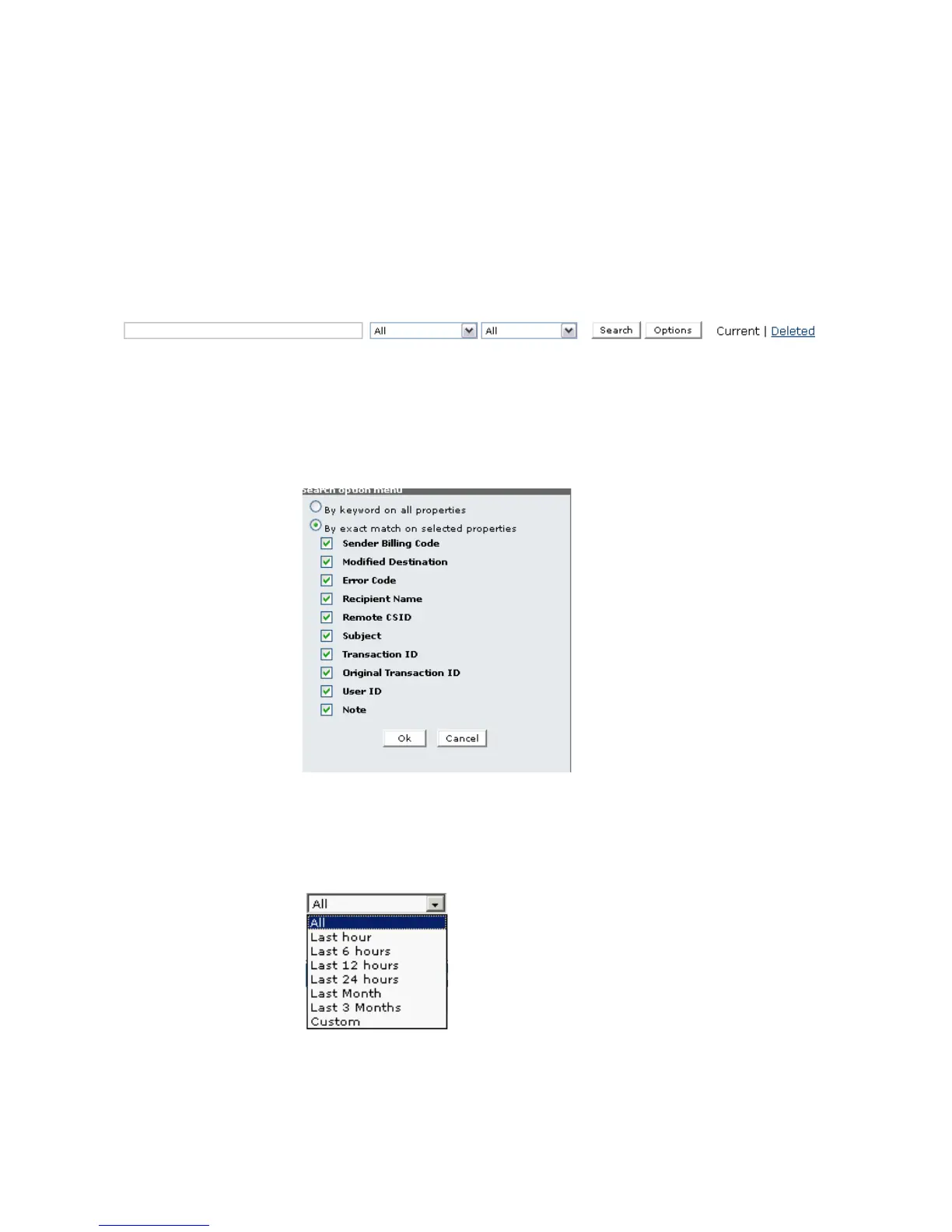
You can display all or a specific selection of faxes by using the search
bar located at the top of the browser. Leaving the fields of the search
bar empty will result in all of the current faxes being displayed.
The fields and options in the search toolbar allow you to enter
criteria that can locate a specific set of faxes you suspect are in the
outbound history archive. OmniTouch Fax Server searches the entire
database of fax records.
In the first field of the search bar, you can enter a keyword to search
for. The search can be performed in any or all of the fields relative to
the fax, depending on which you choose in the Search option
menu, accessed by clicking the Options button.
Note: The wildcard character (*) and the OR function are supported
.
You can also specify if you want to view all the faxes By Keyword
on all selected properties or by exact match on selected
properties and received at any time, or within a certain time range.
Browsing the first selection box from the left, in the search bar, will
give you the following selection of time ranges:
Click on the desired time range. Selecting Custom opens the
Custom date range menu, where you can specify a range of dates



 To Next Page