©2019 ALL-TEST Pro, LLC All Rights Reserved 15 Rev 06/20/2019
INSTRUMENT OPERATION
Turning the instrument ON
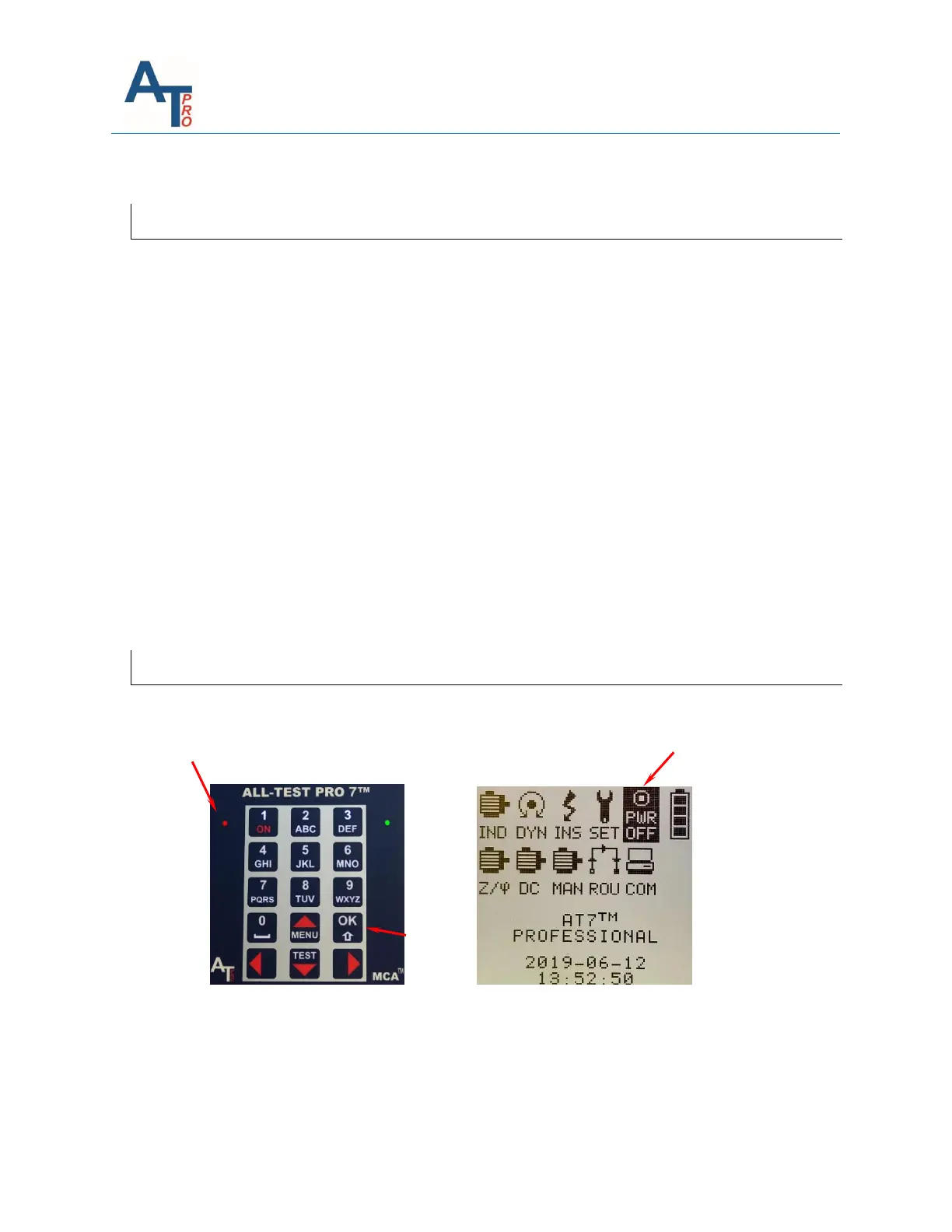
Press the "ON" key ❶ to turn on the instrument.
Note: If the instrument does not turn on, try to hold the "ON" key for a little longer. If it still
does not turn on, the most likely cause would be that the Li-ION batteries built-in over discharge
protection circuits have switched off. In such scenario, please try the following in the order
those steps are listed:
1. Try pressing left and right arrow keys simultaneously for a few times to see if the instrument
can be turned one
2. Leave the instrument alone for 5 minutes, try to turn it on again. If it does not turn on, try
#1 above again.
If neither of above works, connect the charger until the instrument is fully charged, then try it
again.
The last option would be to open the battery cover, disconnect and reconnect battery pack back
to the circuit. The battery pack is labeled as ⓬ in Section “Rear View”.
Now the instrument can be turned on normally.
Turning the instrument OFF
Select the "PWR OFF" icon ❷ in the main menu with the arrow keys and then press "OK" ❸
key as shown below.



 To Next Page