©2019 ALL-TEST Pro, LLC All Rights Reserved 35 Rev 06/20/2019
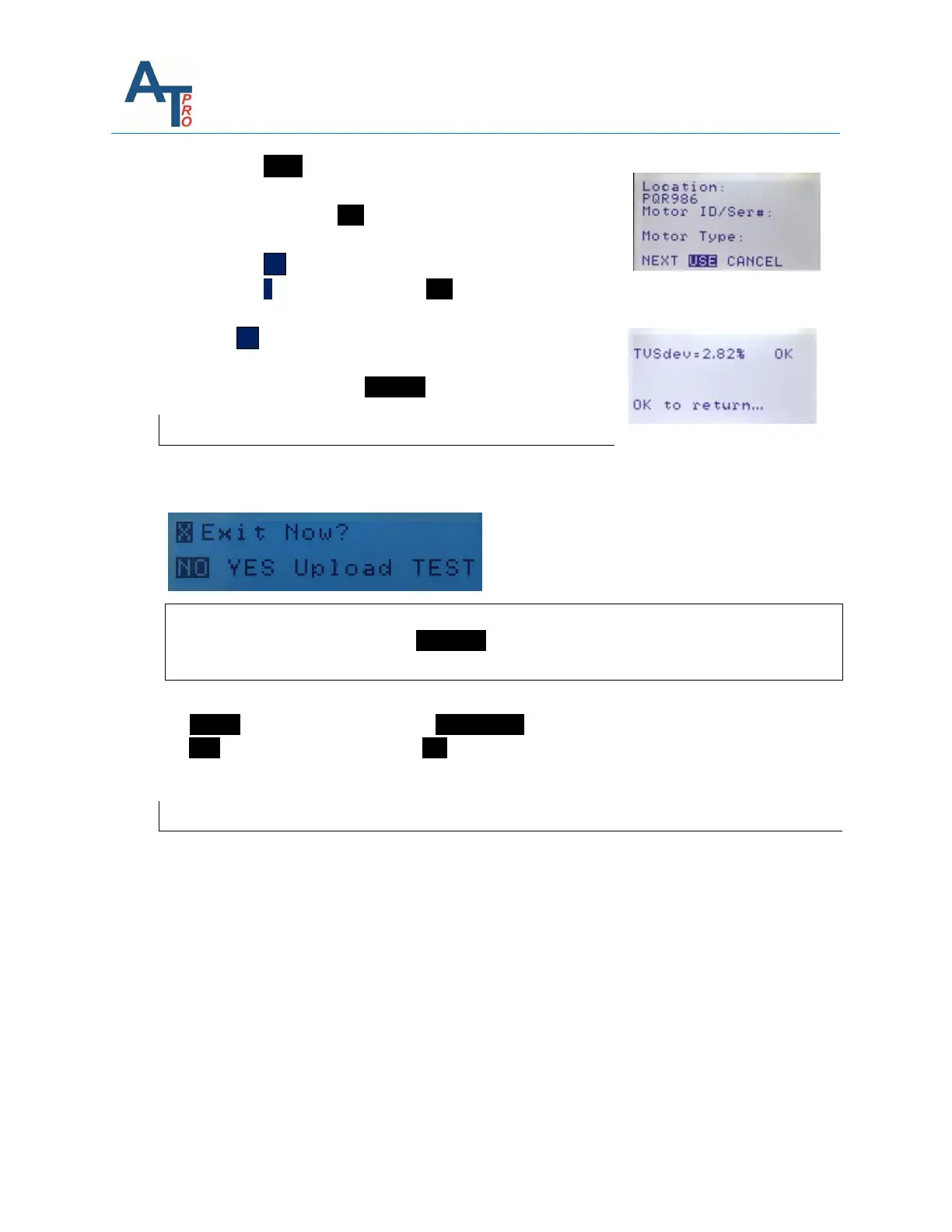
7. Press the NEXT function, the instruments will display the
first stored REF record one by one. Once the desired test is
found, highlight the USE function.
8. To view additional REF tests, press the key.
9. Press the OK key until the desired REF test is displayed.
10. Press the ˃ key and highlight the USE function
11. This will display Motors Condition as compared to its RVS
12. Press OK key to return to Results screen
13. Any time to discard the comparison and return to the test
results screen, highlight CANCEL: and press OK key.
Exit the Results Screen
The EXIT/Upload TEST function provides the options to exit the results screen and returns to the
main menu, upload the test data to a PC using the USB serial port.
Note: The EXIT function doesn’t save the Motor data test set. To save the teste data set in the
instrument, the user has to use the SAVE/REF function prior to exiting this screen, as explained
in Section Test Save and Reference Comparison.
1) To Upload the test data: Highlight the Upload TEST function, then press OK key
2) To EXIT the results screen: Highlight YES , then the screen returns to the main menu
REMEASURE
The user also has the option to do the same measurements again from the beginning by
pressing “REMEASURE”.



 To Next Page