©2019 ALL-TEST Pro, LLC All Rights Reserved 26 Rev 06/20/2019
4) To Clear value displayed press the OK key
5) Verify the Connection of the blue lead has a good path to ground, or earth
6) To retest press and hold the TEST ˅ key until 0.00 is displayed. If any other value is displayed
one or the other of the test leads are not properly connected to ground.
7) Verify the Connection of the Yellow lead has a good path to ground, or earth,
8) To retest press and hold the TEST ˅ key until 0.00 is displayed. If any other value is displayed
one or the other of the test leads are not properly connected to ground.
9) Continue to retest until both test leads have a good path to ground
Resistance and “Test Value Static” Test (R, TVS)
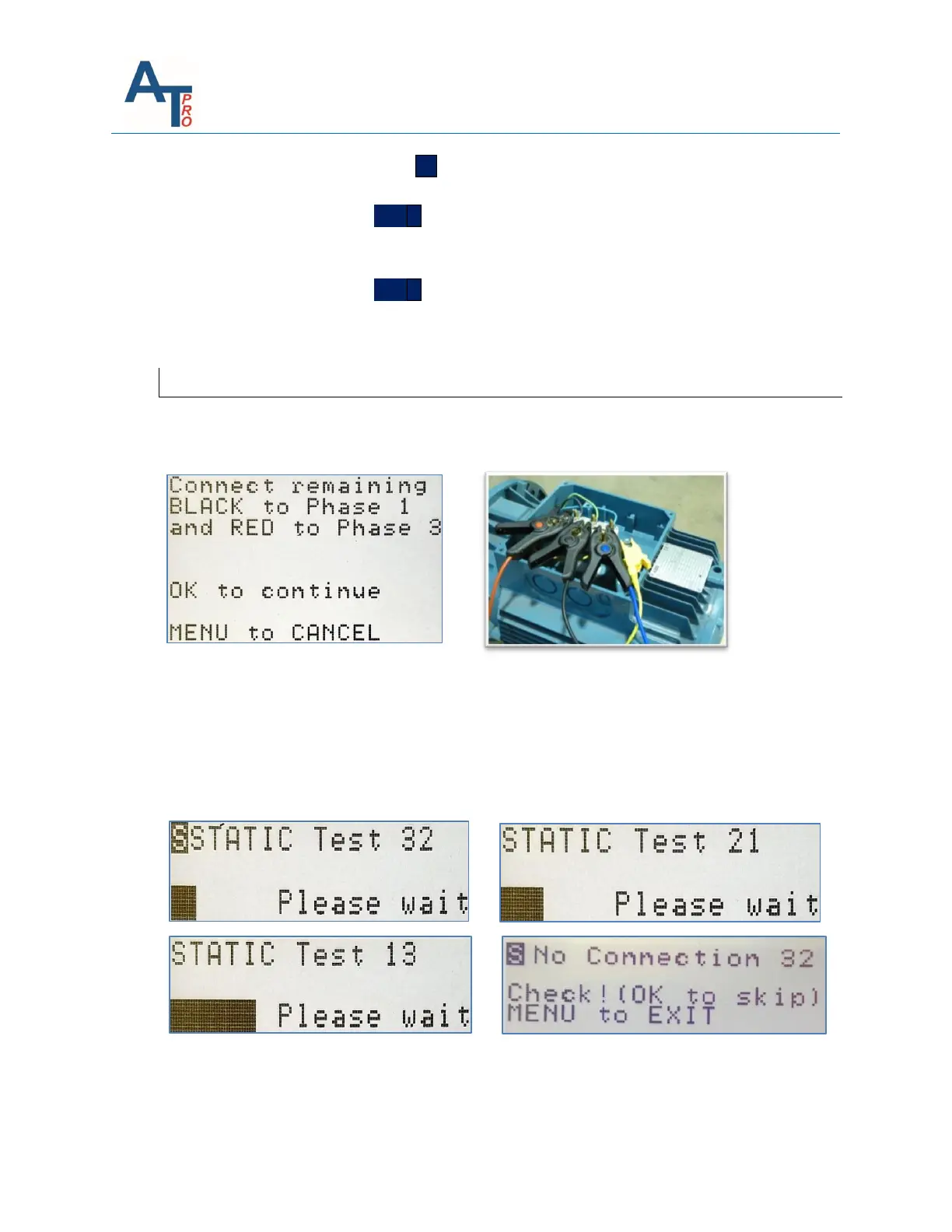
Connect the remaining test leads according to instructions in the message screen to prepare the
instrument for the remaining “STATIC” & “DYNAMIC” tests.
The instrument will now start the automatic “STATIC” series tests, starting between phases 3-2
displaying: “STATIC Test 32, Please wait” (with progression bar) and continuing with subsequent
testing between phases 2-1 and 1-3. This test includes measuring a number of parameters
between the three phases at all available test frequencies such as: Resistance (R), Inductance
(L), Impedance (Z), Current/Frequency Response (I/F) and Phase Angle (ϕ), together with other
proprietary parameters to finally calculate TVS, the “Test Value Static”.
NOTE: If “No Connection” is detected by the instrument it will display the warning message listed
above. If your connection to the motor is correct, then you can force it to sequence to the next
phase by pressing OK.



 To Next Page