ALL-TEST PRO 7™ User Manual
©2019 ALL-TEST Pro, LLC All Rights Reserved 34 Rev 06/20/2019
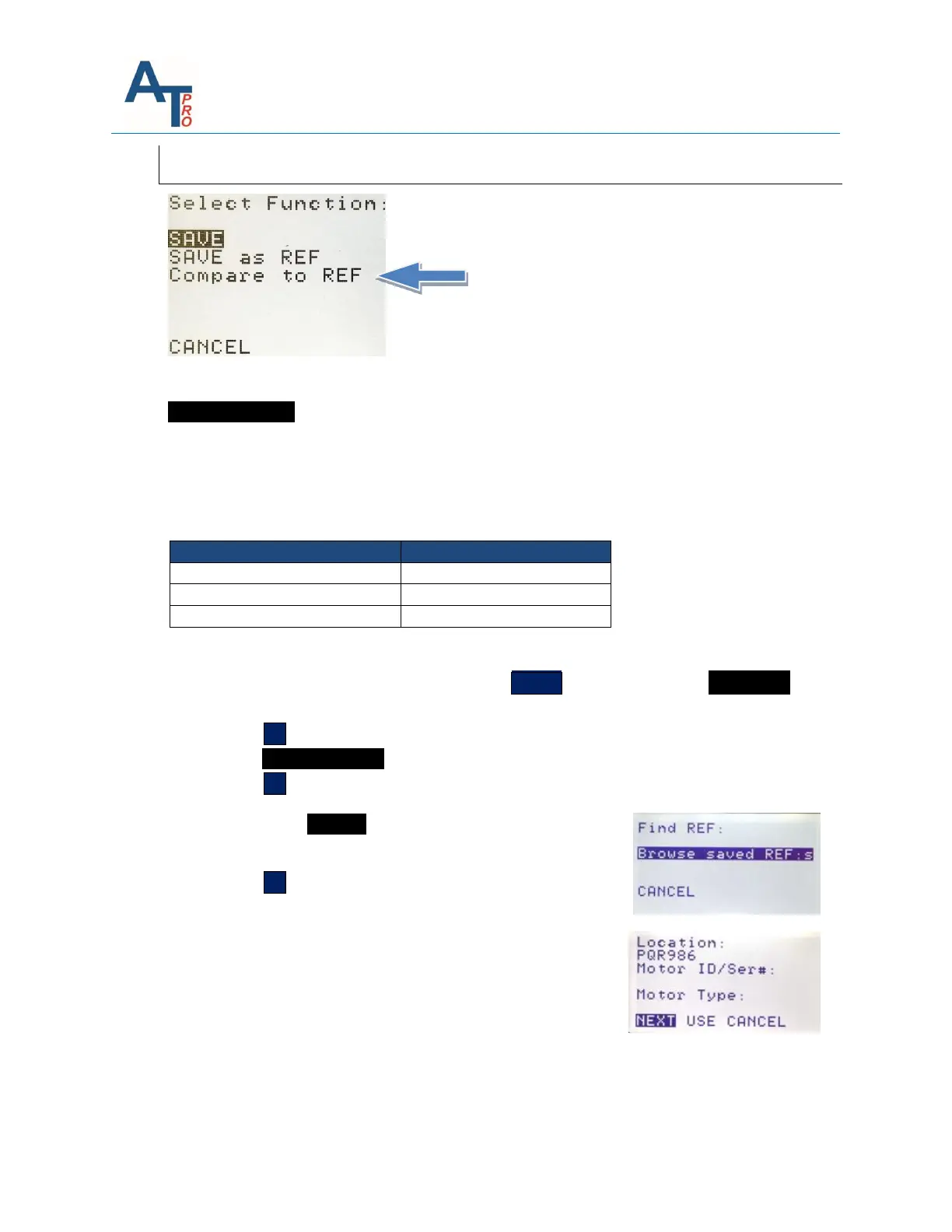
COMPARE to REF
COMPARE to REF: Allows the current motor data test data TVS to be compared to any of the
Reference Test TVS, or REF TVS saved in the instrument.
The instruments will display the deviation of the present TVS compared to the saved TVS in
percentage. In addition, it will also display one of these findings: OK, WARN, or BAD according
to preset guidelines:
To compare current test to Reference test:
1. From the results screen repeatedly press the TEST ˅ key to highlight the SAVE/REF
button.
2. Press the OK key. This will display the save function screen.
3. Highlight COMPARE to REF
4. Press the OK key.
This will display the Find REF: screen:
5. Select Browse saved REF:s
6. Press the OK key.
The instruments will display REF:
Location
Motor ID/Ser.#
Motor Type



 To Next Page