©2019 ALL-TEST Pro, LLC All Rights Reserved 24 Rev 06/20/2019
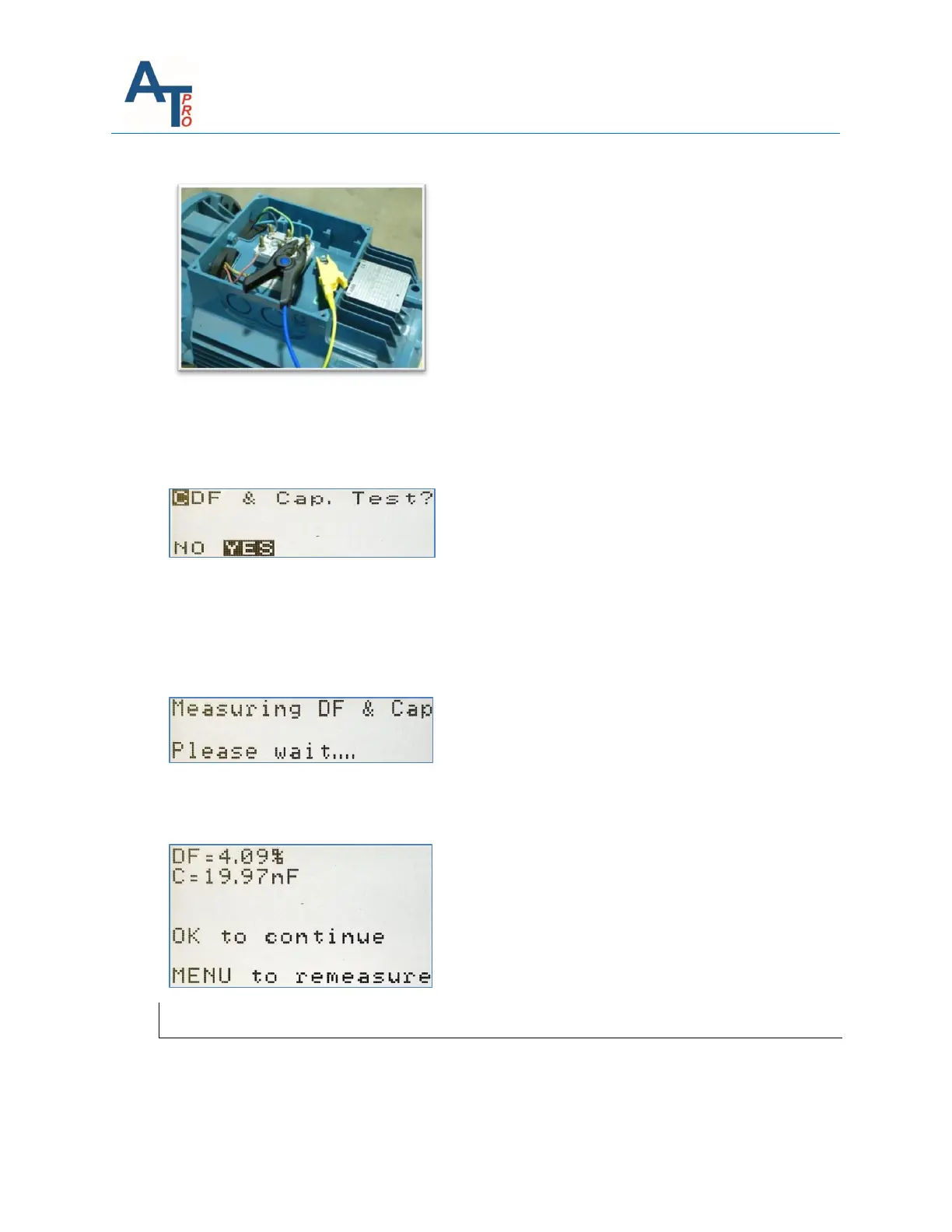
“Connect BLUE clip to Phase 2 and YELLOW to Frame, OK to continue….”
This connection will prepare the instrument for the DF, Capacitance and Insulation tests.
A message screen during the DF and Capacitance measurements will appear displaying:
“DF & Cap. Test?” Press NO to skip or YES to continue.
If NO is selected, then the display will sequence to the Insulation to Ground Test
If YES is pressed, then a message screen during the DF and Capacitance measurements will
appear displaying:
“Measuring DF & Cap, Please wait….”
After the DF and Capacitance test is complete then the display will show the measured values.
Press “OK to continue… or MENU to remeasure…”
Insulation Resistance Test (MΩ)
Next step is the selection of “Insulation Test?” Select “NO” or “YES” and press OK.



 To Next Page