©2019 ALL-TEST Pro, LLC All Rights Reserved 13 Rev 06/20/2019
BATTERY
Battery Meter
Battery Charge Indicator is located on the right top corner of the main screen. It provides
indication of the status of the battery charge. When battery charge is low, it could possibly lead
to inaccurate measurements. Therefore, it is always recommended to make measurements only
when there are 3 bars at minimum. Users are suggested to keep the instrument charged when it
is not being used.
Battery Charging
The battery typically takes 2.5 hours to fully charge.
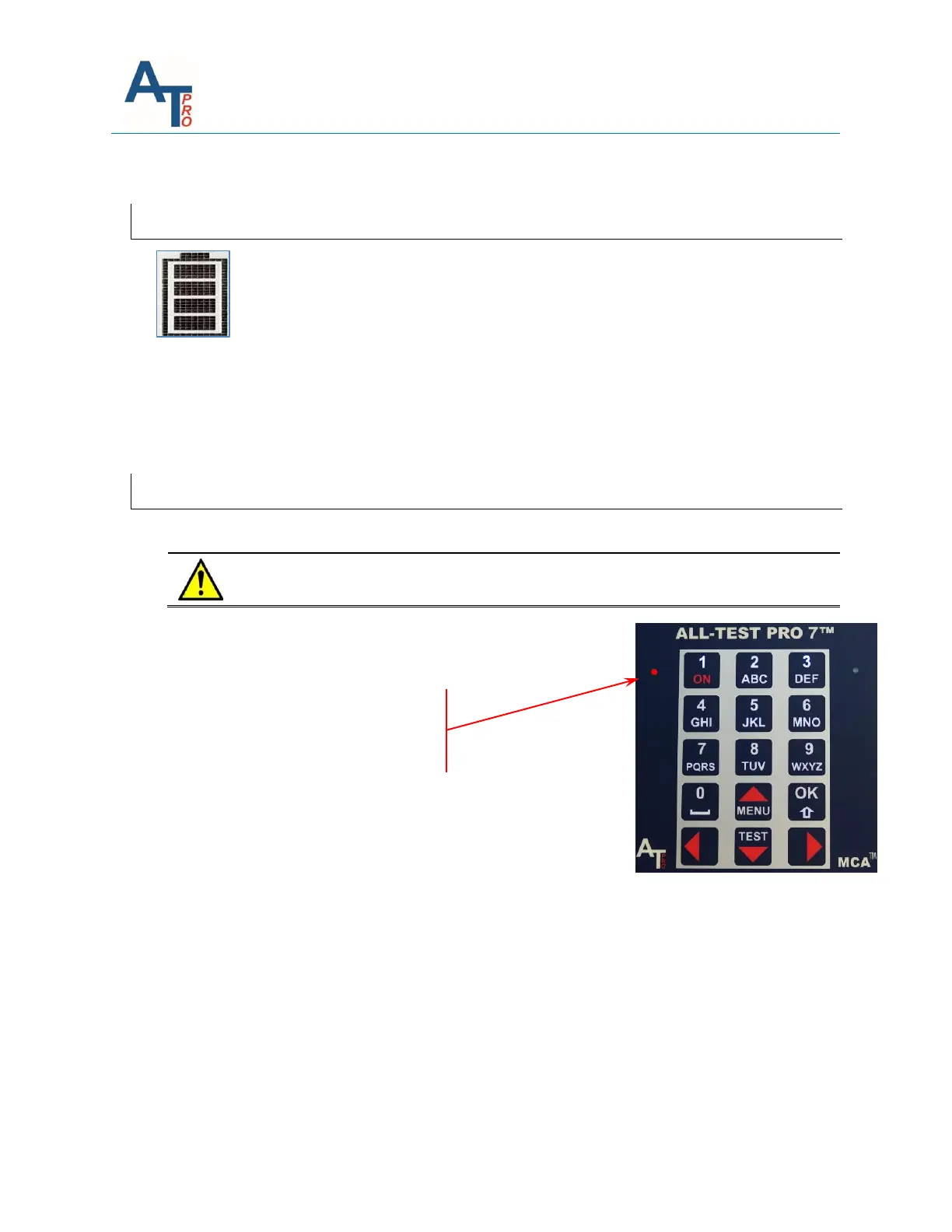
Charging status is indicated by bi-color LED to the left of keyboard:
Red = Battery conditioning and charging
Green = Charge complete
OFF = Charger not connected



 To Next Page