©2019 ALL-TEST Pro, LLC All Rights Reserved 39 Rev 06/20/2019
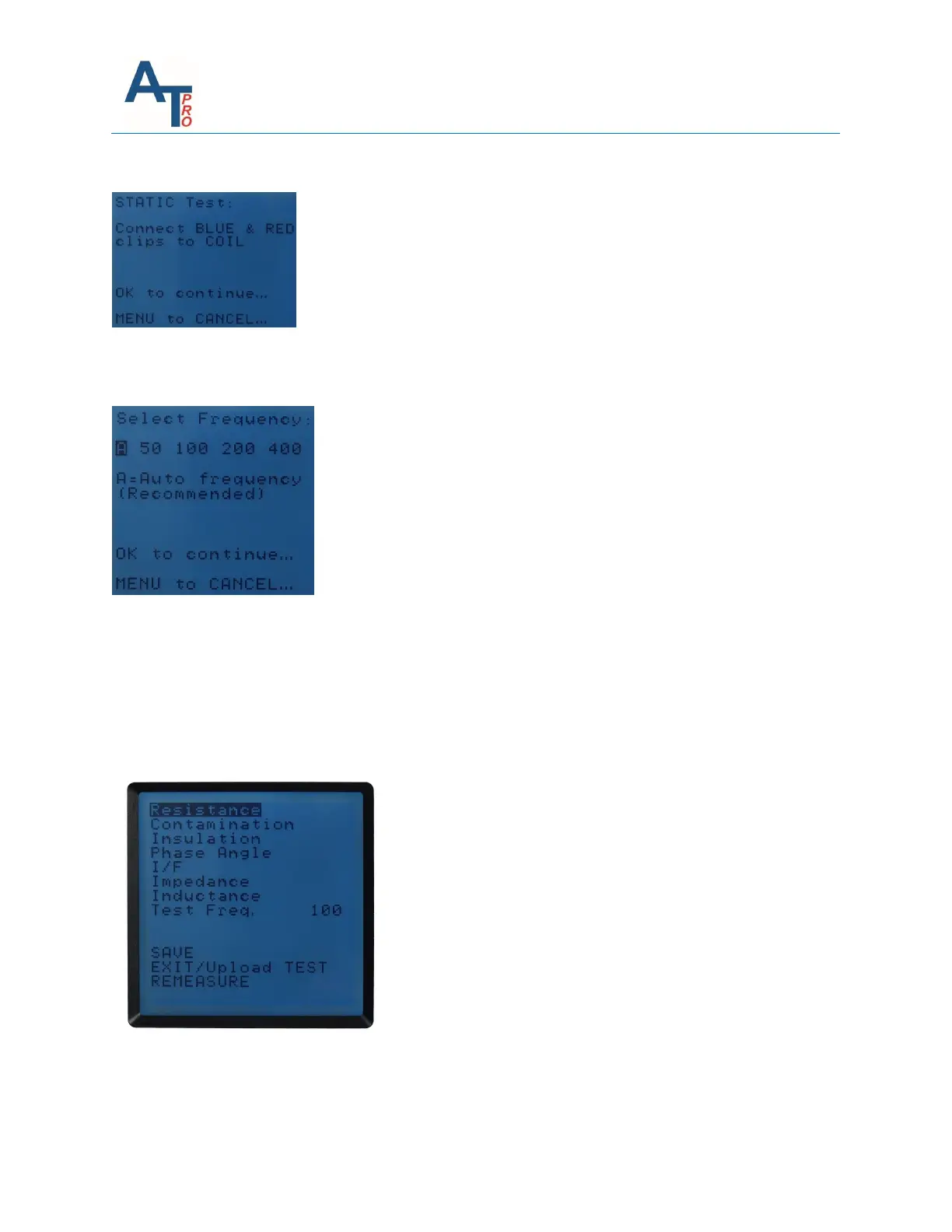
3. Connect red test lead to the other terminal of the 1 Phase winding.
4. The user has the option to choose the test frequency. It’s recommended to choose “A”, i.e. the
instrument will determine the optimized frequency for measurements.
5. The results will be displayed as below. Press on any parameter will show the measurement
value. Refer to Section “Viewing Results" in Chapter “ind/dyn/ins – ac INDuction motor test”.
Note: For 1 – Phase AC test, no diagnostic analysis will be provided on instrument. Please refer
to MCA software manual for the analysis performed in MCA software.
6. For the operations to save the test, exit or remeasure, refer to the Section “Test Save and
Reference Comparison” in Chapter “ind/dyn/ins – ac INDuction motor test”.



 To Next Page