Publication 2707-UM005B-EN-P
2-2 Microview Overview
Description
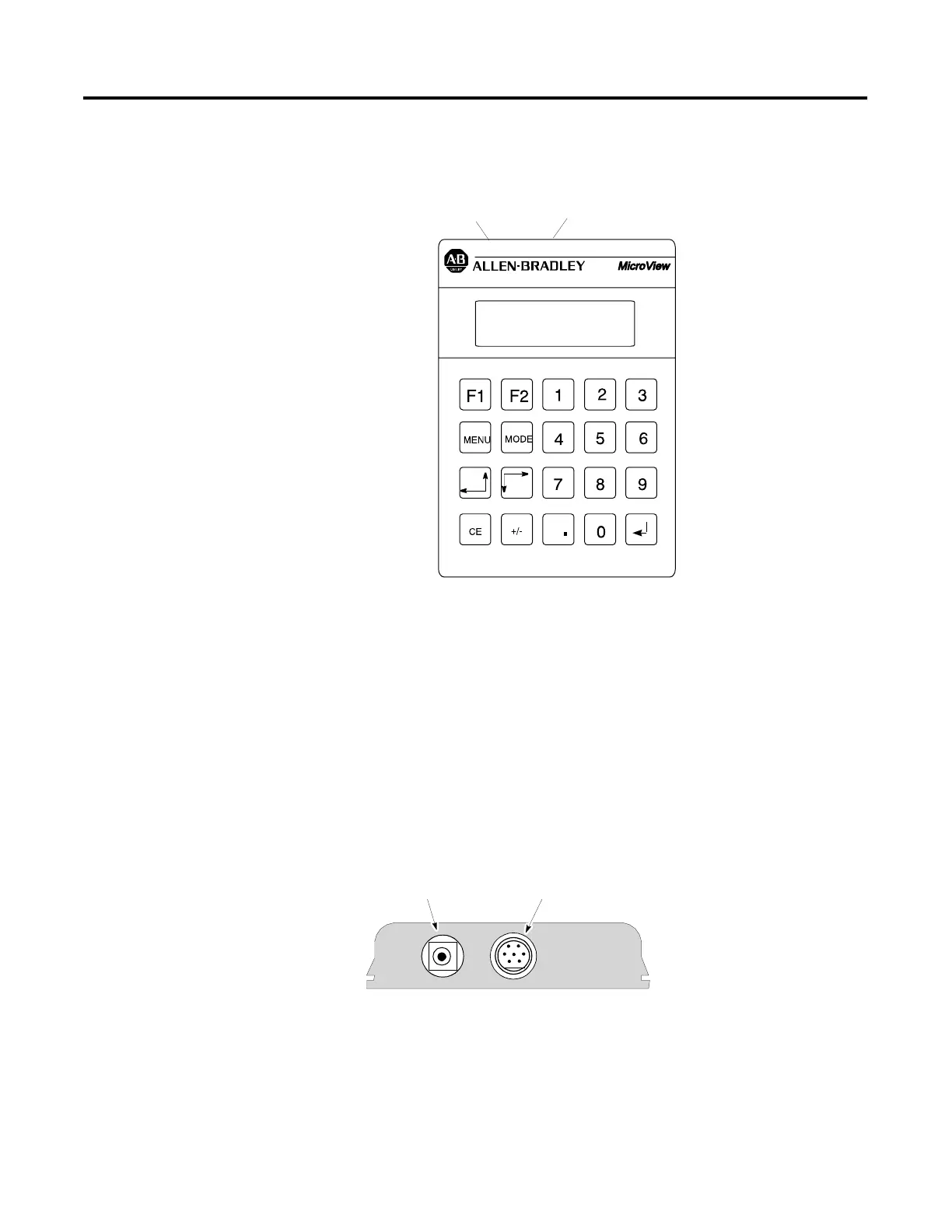
The front panel of the MicroView terminal is shown below.
MicroView (front view)
Display
The 2 line by 16 character display uses high contrast LCD technology
with LED backlighting.
Communications Port
The MicroView operator interface has a communications port located
on the top edge. The communications port is an 8 pin mini DIN
connector configured with an RS-232 channel and a 24 VDC power
supply connection.
Power Connector
The power connector is a 2 conductor power jack used to connect an
external power source to the MicroView. This power source is
required when the MicroView is connected to a PC for program
transfers.
Communications Port
Power Port
UNLOCK THE POWER
TO VIEW
PREV
NEXT
Power Port
Communications Port



 To Next Page
 Loading...