Publication 2707-UM005B-EN-P
C-8 MicroView Special Controller Functions
7. Press the [ ] key to enter new accumulator or preset values to
the displayed counter address.
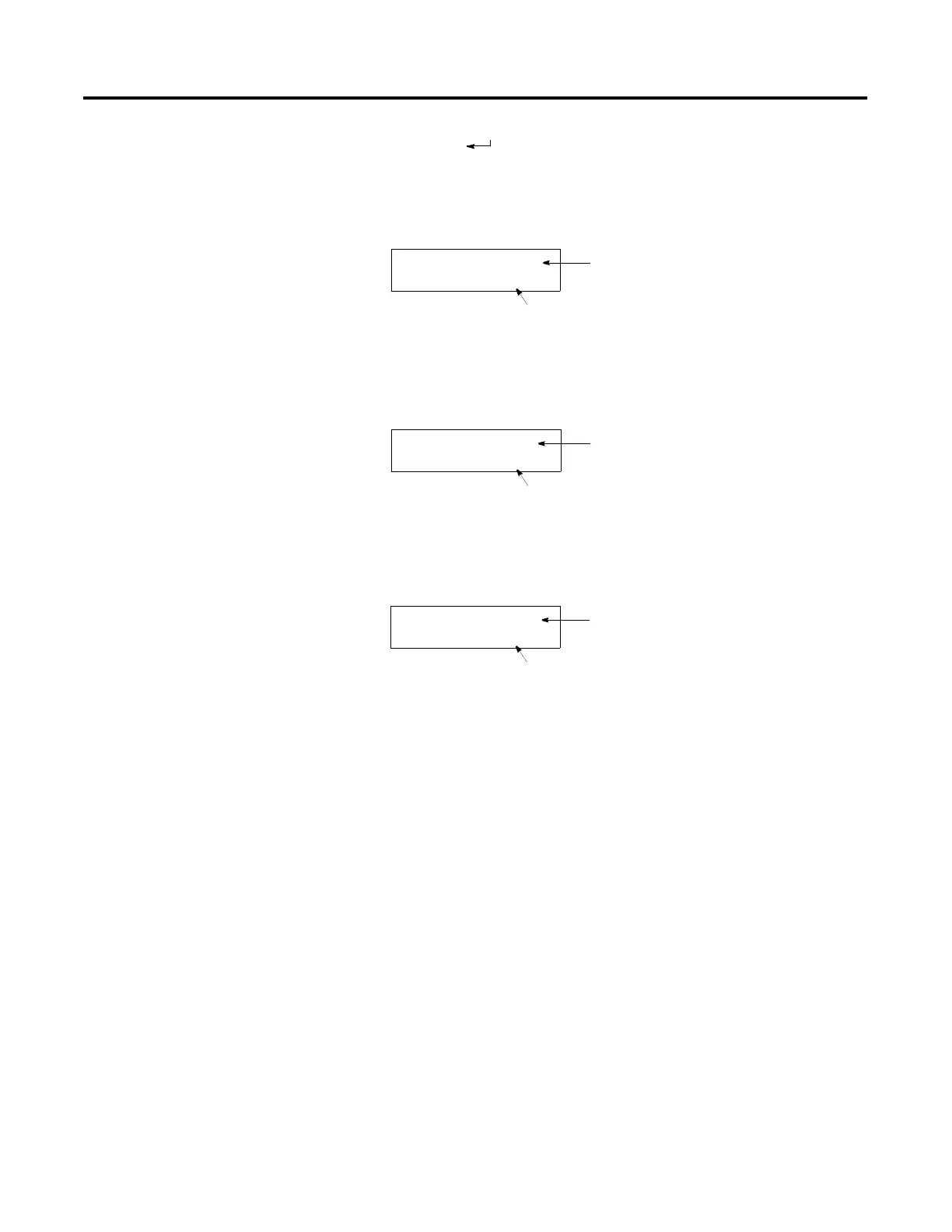
8. Press [NEXT] again to display the status bits:
9. If you chose element C0, (High Speed Counter), you can access
two additional status bit screens. Press [NEXT] again to display:
10. Press [NEXT] again to display the additional status bits:
11. To exit, press the [CE] key to return to the initial P-A/D screen.
You can press the [CE] key at any time during the P-A/D
function.
12. Press the [MENU] key at any time to exit the P-A/D function and
display the Main Menu.
Status
File=C5
Elem=010 0
C DU
00
CO
00
Bits:
Count Up Enable,
Count Down Enable,
Done, Overflow,
Underflow
Bits:
Update Accumulator,
Accumulator > High Preset,
Accumulator < Low Preset,
Overflow Interrupt,
Underflow Interrupt
Status
File=C5
Elem=010 0
U LI
00
HI
00
Bits:
High Preset Interrupt,
Low Preset Interrupt, Interrupt
Pending, I
interrupt Lost, I
interrupt Enabled
Status
File=C5
Elem=010 0
I PI
00
IL
00



 To Next Page
 Loading...