IS-300A
4. How to Operate Screens
4-46
LINEAR
STEP2STEP1 STEP4STEP3 STEP5
(100%FIXED)
Current
Number of
welds
Set value of STEP5
Set value of STEP4
Set value of STEP3
Set value of STEP2
Set value of STEP1
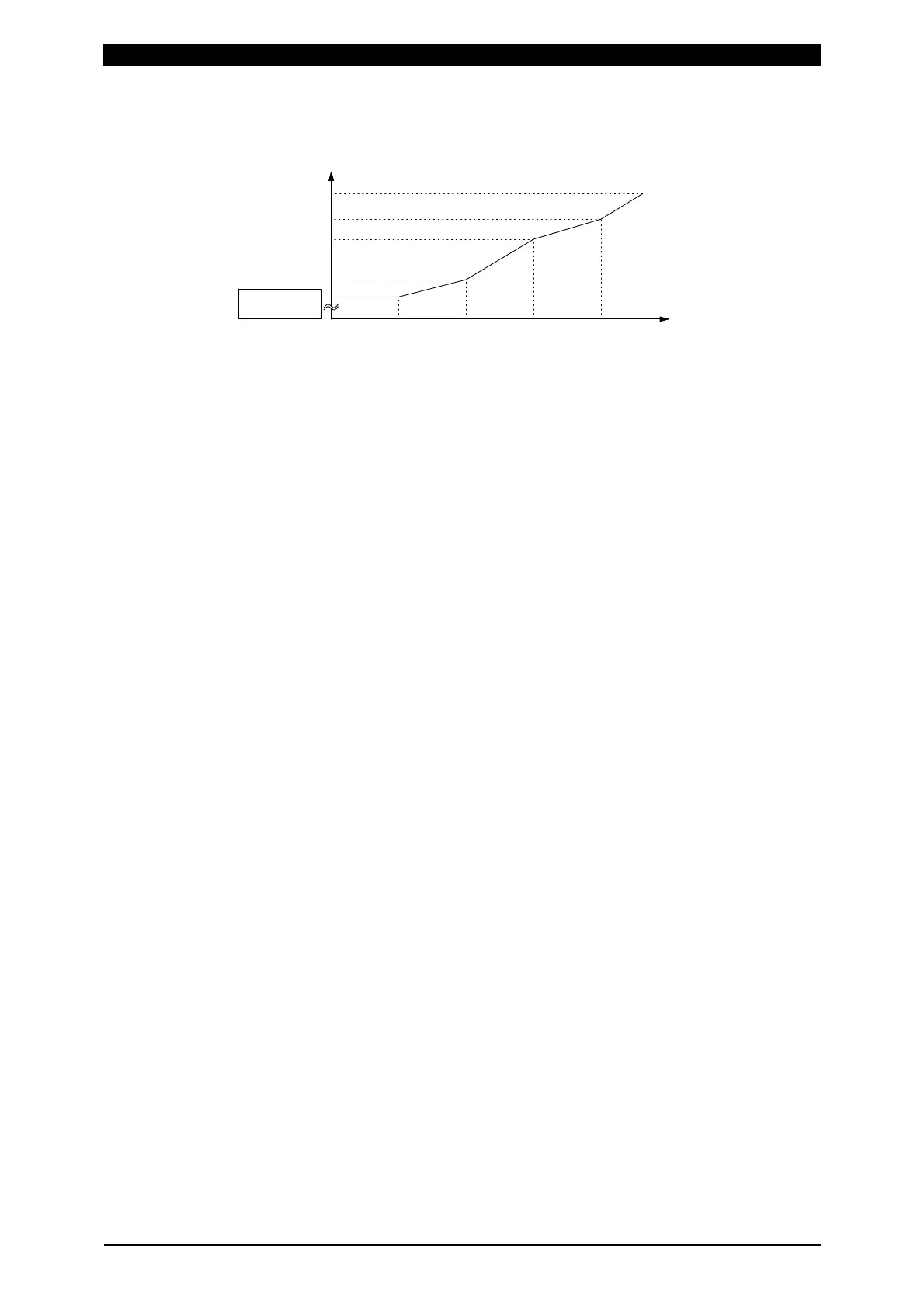
As shown in the above figure, the current is stepped up or down to the value
for STEP2 with the specified number of welds for STEP2 following
completion of the specified number of welds for STEP1.
Similarly, the current is stepped up or down to the value for STEP3 the
specified number of welds for STEP3 following completion of the specified
number of welds for STEP2.
For example, the settings are COUNT: 2 for STEP1, RATIO: 200% and
COUNT: 4 for STEP2, and 2 kA for current, the current is stepped up in a
stepwise manner from Weld 3 to Weld 6 as shown below.
Weld 1: 2kA Weld 2:2kA Weld 3:2.5kA Weld 4:3.0kA Weld 5:3.5kA Weld 6:4.0kA
<--------- STEP1----------> <------------------------------ STEP2 ----------------------------->
(c) VALVE #
Make settings for (a) and (b) above for each valve number. Change the number
to set the schedule for each valve.
(Note) Upper/Lower limit judgment value when STEPPER MODE is not OFF
The upper/lower limit judgment value set here is for the current when a
welding is performed, not for the initial setting.
Therefore, when STEPPER MODE is not OFF to perform step-up (-down) for
the initial setting, the upper/lower limit judgment value is stepped up or down
automatically.
RATIO has an effect on HEAT only. Fixed for UF/DL.
When the HEAT value multiplied by RATIO falls below the UF/DL value, an
error occurs.
Example) When the current is set to 2
kA, HIGH; 2.2
kA, LOW; 1.8
kA.
When the step becomes 150%, HIGH and LOW become as follows.
HIGH: 2.2 x 1.5 = 3.3
kA
LOW: 1.8 x 1.5 = 2.7
kA
(d) STEP 1–9
Set the welding current up-down ratio (RATIO) and the number of welds
(COUNT) for each STEP. The sequence will proceed to the next STEP when
the set number of welds is reached. The setting range of RATIO is 50 to 200%,
and the setting range of COUNT is 0 to 9999.


 To Next Page
 Loading...




