IS-300A
4. How to Operate Screens
4-18
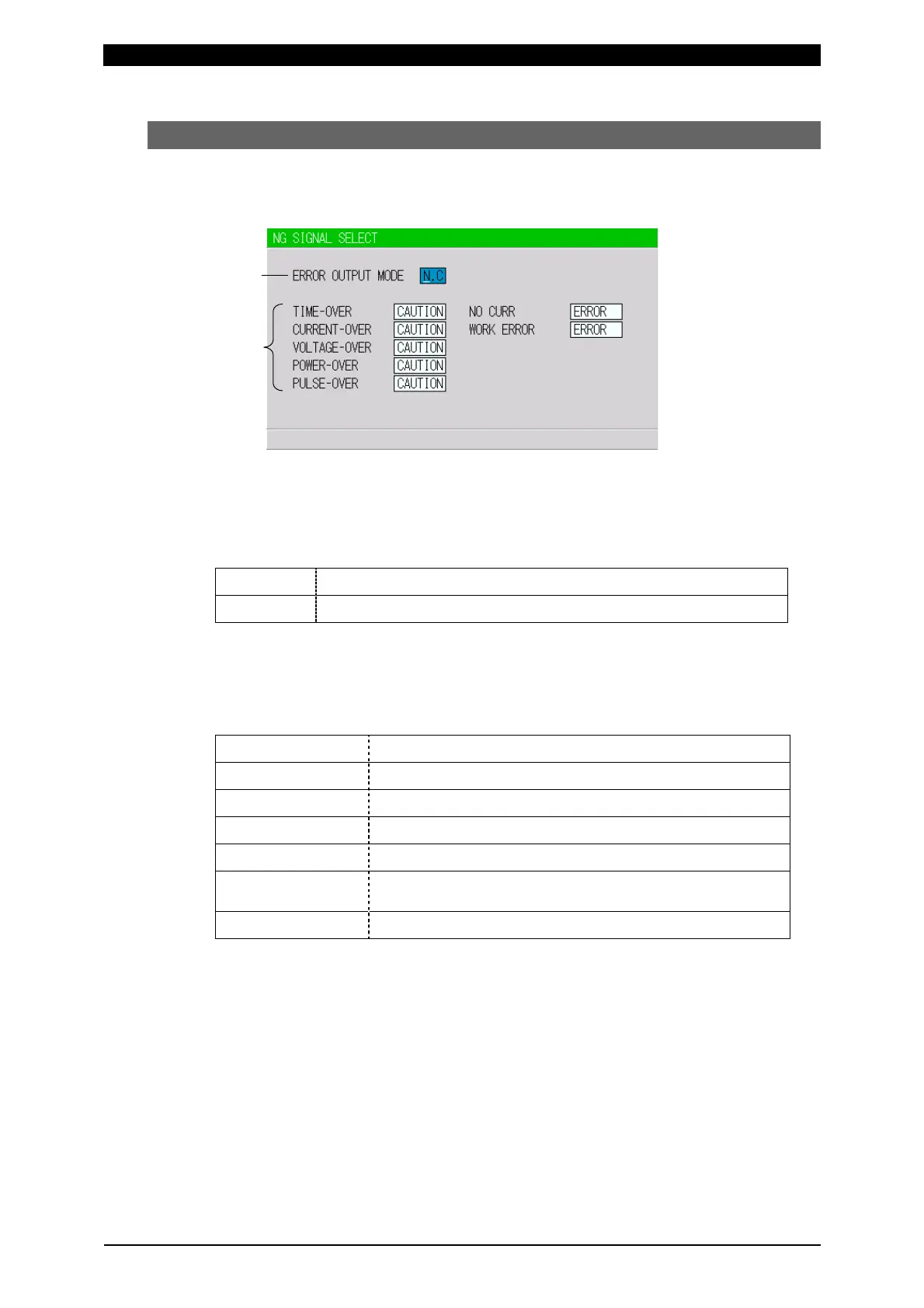
(6) NG SIGNAL SELECT Screen
Sets the output mode and the signal for each item to output, ERROR or CAUTION,
in an error occurring.
(This screen shows initial settings.)
(a) ERROR OUTPUT MODE
Sets the output modes of NG1 and NG2 of the external output signals. (Refer to
6. Interface.)
N.C
(NORMAL CLOSE) Closed at normal / Open at error
N.O
(NORMAL OPEN) Open at normal / Closed at error
(b) TIME-OVER / CURRENT-OVER / VOLTAGE-OVER / POWER-OVER /
PULSE-OVER / NO CURR / WORK ERROR
Sets the signal to output, ERROR or CAUTION.
The signal is output in the following states.
TIME-OVER
When the weld time exceeds the upper/lower limit
CURRENT-OVER
When the current exceeds the upper/lower limit
VOLTAGE-OVER
When the voltage exceeds the upper/lower limit
POWER-OVER
When the power exceeds the upper/lower limit
PULSE-OVER
When the pulse width exceeds the upper limit
NO CURR
When the no-current error occurs
(For the no-current error, see 13. Troubleshooting.)
WORK ERROR
When the precheck error occurs
When two or more items are the same settings, the ERROR signal or the
CAUTION signal is output if either one meets the condition above.
(a)
(b)



 To Next Page