IS-300A
4. How to Operate Screens
4-2
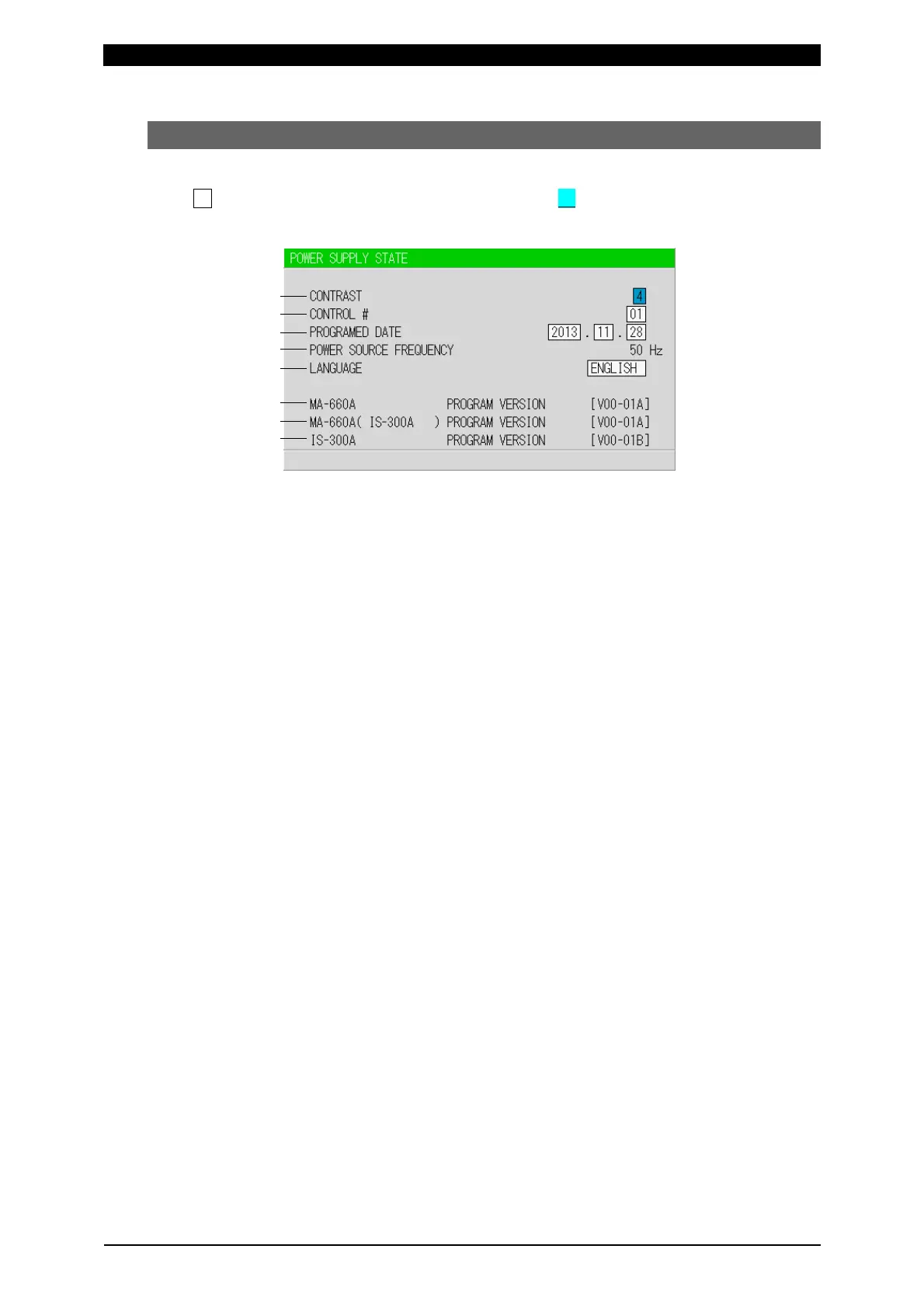
(2) POWER SUPPLY STATE Screen
This screen is used to display and set data for the Power Supply.
indicates settable items. Move the cursor ( ) to them to change the value.
(Same for all screens.)
(a) CONTRAST
Sets the screen contrast. The contrast can be set in a range from 0 to 9. The
larger the value, the brighter the screen. Adjust the contrast if the screen is
difficult to view.
(b) CONTROL #
Input the identification No. of your Power Supply. The setting range is 1 to 31.
If you have two or more Power Supply units, input 01 for the first one, 02 for
the second one, 03 for the third one, and so on. Used for communication.
(c) PROGRAMED DATE
Input the date on which a schedule is set as data. The date does not affect the
set schedule. When the Power Supply memory is initialized, the date is also
initialized to the date on which the program version is created.
(d) POWER SOURCE FREQUENCY
The frequency of the welding power is measured and indicated automatically.
(e) LANGUAGE
Select the language among Japanese, English, Chinese, and Korean.
(f) MA-660A PROGRAM VERSION
Indicates the program version No. of Program Unit MA-660A.
(g) MA-660A ( IS-300A ) PROGRAM VERSION
Indicates the program version No. of the Power Supply’s screen display part.
(h) IS-300A PROGRAM VERSION
Indicates the program version No. of the Power Supply’s control part.
(a)
(b)
(c)
(d)
(e)
(f)
(g)
(h)



 To Next Page