IS-300A
4. How to Operate Screens
4-45
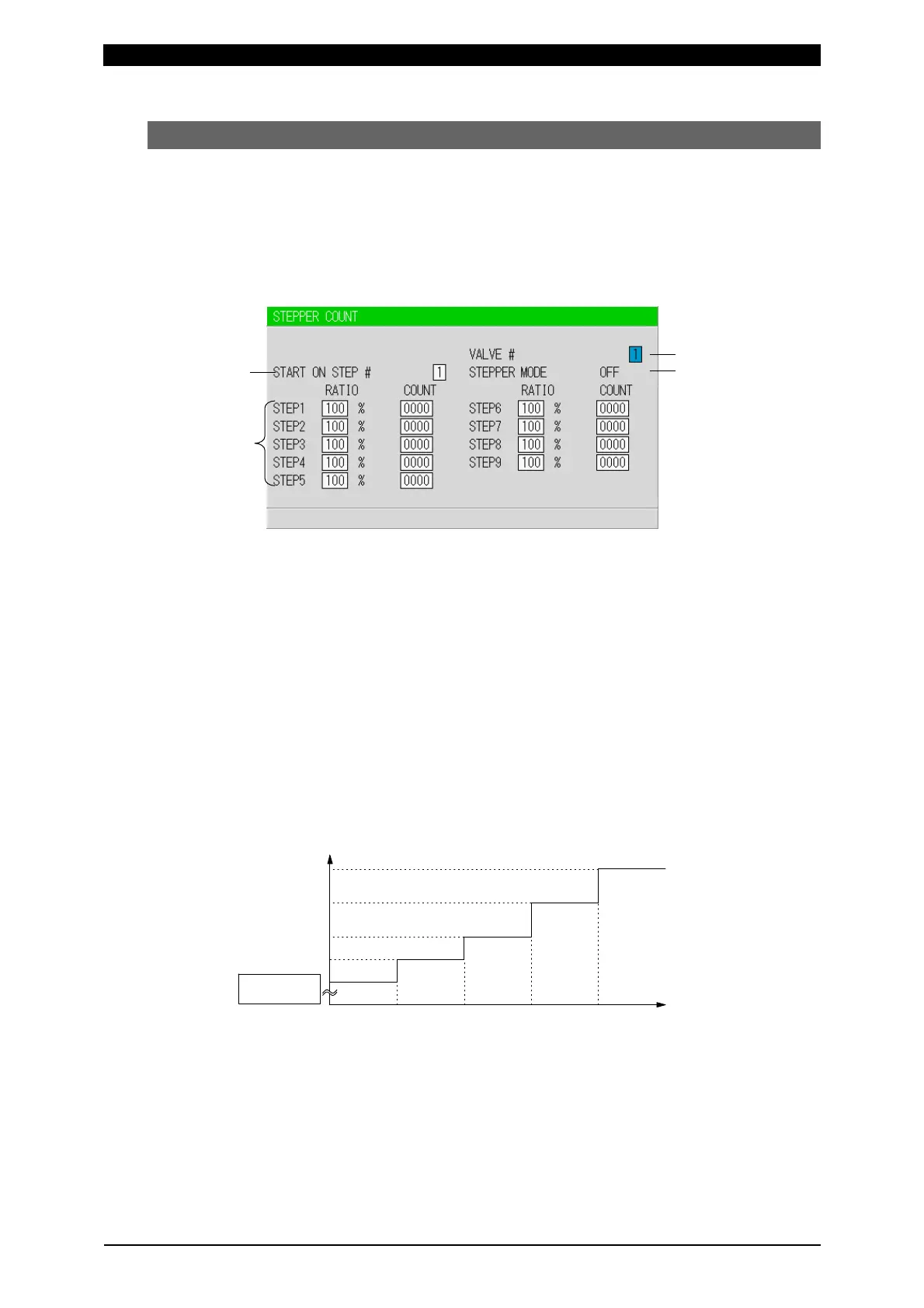
(11) STEPPER COUNT Screen
The Power Supply can change the level of the welding current depending on the
welding conditions. The function to increase the welding current is called the
“step-up” function, and that to decrease the welding current is called the
“step-down” function. Set the step-up or step-down timing based on the number of
welds. When the set number of welds is complete, the step end signal (STEP
END) is output. (Refer to (7) OUTPUT SELECT Screen.)
(a) START ON STEP #
The counting of welds starts from the STEP set here.
If, for example, you select START ON STEP #3 as shown above, welds will be
counted from the first weld in STEP3, even if welding for the first time. Further,
the welding current will be increased (or reduced) by the extent you have set this
value for STEP3.
Set the desired STEP No. 1–9 for VALVE1 and VALVE2 respectively.
(b) STEPPER MODE
There are two types for step-up (-down), stepwise (FIXED) and linear (LINEAR).
When step-up (-down) is not used, OFF is displayed.
The setting is made on the MODE SELECT screen. (Refer to (9)(k).)
FIXED
STEP2STEP1 STEP4STEP3 STEP5
(100%FIXED)
Current
Number of
welds
Set value of STEP4
Set value of STEP1
Set value of STEP5
Set value of STEP3
Set value of STEP2
As shown in the above figure, the current is stepped up or down to the value
for STEP2 following completion of the specified number of welds for STEP1.
Similarly, the current is stepped up or down to the value for STEP3 following
completion of the specified number of welds for STEP2.
(a)
(d)
(c)
(b)



 To Next Page