IS-300A
9. External Communication Function
9-2
(3) Configuration
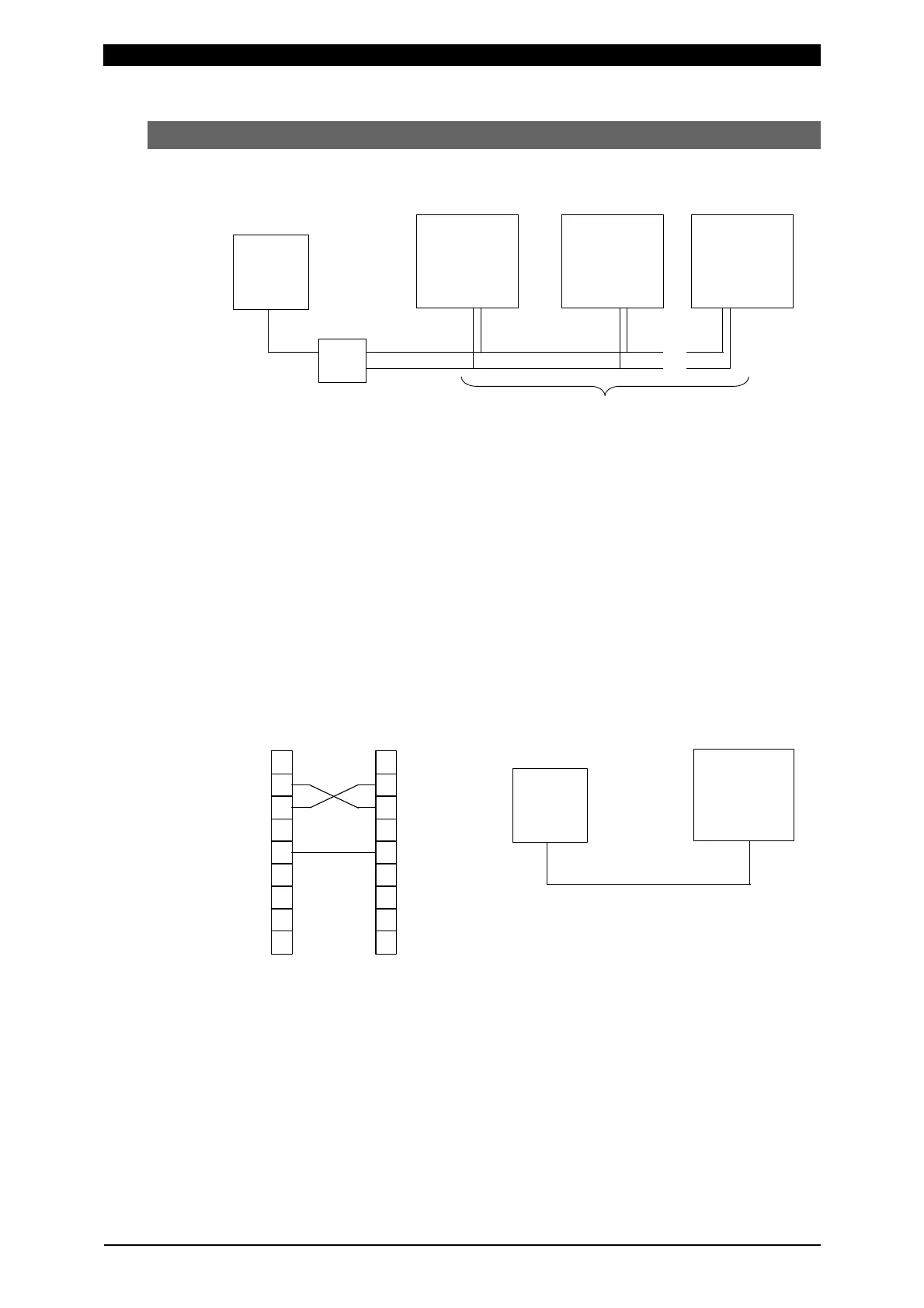
RS-485
(Note 1) When controlling two or more devices with one host computer, register
the device No. (CONTROL#) for each device. Set the device No. at the
POWER SUPPLY STATE Screen (See 4.(2)(b)).
(Note 2) Do not assign one number to more than one device. Also, do not send
data simultaneously from two or more devices in the single-directional
communication mode. Otherwise, data collision and inappropriate
system operations may result.
(Note 3) The RS-232C/RS-485 conversion adapter is not included in the
accessories. It is required to prepare the adapter at customer’s side.
RS-232C
Only a device can be connected.
Host computer
Device No.01 Device No.02 Device No.31
RS-232C
RS-485
RS-232C/RS-485 Conversion Adapter
31 Devices Max.
…
…
Host Computer
Device No.01
RS-232C
CD 1
RXD 2
TXD 3
DTR 4
GND 5
DSR 6
RTS 7
CTS 8
9
1
2 RXD
3 TXD
4
5 GND
6
7
8
9
Host Computer
D-Sub 9 Pin
Male
IS
Pin No.
D-Sub 9 Pin
Female
Pin No.



 To Next Page