IS-300A
4. How to Operate Screens
4-39
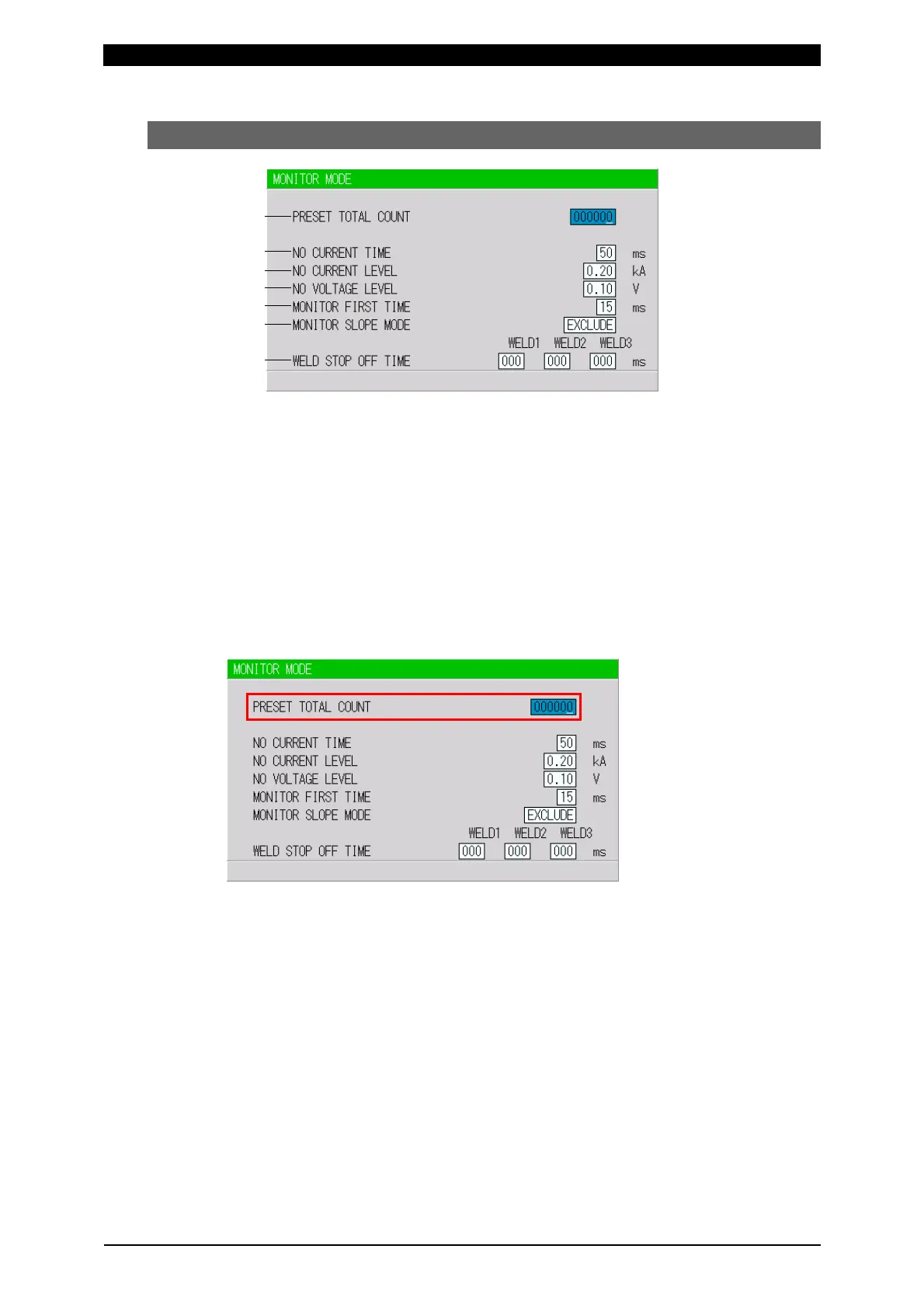
(10) MONITOR MODE Screen
(Note) This screen shows initial settings. The display changes depending on the setting of
WELD2 STOP/WELD COUNT and COUNTER on the MODE SELECT screen.
(a) PRESET TOTAL COUNT
The display changes depending on the setting of WELD2 STOP/WELD COUNT
and COUNTER on the MODE SELECT screen. The preset count is the count
value set in advance. When each count reaches the set value, E-28 (Count-up)
is displayed and the COUNT UP signal is output.
When WELD2 STOP/WELD COUNT is WELD2 STOP and COUNTER is
TOTAL, the PRESET TOTAL COUNT is displayed.
The setting range is 0 to 999999.
When WELD2 STOP/WELD COUNT is WELD2 STOP and COUNTER is
GOOD, the PRESET GOOD COUNT is displayed.
The setting range is 0 to 999999.
(a)
(b)
(c)
(d)
(e)
(f)
(g)



 To Next Page