IS-300A
4. How to Operate Screens
4-40
1234567
1234512
1222301
CAUTION
CAUTIONGOOD GOOD GOOD GOOD
Judgment
range
Number of welds
COUNT UP
COUNT UP
count value
count value
ERROR
COUNT
CAUTION
output
output
RESET
RESET
output
output
is TOTAL
COUNTER
COUNTER
is GOOD
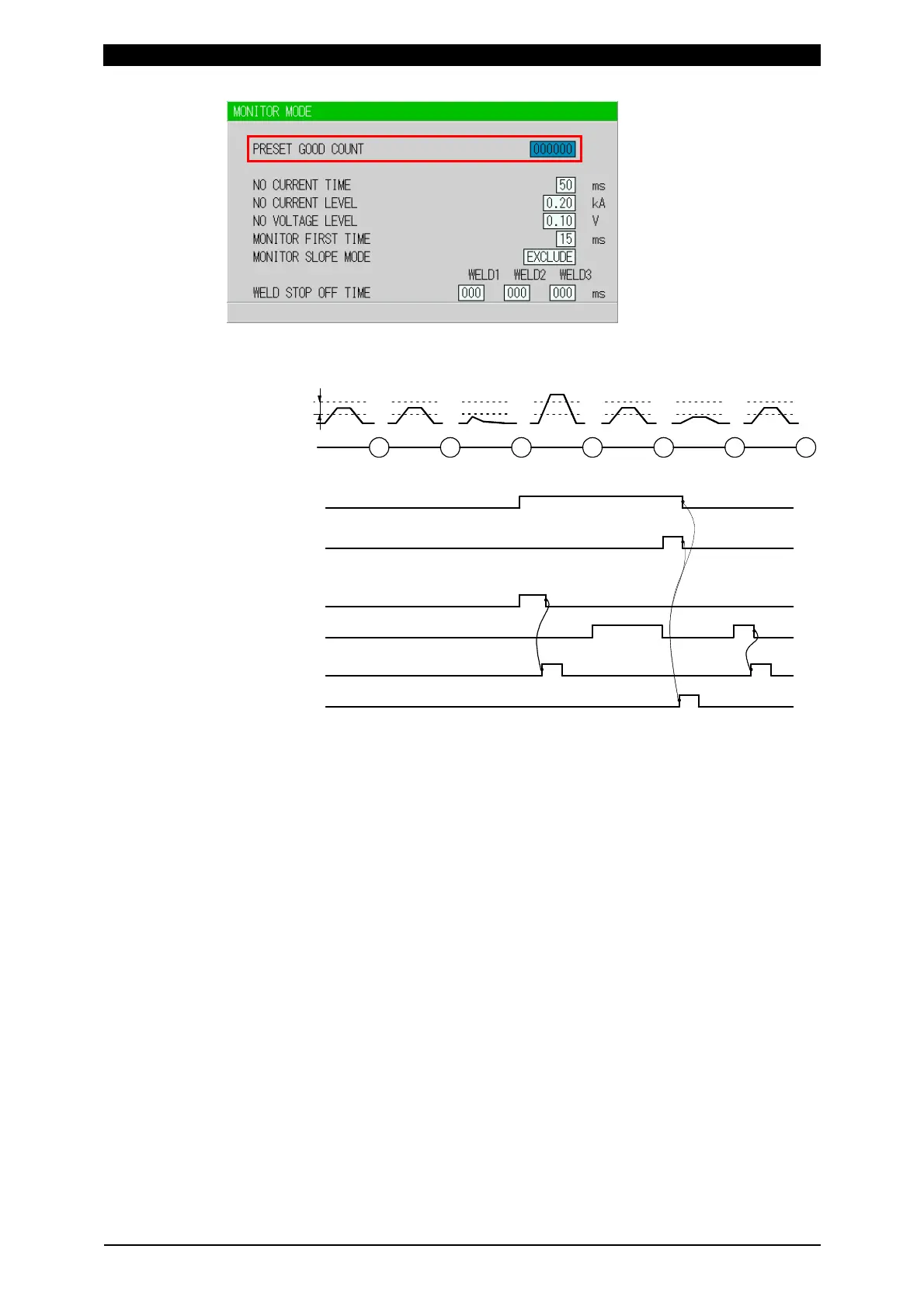
Example) PRESET COUNT=3
ERROR
ERROR
(Note)
When ERROR RESET is input, display of MA-660A, TROUBLE lamp
on panel and ERROR/CAUTION output are turned OFF, but COUNT UP
output is not turned OFF.
When COUNT RESET is input, display of MA-660A, TROUBLE lamp on
panel and COUNT UP output are turned OFF, but CAUTION output is
not turned OFF.
The chart above represents the occasion where ERROR/CAUTION
output is set to N.O (NORMAL OPEN): Open at normal / Closed at error.
When WELD2 STOP/WELD COUNT is WELD2 STOP and COUNTER is
WORK, set WELD COUNT and WORK COUNT. When PRESET WELD
COUNT is set to 0, the weld count is not incremented. Also, when the
PRESET WORK COUNT is set to 0, count-up is not done.
The setting range of PRESET WELD COUNT is 0 to 9999, and the setting
range of PRESET WORK COUNT is 0 to 999999.



 To Next Page