IS-300A
4. How to Operate Screens
4-41
1234567
12
CAUTION
1
GOOD
00
CAUTION
1
0
1
1
1
891011
GOOD
CAUTION
11
0
CAUTION
2
2
3
0
GOOD GOOD GOOD GOOD
3
1
0
0
1
0
0
2
1
2
2
1
12 13
CAUTION
GOOD
Judgment
range
Number of welds
COUNT UP
output
WELD count value
WORK count value
RESET
CAUTION
ERROR
COUNT
RESET
output
output
ERROR
ERROR
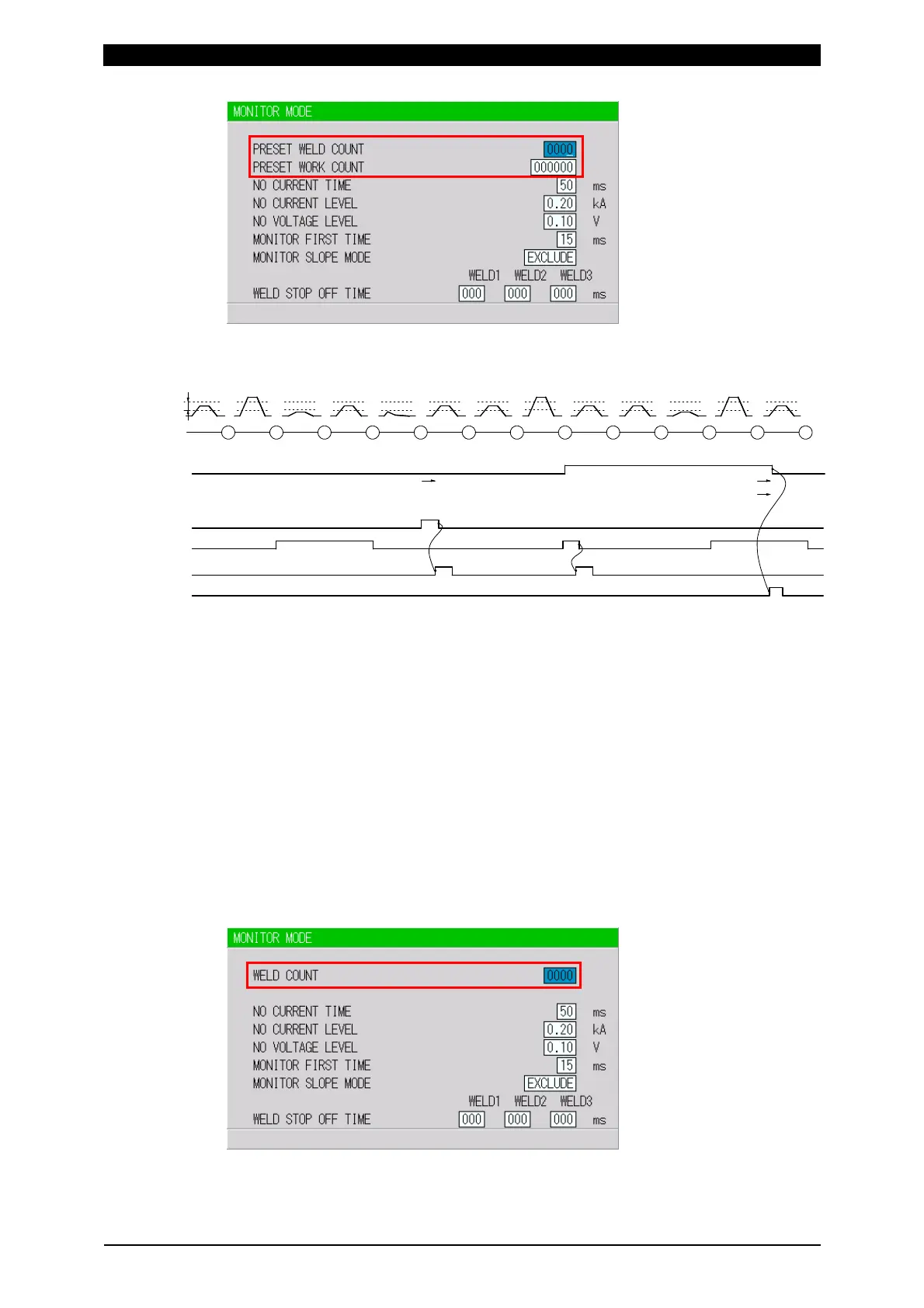
PRESET WELD COUNT=3
PRESET WORK COUNT=2
(Note)
The WELD count becomes “0” at the same time as the WORK count is
increased by one, not “3” (PRESET COUNT value).
When ERROR RESET is input, display of MA-660A, TROUBLE lamp
on panel and ERROR/CAUTION output are turned OFF, but COUNT UP
output is not turned OFF.
When COUNT RESET is input, display of MA-660A, TROUBLE lamp on
panel and COUNT UP output are turned OFF, but CAUTION output is
not turned OFF.
The chart above represents the occasion where ERROR/CAUTION
output is set to N.O (NORMAL OPEN): Open at normal / Closed at error.
WELD2 STOP/WELD COUNT is WELD COUNT
A count error signal is output if the number of welds deposited while the



 To Next Page