IS-300A
4. How to Operate Screens
4-48
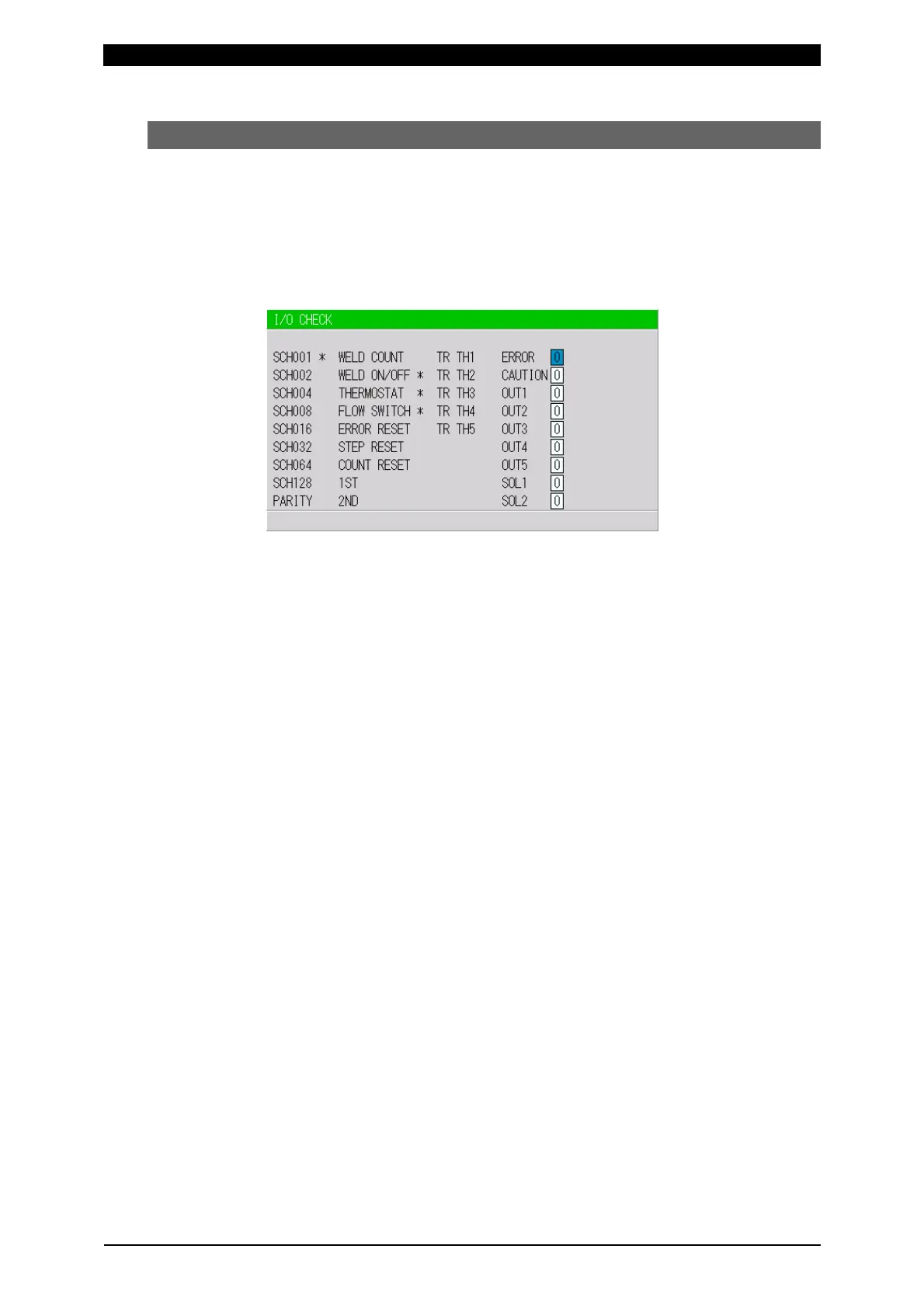
(13) I/O CHECK Screen
This screen is used to check the status of the external I/O signals. The “*” symbol
appears when the corresponding input signal is ON. The asterisk disappears if the
signal is OFF. Set the cursor reading to “0” to turn OFF the output signal, and “1”
to turn it ON. Reception of an input signal while this screen is showing will not
activate the corresponding function. You cannot move to another screen while the
1ST or 2ND STAGE signal is input.
Input signal
SCH001: Pin 5 SCH128: Pin 12 ERROR RESET: Pin 23
SCH002: Pin 6 PARITY: Pin 13 STEP RESET: Pin 24
SCH004: Pin 7 WELD COUNT: Pin 14 COUNT RESET: Pin 25
SCH008: Pin 8 WELD ON/OFF: Pin 19 1ST: Pin 16
SCH016: Pin 9 THERMOSTAT: Pin 20 2ND: Pin 17
SCH032: Pin 10 FLOW SWITCH: Pin 21
SCH064: Pin 11
Output signal
ERROR*: Pin 26 SOL1: Pin 36
CAUTION*: Pin 27 SOL2: Pin 37
OUT1: Pin 28
OUT2: Pin 29
OUT3: Pin 30
OUT4: Pin 31
OUT5: Pin 32
Trans thermo
When a transformer selector is used, the “*” symbol appears if the corresponding
transformer’s thermo signal is closed. The asterisk disappears if the signal is open.
TR TH1: Trans thermo 1
TR TH2: Trans thermo 2
TR TH3: Trans thermo 3
TR TH4: Trans thermo 4
TR TH5: Trans thermo 5
* The ERROR signal and the
CAUTION signal does not depend
on the N.C/N.O setting on the NG
SIGNAL SELECT screen. (See (6).)



 To Next Page