C–3 RS2310002 Rev. 1
Automatic Oven Shutoff
As a safety feature, oven control automatically shuts off
oven after 12 hours of operation. This feature can be
turned on or off.
To allow the oven to operate for more than 12 hours,
confirm temperature knob is in
OFF
position. Then,
press and hold the
MINS
+ and - pads for
approximately 4 seconds. Display will change from time-
of-day, show “OFF”, and then return to time-of-day..
To set oven to shut off after 12 hours, confirm
temperature knob is in the
OFF
position. Then, press
and hold the
MINS
+ and - pads for approximately
4 seconds. Display will change from time-of-day, show
“ON”, and then return to time-of-day.
Quick Reference Instructions
Read “Important Safety Instructions” before using
“Quick Reference Instructions”. If there are unanswered
questions, see detailed sections of this manual.
Setting Electronic Clock
1. Verify display is flashing.
2. Press
HRS
+ or - pad to set hours and
MINS
+ or -
pad to set minutes.
3. Press
CLOCK
pad to save time-of-day.
Turning Off/On Clock Display
Press
CLOCK
pad until display is blank. Clock retains
time while not displayed. To turn on display, press
CLOCK
pad until time-of-day displays and is not
flashing.
Setting Electronic Timer
1. Press
TIMER
pad.
2. Press
HRS
+ or - pad to set hours and
MINS
+ or -
pad to set minutes.
3. Press
TIMER
pad again to cancel.
Resetting and Canceling Timer
To reset time when remaining time is displayed, press
the
HRS
+ or - pad to set hours and
MINS
+ or - pad to
set minutes until new time displays.
To cancel timer when remaining time is displayed or
signal after time elapses, press
TIMER
pad.
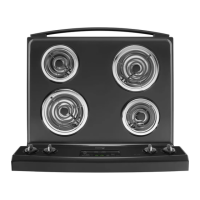
Operating Surface Elements
1. Push in and turn surface element control to desired
setting.
2. When finished cooking, turn control to
OFF
position.
Baking
1. Open oven door to confirm nothing is stored in oven
cavity and set racks to proper height.
2. To preheat oven, turn oven temperature knob to
desired temperature.
3. Place food in oven.
4. After cooking time elapses, remove food and turn
oven temperature knob to
OFF
.
Adjusting Factory Set Baking Temperature
1. Turn oven temperature knob to
OFF
.
2. Press and hold
HRS
+ and
HRS
- pad for
approximately 5 seconds.
3. Immediately, press either Press
HRS
+ or
HRS
- pad.
•
HRS
+ increases oven temperature by 5°F.
•
HRS
- decreases oven temperature by 5°F.
Broiling
1. Center food on broiling grid and pan, and place in
oven.
• Oven door should be opened to first stop.
2. Turn oven temperature knob to
BROIL
.
3. After broiling, remove food and turn oven
temperature knob to
OFF
.
Self-Cleaning
1. Prepare oven for self-cleaning.
2. With oven door closed, move oven door lever located
above oven door to right to lock oven door.
3. Turn oven temperature knob to
CLEAN
position.
Interrupt Self-Clean Cycle
1. Turn oven temperature knob to
OFF
position.
2. When oven has cooled to a safe temperature,
LOCKED
light flashes. Door can be unlocked and
opened.
• Do not force door lever open. If door lever is
forced, lock can be damaged.
After Self-cleaning Cycle
Turn oven temperature knob to
OFF
position when
finished. After oven has cooled
LOCKED
light flashes.
Door can be unlocked and opened.
Programming Instructions



 To Next Page