User Manual - Rev AV AMETEK Programmable Power
MX Series 198
5. Frequency Modulation test
6. Momentary Power Interrupt (Undervoltage) test
7. Voltage Surge (Overvoltage) test
8. Frequency Transients test(Group 1 only)
Frequency Variation test (Group 2 and 3 only)
DC Source:
1. Normal State Voltage test
2. Momentary Power Interrupt (Undervoltage) test
3. Voltage Surge and Under
9.3.1.3.2 EMERGENCY TEST
AC Source:
1. Emergency Voltage and Frequency minimum
2. Emergency Voltage and Frequency maximum
3. Voltage unbalance
DC Source:
1. Emergency Voltage
9.3.1.3.3 ABNORMAL TEST
AC Source:
1. Abnormal Voltage minimum
2. Abnormal Voltage maximum
3. Voltage Drop
4. Voltage Surge
5. Frequency Transients test (group 1 only)
DC Source:
1. Abnormal Voltage minimum
2. Abnormal Voltage maximum
3. Abnormal Voltage low
4. Voltage Drop
5. Voltage Surge
9.3.1.4 Front Panel Entry
To perform a test from the keyboard, from the MENU 2 screen, select the APPLICATIONS
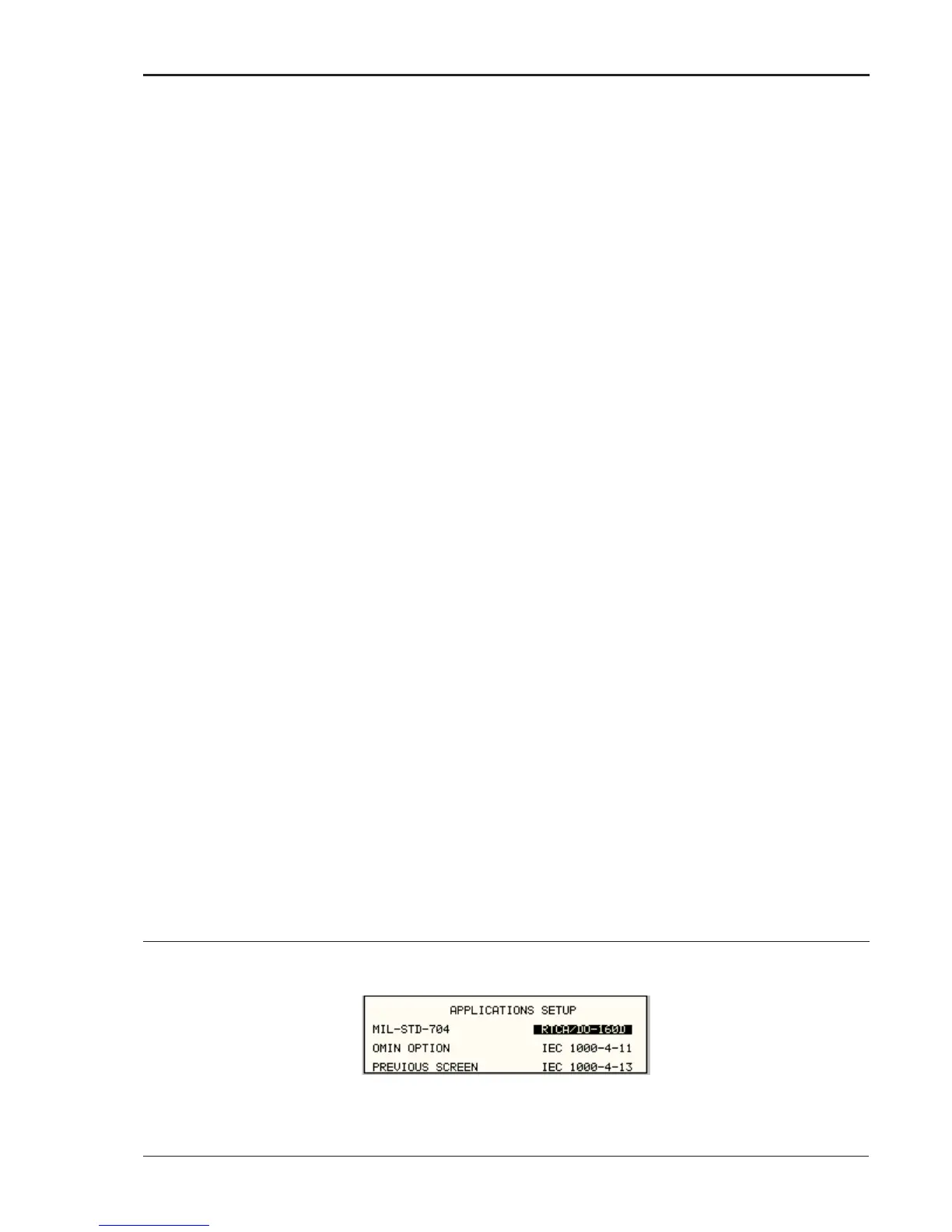
screen. The APPLICATIONS screen will appear as shown in Figure 9-1.
Figure 9-1: Application Menu




 To Next Page