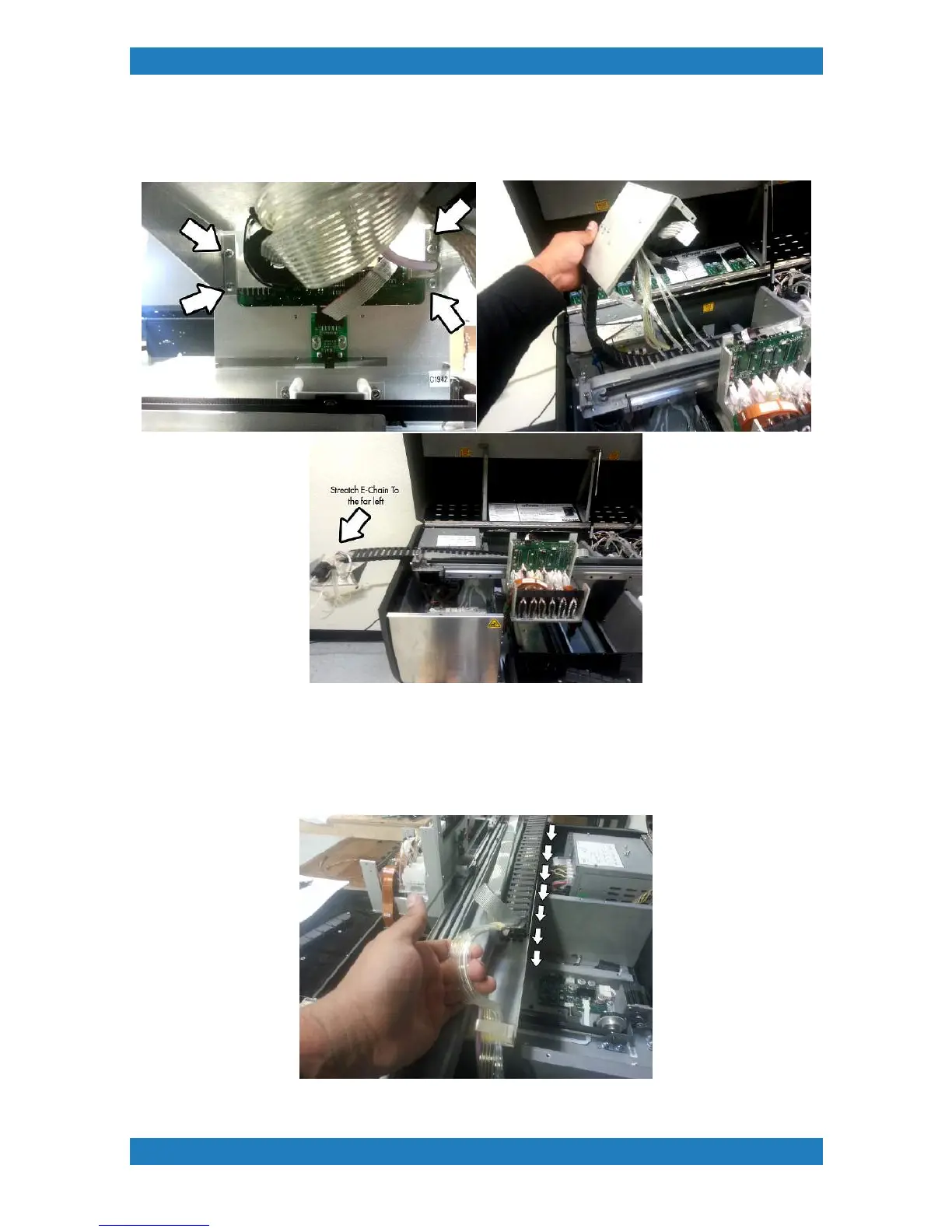
cover.The top carriage cover is held by 4 phillips screws located in the back. Please note that
there is a ground cable connected to one of these screws. When the 4 screws have been
removed you should now have the E-chain loose. Lay the E-chain flat to the left. See photo 3.2.8
Photo 3.2.8
7. With the E-chain straight we can now pull the tubes from the opposite end of the chain. It is
very important to make sure no fluid is spilled onto the printers electronics. Carefully pull on the
tubes until they are removed from the E-chain. We recommend placing the tubes into a trash can
to avoid any spilling. see image below



 To Next Page