Entering data for input fields (Sample ID, Patient ID, Operator ID, etc.)
When an input field is active enter the data directly with the keyboard, no short-
cut button is required. To delete a character, use backspace. To cancel the input
and move back to the previous screen, press Escape. To accept the entered
value and to move to the next screen press Enter.
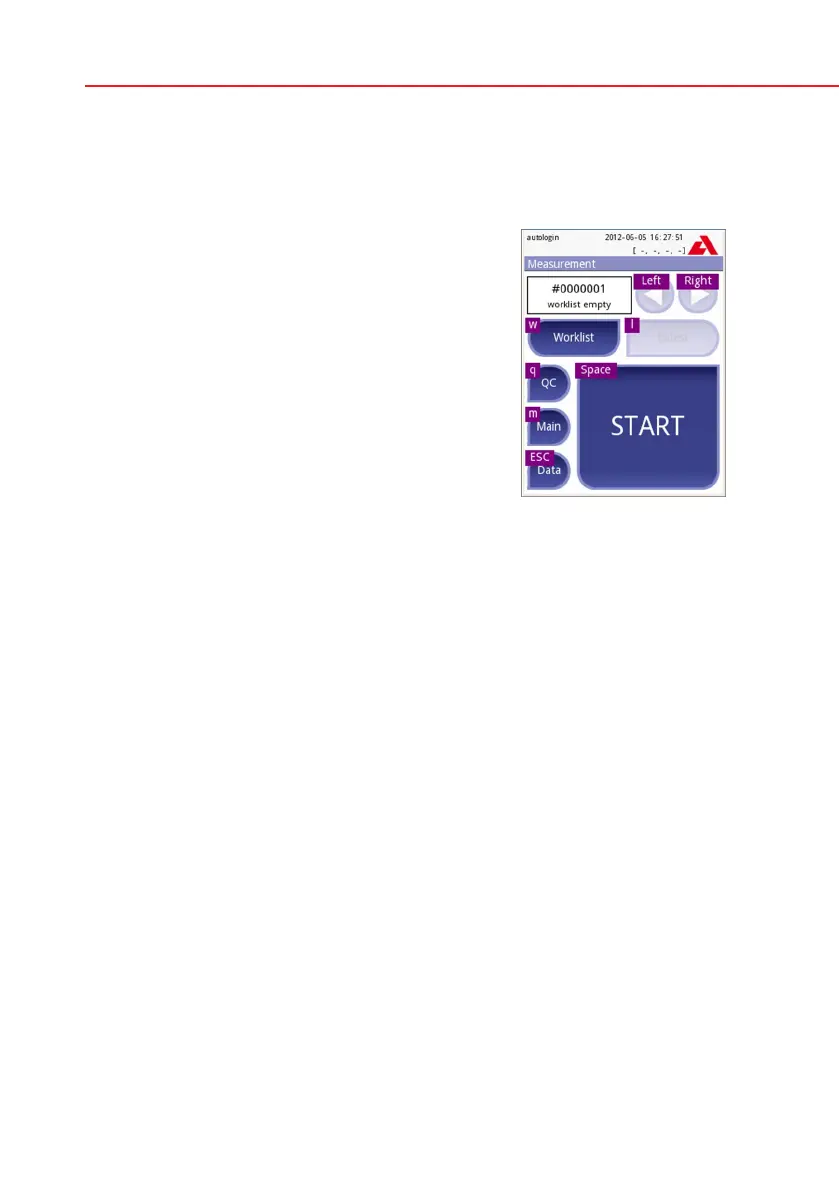
You can also use keys to navigate between screens
or to perform actions as an alternative to using the
touch-screen.
To show the shortcuts on the screen press Ctrl, the
shortcut key will be displayed on the top left corner
of each button.
To execute the command, press the desired char-
acter on the keyboard (you may keep the Ctrl but-
ton pressed or release it before, the system will work
both ways).
Another option to cycle through the buttons is to use
the Tab key. When the Tabkeyispressedthe‚focus‘
cycles through the buttons forward. To cycle back-
ward, use Shift+Tab key together.
Keyboard shortcuts dis-
played above buttons



 To Next Page