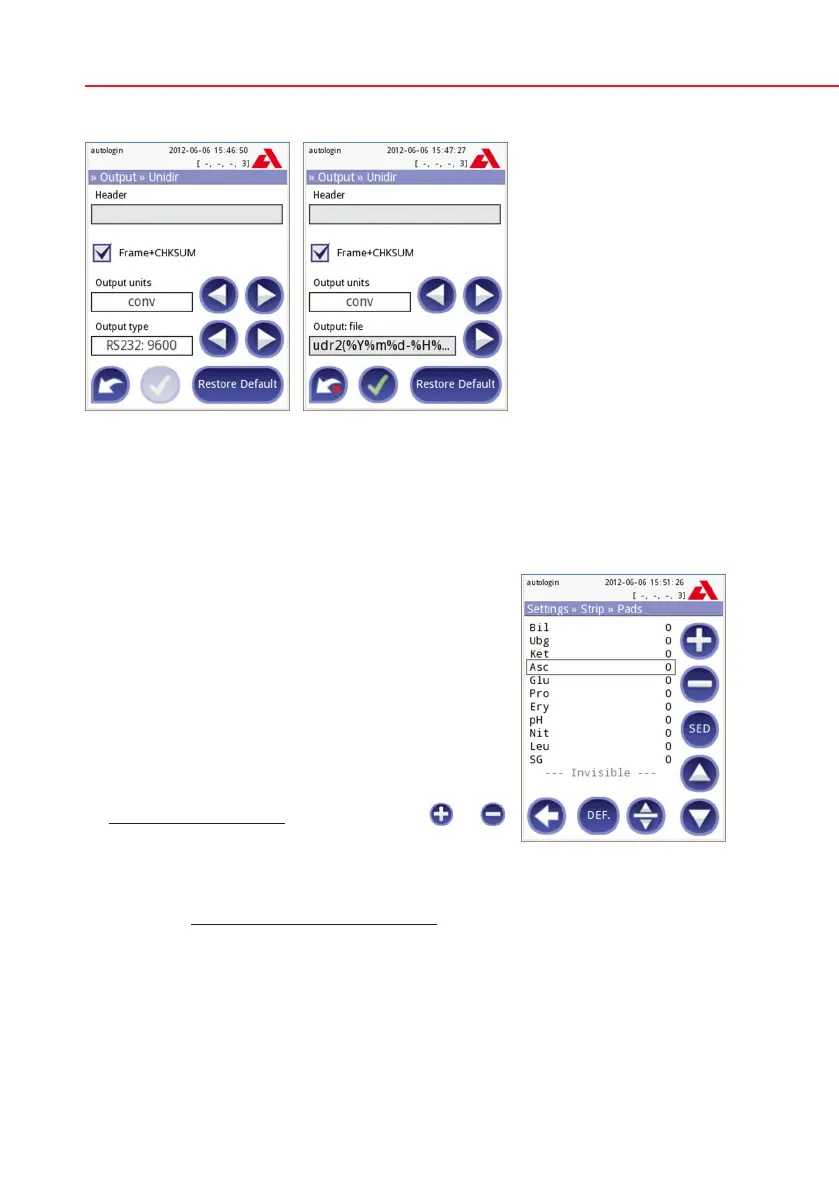
11.4.3 UTF8 unidir text (STUB)
11.5 Measurement
The detailed description of the Measurement screen can be found in
7.2.2
Customization of testing.
11.6 Strip options
The main strip options screen shows the available
strip types. To modify the strip settings select the ap-
propriate strip type and press the order, sensitivity
button.
The next screen Settings»Strip»Pads lists the pads
of the strip.
The active pad is marked with a rectangular black
frame.
To change the active pad, use the up and down
arrows.
To change the sensitivity of the pad press
or
to increase or decrease the sensitivity of the pad.
The sensitivity can be set between -2 and +2 from
the user interface.
Pro only: To set sediment recommendation press the SED button. If the pad is
labeled with SED, all results containing positive value of the selected pad will
receive a “sediment examination is recommended” flag in the database. The in-
formation may be also presented in the printout. The flag value is stored in the
database, so the database may be filtered for this option as well (See
8.3
Filtering: How to find specific results).
Settings » Strip » Pads


 To Next Page