2. Quickstart
Unpack the instrument and place it on an even, hard surface (for detailed instal-
lation instructions see
4. Unpacking & Set Up). Load the strip tray and the
printer paper.
Connect the power supply and turn the reader on with the On/Off-switch (See
4.2.5: Powering up).
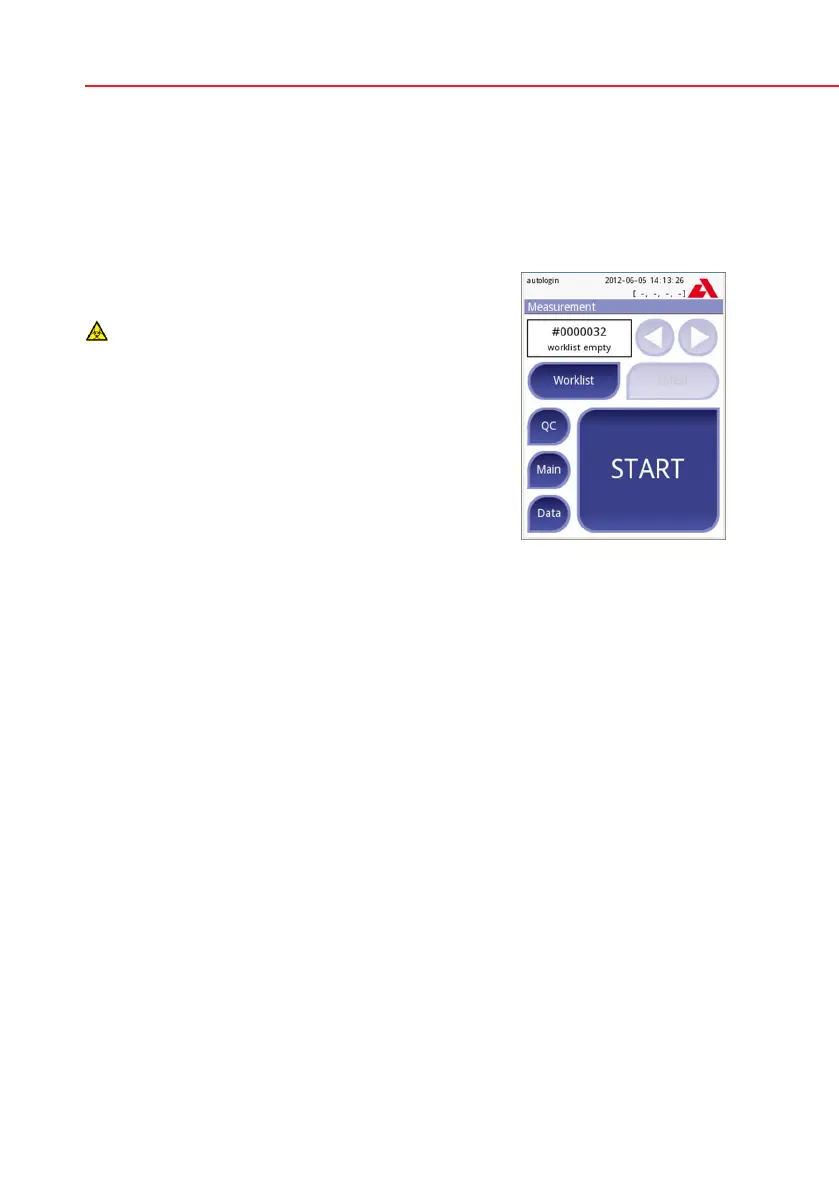
After the boot-up procedure and self-test the Mea-
surement screen will appear on the display.
Strip waste is potentially biologically hazard-
ous. Always wear personal protective equip-
ment when handling and disposing of sam-
ples of human origin. Use universal precau-
tions. Consult your facility’s infection control
policy. See
14.4.1 Protecting yourself from
biohazards section for more information.
• Dipateststick(CombiScreen11SYSPlus)intotheurinesampleforapprox.
one second.
• Blot by touching the edge of the strip to a paper towel to remove excess
urine.
• Placethestriponthestripholder
• Slideorpush thestriptothe endofthechannel. Donottouchthe reagent
pads on the test strip.
The instrument will automatically detect an applied strip. The measurement cycle
will be started. A progress bar on the display shows the remaining incubation
time.
If „Autostart“ (see
7.2.1 Features: Autostart-, print-, transfer- and fast
mode) is deactivated, the measurement must be started by pressing the Start
button.
Measurement



 To Next Page