11.4 Output (Connectivity: Transfer/Export)
At the Output settings you can define how the Urilyzer 100 will connect to other
systems or storage devices.
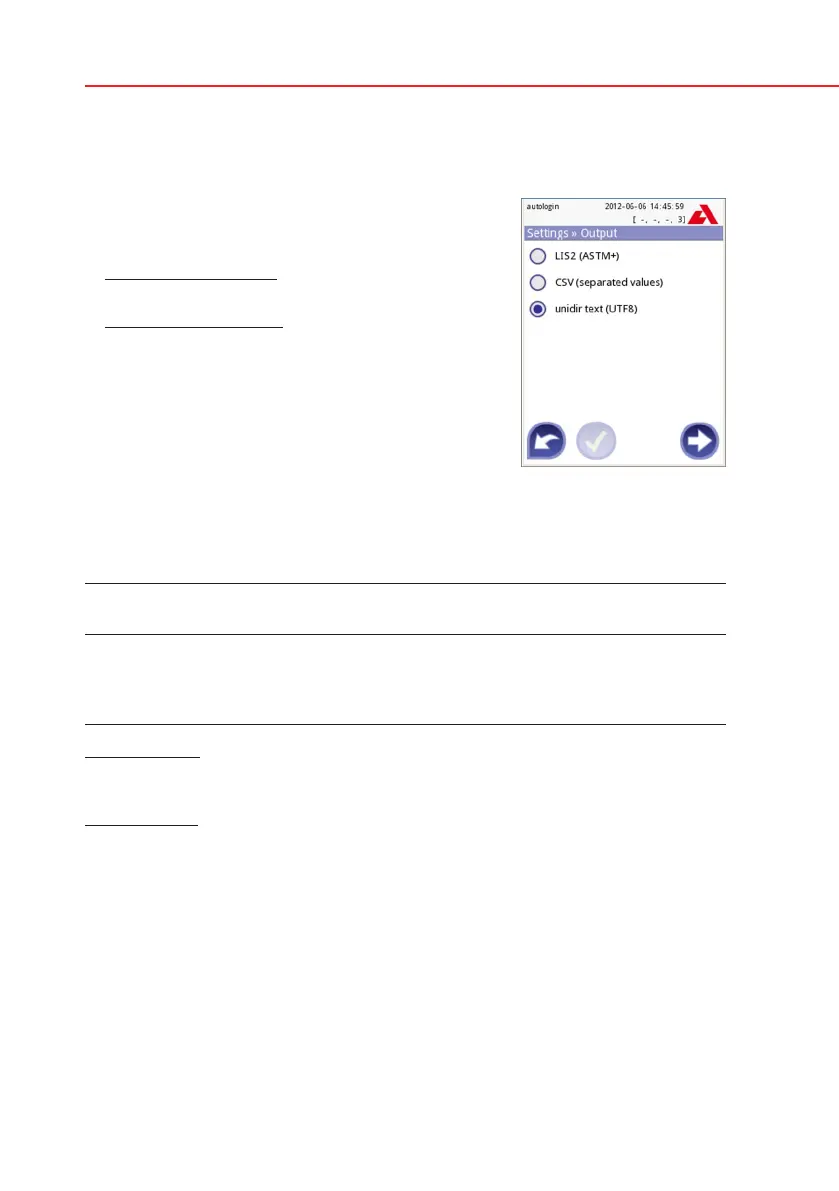
The analyzer supports many possibilities for trans-
ferring the results through an interface (serial, USB
or file):
1. bidirectional protocol based on NCCLS LIS2-A2
standard protocol,
2. unidirectional protocol, when the data are sent out
in a one-way data flow, either in the format of
a. comma-separated values, or
b. UTF8 text.
The Output type input field is used to define the communication port (the avail-
able selection is based on the output protocol) on the Output screens. Press the
Left and Right arrow to scroll through the list.
Serial
(RS232)
TCP/IP
Ethernet
File USB B
Bidir: LIS2 (ASTM+)
Unidir: CSV
Unidir: UTF8 text
For serial port the selectable baud rates are 2400, 4800, 9600, 19200, 38400,
57600, 115200. The value defines the speed of the serial communication. The
serial interface specification: 1 stop bit, no parity.
For file output the transferred data will be saved directly to files, if “Output: file”
is selected. The default file name is udr2(%Y%m%d-%H%M%S).
In the file name the signs are replaced with values: %Y: year; %m: month; %d:
day; %H: hour; %M: minute; %S: second. The file extension depends on the
selected output protocol.
Make sure to configure properly the communication ports, otherwise data trans-
fer will not work.
Settings » Output



 To Next Page