You can select only one color and clarity type for a urine sample.
In PRO version you may customize the predefined color and clarity selection
lists.
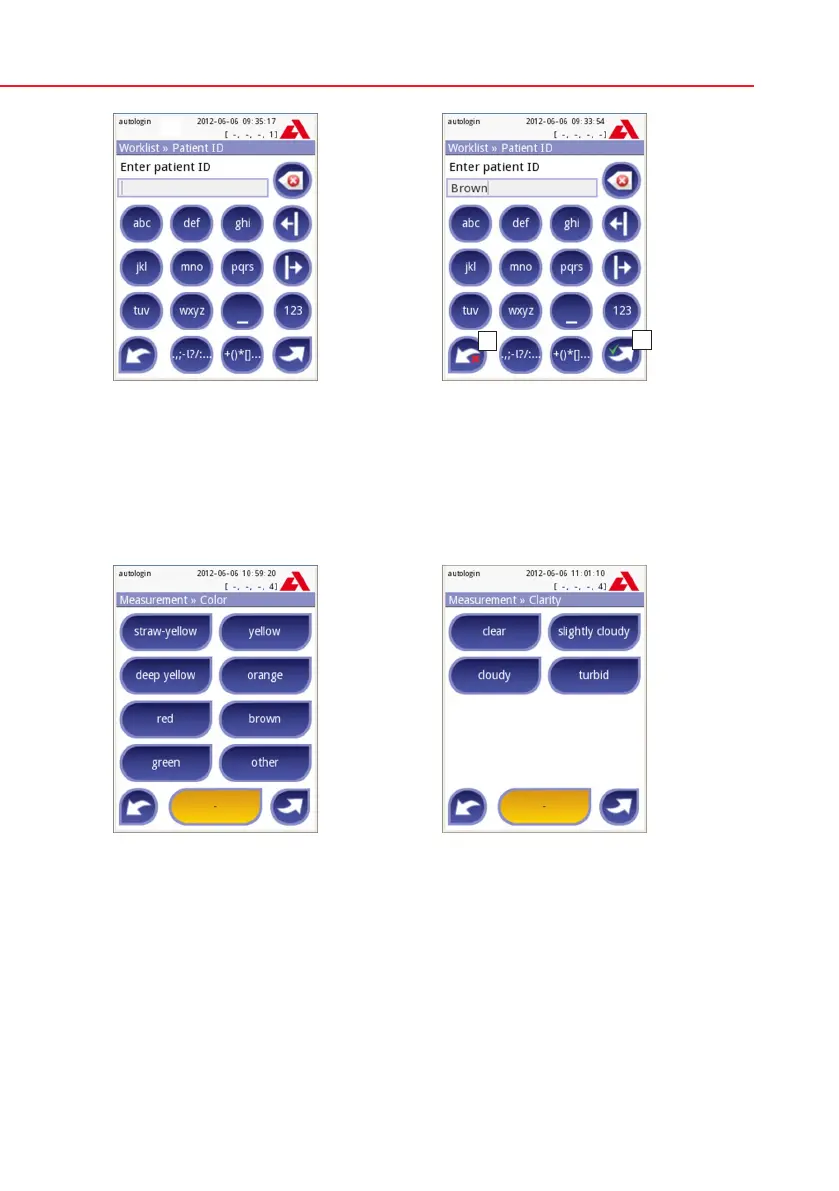
Patient ID: Use the onscreen key-
board, the attached keyboard or the
barcode reader to enter the patient ID.
The Patient ID field can be left empty.
In this case press Next button at the
bottom right corner to move to next
screen. Maximum 32 characters.
Patient ID: Touch Apply&Next, when
you have finished entering the patient
ID and proceed to the next screen. To
select a new character, press . To
abort and go back to the Sample ID
screen, press Drop&Back.
Color: To select the visually determined
color of the urine sample press the ap-
propriate button. This will also take you
to the next screen.
Clarity: To select the visually deter-
mined clarity of the urine sample press
the appropriate button. This will also
take you to the next screen.



 To Next Page