21. Function List
21.1. Calibration Function Setting
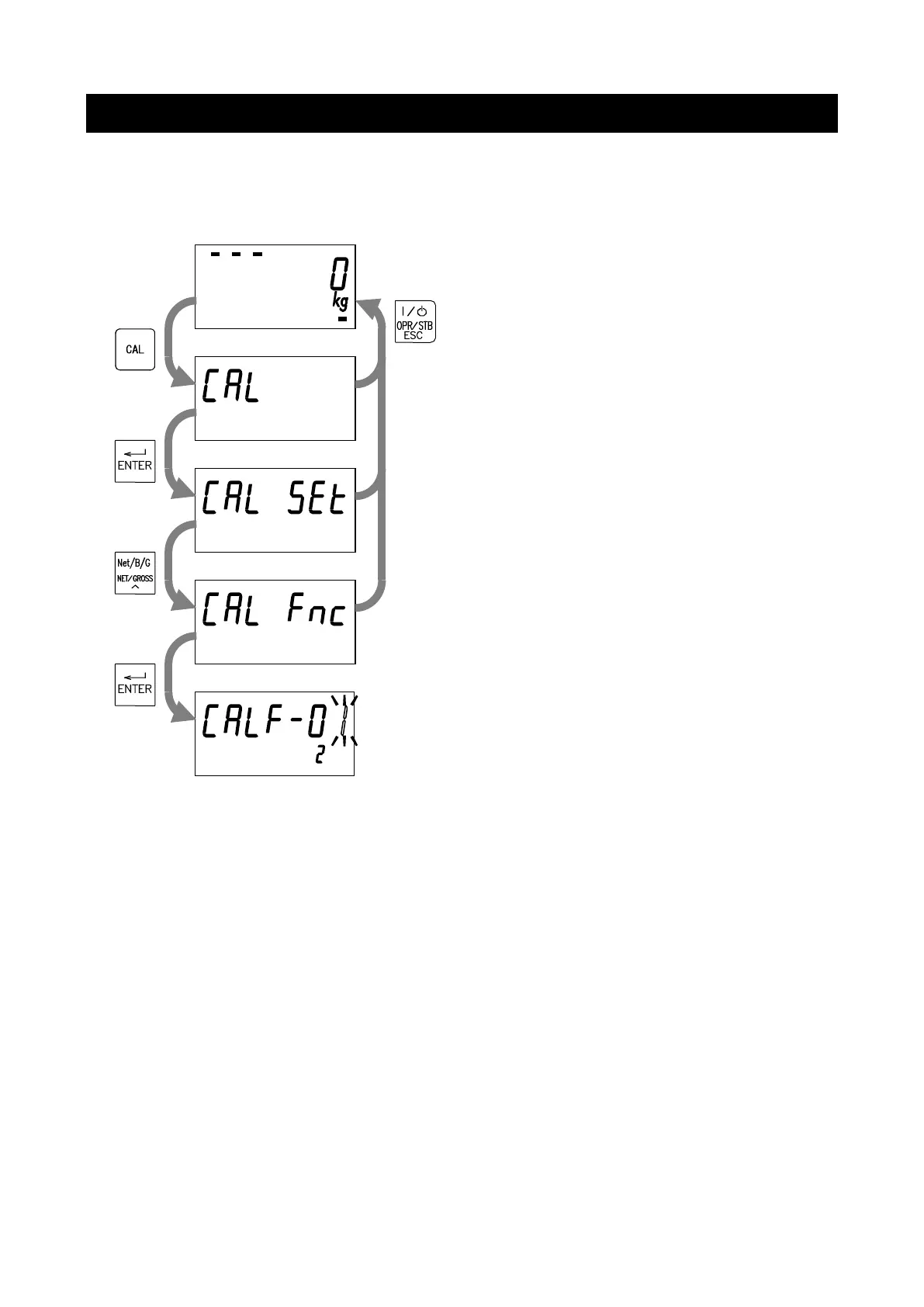
Set the calibration functions in the calibration function mode.
Press the CAL key in the normal mode.
When “CAL" is displayed, press the ENTER key.
When “CAL SEt” is displayed, press the NET/GROSS
key.
When “CAL Fnc” is displayed, the indicator has
entered the calibration function mode.
Press the ENTER key to go to the item selection
mode.


 To Next Page