Operation:
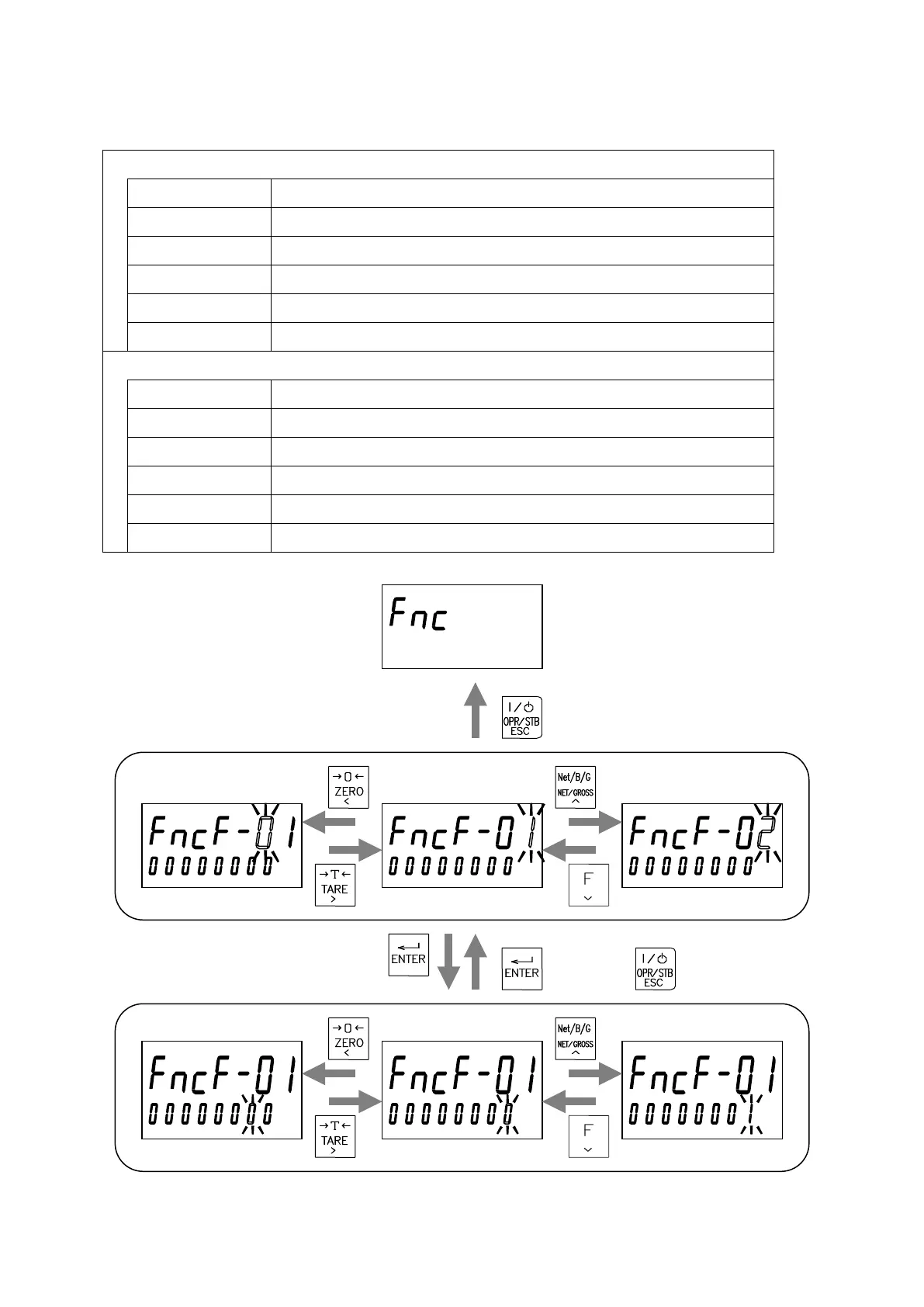
Item selection
ENTER key Selects the displayed item and goes to the inputting mode of the item.
TARE key Shifts the blinking item to the right.
ZERO key Shifts the blinking item to the left.
NET/GROSS key Increases the blinking digit by one.
Function key Decreases the blinking digit by one.
ON/OFF key Returns to the general function mode.
Setting value input
ENTER key Saves the setting value and returns to the item selection mode.
TARE key Shifts the blinking digit to the right.
ZERO key Shifts the blinking digit to the left.
NET/GROSS key Increases the blinking digit by one.
Function key Decreases the blinking digit by one.
ON/OFF key Cancels the setting value and returns the item selection mode.
Save Cancel
Input a setting value
Select an item


 To Next Page