PAGE 42
COND CAL Method
1. Prepare the conductivity reference solution using your normal method. Its value should
be near the typical measured process value for best accuracy. When the value is
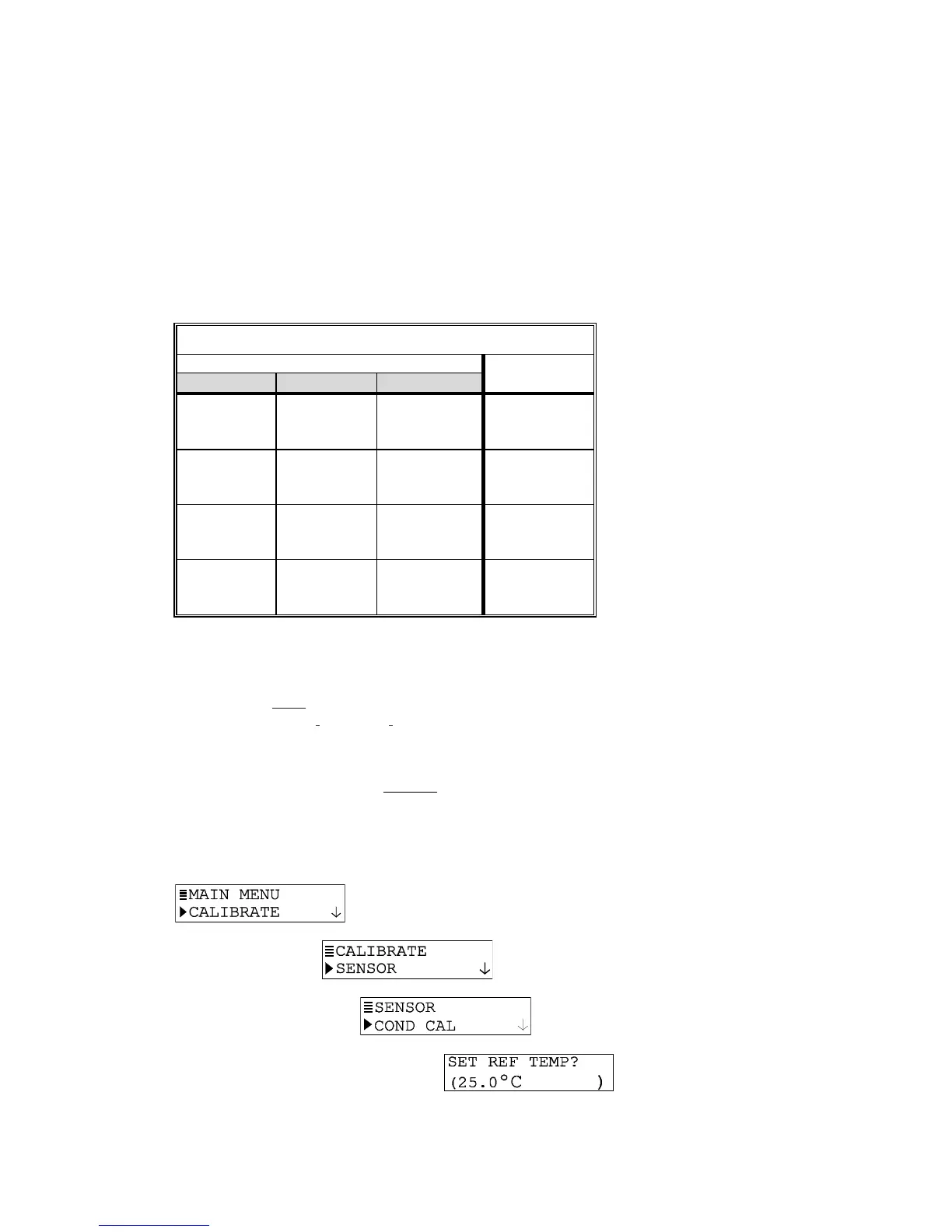
relatively low (between 200 and 100,000 microSiemens/cm), the data in TABLE E on
the next page can be used to prepare the reference solution. Add the listed grams of
pure, dried NaCl to one liter of high purity, de-ionized, CO
2
-free water that is 25°C to
obtain the listed conductivity. Solution conductivity can be decreased by dilution with
de-ionized water.
TABLE E -- Conductivity Reference Solutions
Desired Solution Value Grams NaCl
µS/cm mS/cm ppm (NaCl)* To Be Added
200
500
1000
0.20
0.50
1.00
100
250
500
0.10
0.25
0.50
2000
3000
4000
2.00
3.00
4.00
1010
1530
2060
1.01
1.53
2.06
5000
8000
10,000
5.00
8.00
10.00
2610
4340
5560
2.61
4.34
5.56
20,000
50,000
100,000
20.00
50.00
100.00
11,590
31,950
72,710
11.59
31.95
72.71
*When using ppm measuring scale for compounds other than NaCl, refer to
appropriate chemistry handbook for reference solution formulation.
2. Thoroughly rinse the clean sensor in de-ionized water. Then immerse the sensor in the
prepared reference solution. Important: Allow the sensor and solution tempera-
tures to equalize. Depending on their temperature differences, this may take up to 30
minutes.
NOTE: Suspend the sensor to prevent it from touching the container. Simply laying it into
the container will produce calibration error. If the sensor is tee-mounted, use a
smaller container. Ideally, convert a tee of the same size and material as the
mounting tee into a calibration container by sealing two of its ends.
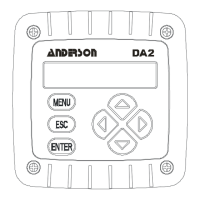
3. Press MENU key to display a “MAIN MENU” screen.
If the
screen is not showing, use
ØØ
ØØ
Ø or
××
××
× key to display it.
4. Press ENTER key to display
.
5. Press ENTER key again to display
.
6. Press ENTER key again to display a screen like . The
default 25°C reference temperature is suitable for most applications. For another
reference, use arrow keys to adjust to a different temperature. In either case, press the
ENTER key.


 To Next Page