PAGE 53
9.7 RESET CONFIGURE V9.7 RESET CONFIGURE V
9.7 RESET CONFIGURE V9.7 RESET CONFIGURE V
9.7 RESET CONFIGURE V
alues to Falues to F
alues to Falues to F
alues to F
actory Defaultsactory Defaults
actory Defaultsactory Defaults
actory Defaults
The RESET CONFIGURE function resets stored configuration settings (all at the same time) —
but not calibration settings — to their factory-set defaults shown in TABLE D.
NOTE: Resetting configuration values also excludes the SELECT MEASURE function
(conductivity, % concentration or TDS) which remains as is until you change it.
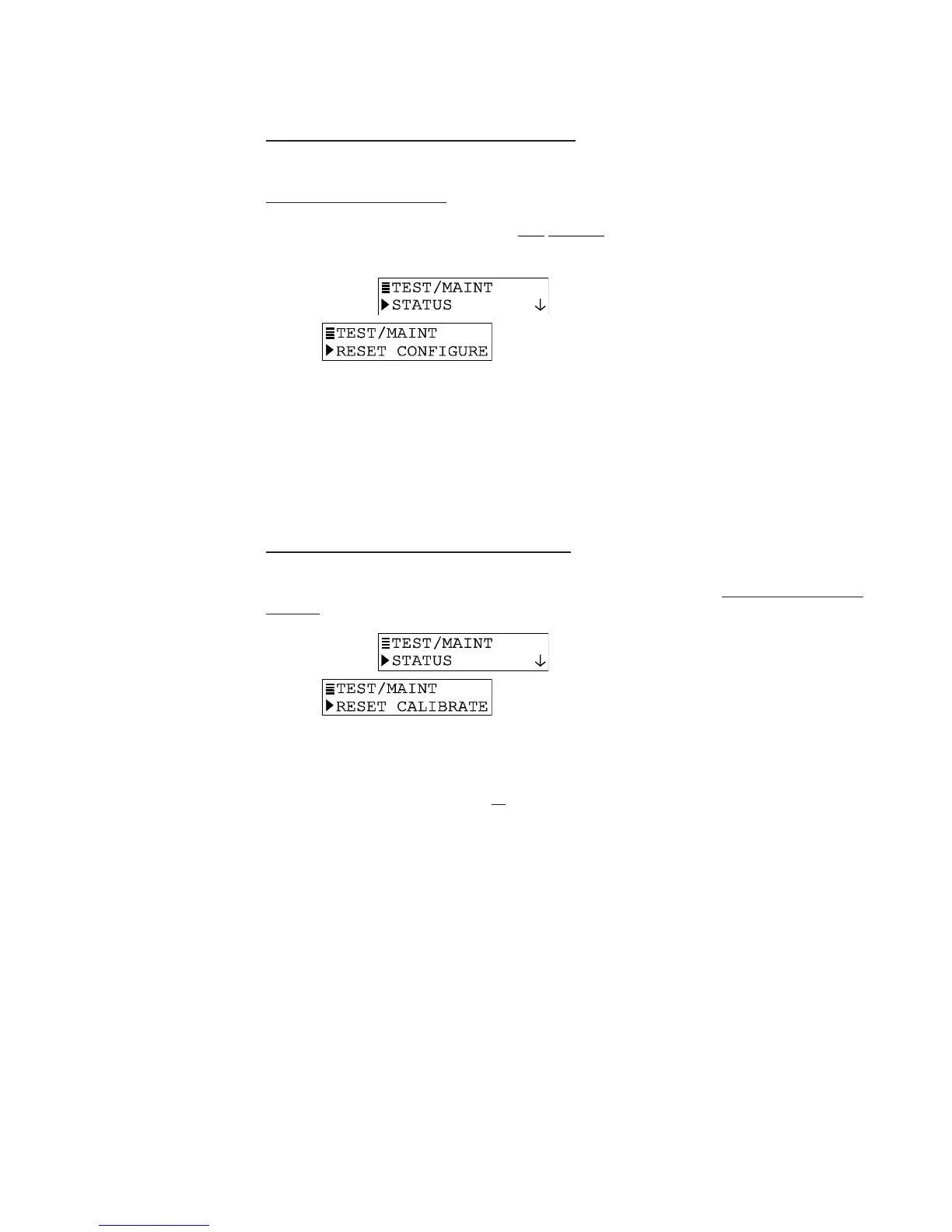
1. With the
screen displayed, press
ØØ
ØØ
Ø key until
screen appears..
2. Press ENTER key to display the “RESET CONFIGURE: ARE YOU SURE?” screen,
asking if you really intend to perform this extreme action. (To abort this procedure,
press ESC key now.)
3. Press ENTER key to reset stored configuration settings — not calibration settings —
to factory defaults. The “RESET CONFIGURE: DONE” screen appears, acknowledging
that reset has occurred.
4. To return to the previous level of the TEST/MAINT menu branch, press ESC key or
ENTER key.
9.8 RESET CALIBRA9.8 RESET CALIBRA
9.8 RESET CALIBRA9.8 RESET CALIBRA
9.8 RESET CALIBRA
TE VTE V
TE VTE V
TE V
alues to Falues to F
alues to Falues to F
alues to F
actory Defaultsactory Defaults
actory Defaultsactory Defaults
actory Defaults
The RESET CALIBRATE function resets all stored calibration settings — but not configuration
settings — to factory-set defaults.
1. With the
screen displayed, press
ØØ
ØØ
Ø key until
screen appears.
2. Press ENTER key to display the “RESET CALIBRATE: ARE YOU SURE?” screen,
asking if you really intend to perform this extreme action. (To abort this procedure,
press ESC key now.)
3. Press ENTER key to reset all stored calibration settings — not configuration settings
— to factory defaults. The “RESET CALIBRATE: DONE” screen appears, acknowledg-
ing that reset has occurred.
4. To return to the previous level of the TEST/MAINT menu branch, press ESC key or
ENTER key.


 To Next Page