Model 101/2100 Doors Service & Installation
TITLE:
99-13312-S001 Model 101/2100 Doors Service &
Installation
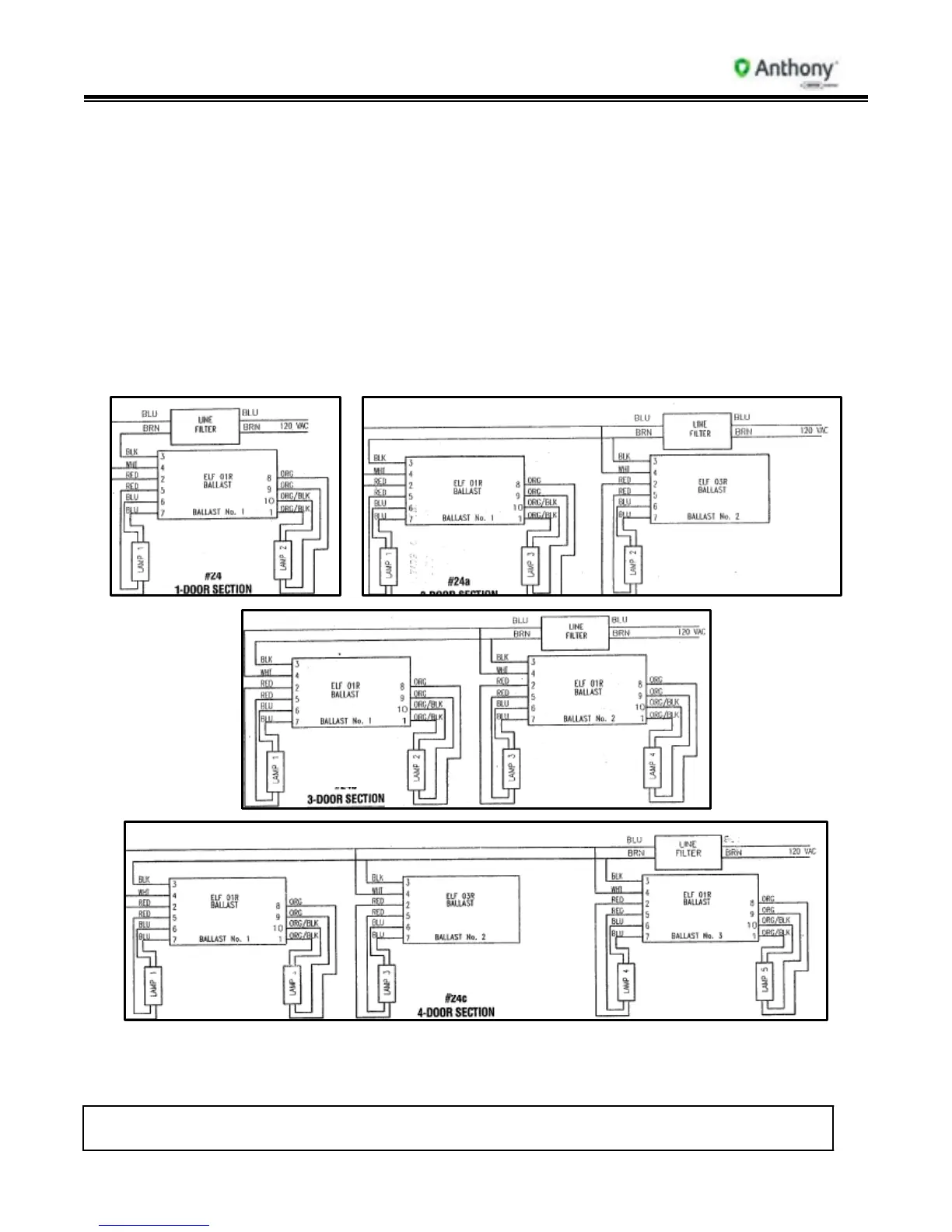
7. Re-connect new ballast lead wires using the following Wiring Diagrams:
2-Light (1-Door)
3-Light (2-Door)
4-Light (3-Door)
5-Light (4-Door)
6-Light (5-Door)
8. Lay contact plate flat on mullion. Staring at the top, insert contact plate retainer into front
edge of mullion. Snap retainer on back edge of mullion. Repeat instructions for opposite
side.
120V Electronic Ballast Wiring Diagrams



 To Next Page