10
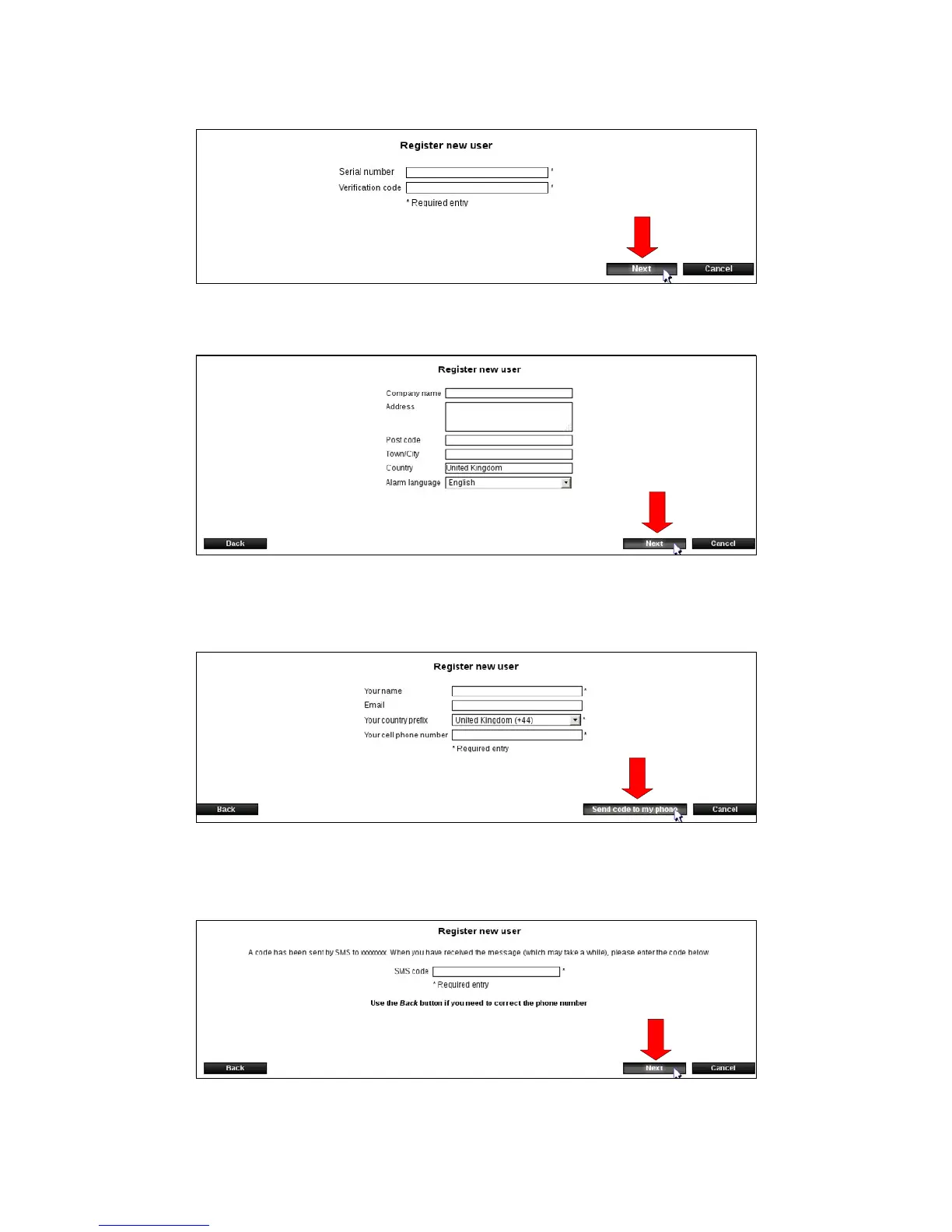
3.Entertheserialnumberandvericationcode.Press[Next].Youwillndtheserialnumber
andvericationcodeonthebackofyourSmartConnect.
4. Enter company name and address, and select language in alarm texts. Press [Next].
5. Enter your name, email and mobile number.
Press [send code to my phone].
6.YouwillreceiveanSMSwithacodethatmustbeentered(seenextpicture).
7. Enter the received code and press [Next].



 To Next Page