11
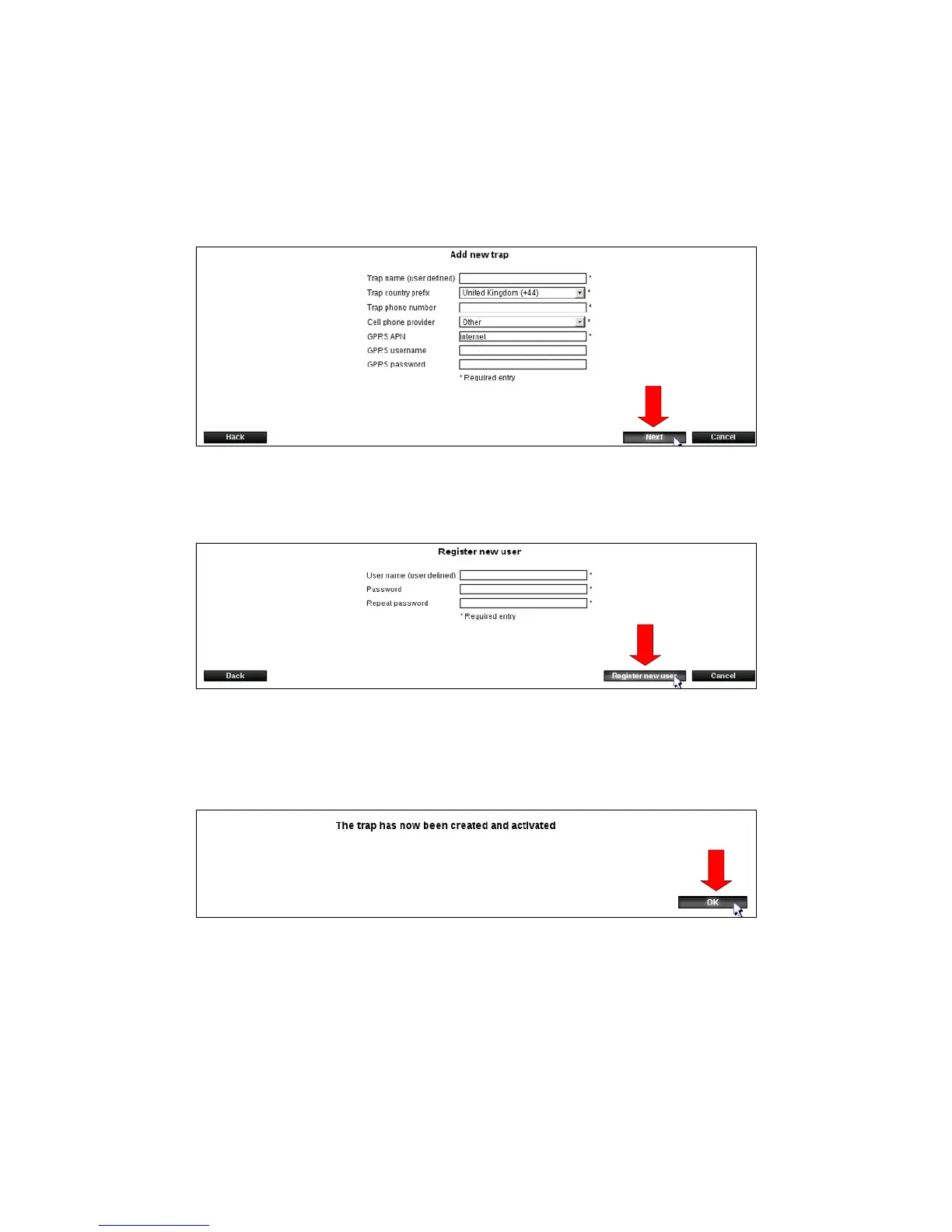
8. Enter the Smart Connect system’s name. Remember, to give it a descriptive name such as
Smart Connect system and client name.
8.1 Enter the country where the Smart Connect system is located.
8.2 Enter the phone number of the SIM card inserted in the Smart Connect.
8.3 Enter the phone company that the SIM card is from (if the company is not listed -
choose other and enter GPRS details).
8.4 Press [Next].
9. Select the username and password you want to use at log in.
Press [Create New User].
10. The image below will be displayed. Press [OK].
Registration is now complete and the Smart Connect system and you as a user has been
created on WisePlan.
Youwillnowautomaticallybesenttotheadministrationpage.Ontheadministrationpage,
you can see operating information and download statistics, create new traps / devices and
users, as well as edit existing ones.
YouarenowreadytoinstallandinserttheSIMcardinyourSmartConnect.



 To Next Page