If the system is congured to check for a signature before starting a run or printing a
report and the data are not signed, the QuantStudio
™
Real-Time PCR Softw
are
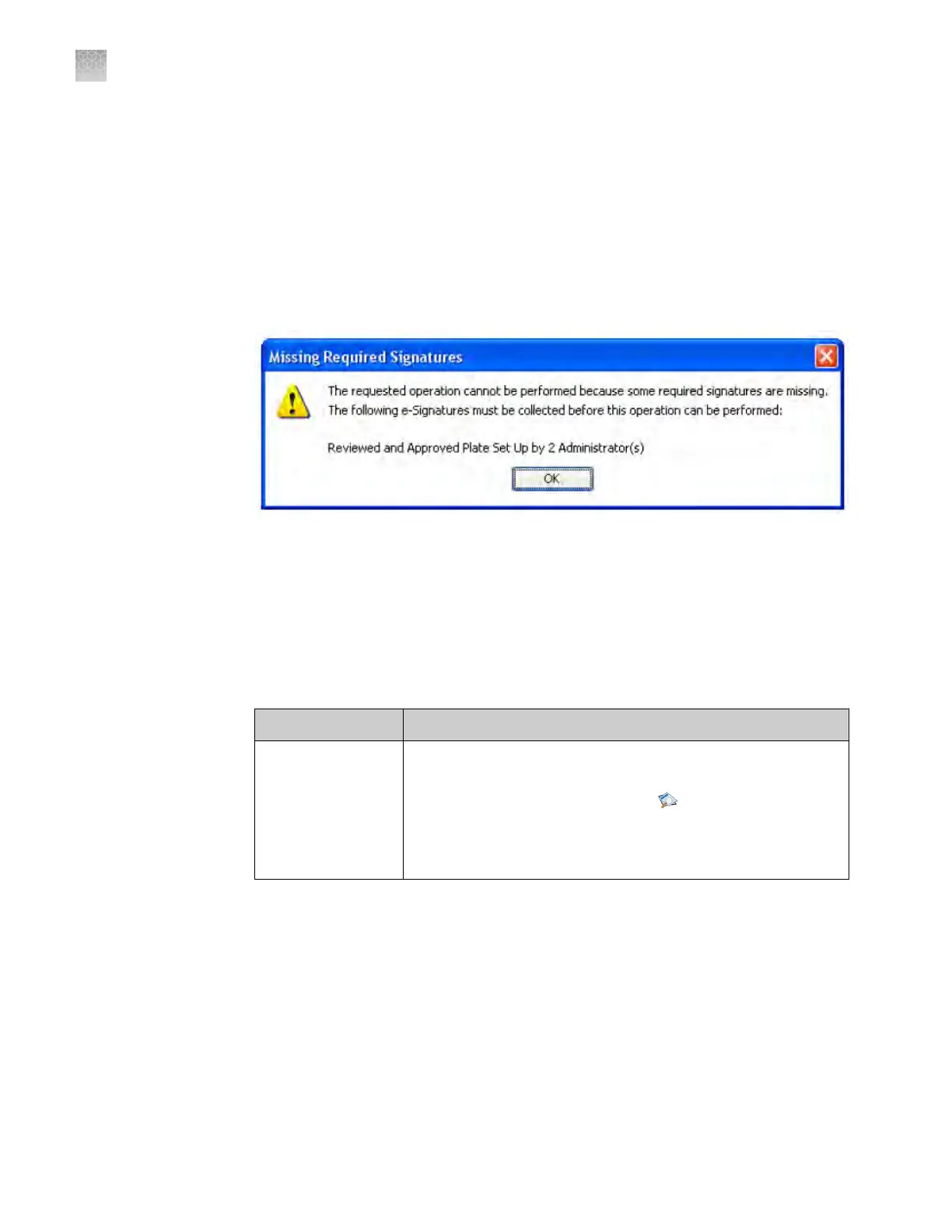
displays a message when the user clicks Start Run or Print Report.
Example
The e-signature system is congured to require signatures from two users from the
user account named Administrator before a user can start a run. The experiment has
not been signed.
A user aempts to begin the run. The following message is displayed:
Before the run can start, two administrators must sign. If a user with an incorrect user
role signs, the message is display
ed again.
Generate e-signature reports
You can use the QuantStudio
™
Real-Time PCR Software to generate reports of e-
signature history from open experiment (EDS) or template (EDT) les.
Task Description
Display the e-sig
r
ecords
1. In the QuantStudio
™
Real‑Time PCR Software, open an
experiment or template file.
2. From the open experiment, click
Audit, then click E-
Signatur
es.
3.
(Optional)
Click any row to view details for individual
signatures.
How the software
prompts
electronic
signature
Appendix E Security, audit, and electronic signature
Generate e-signature reports
E
146
QuantStudio
™
6 and 7 Flex Real-Time PCR Systems v1.6 Maintenance and Administration Guide












 To Next Page