Power on or off, store, and move
■
Place the QuantStudio
™
6 or 7 Flex Real-Time PCR System on standby ..... 123
■
Power on the QuantStudio
™
6 or 7 Flex Real-Time PCR System ........... 123
■
Power o the QuantStudio
™
6 or 7 Flex Real-Time PCR System ........... 125
■
Store the QuantStudio
™
6 or 7 Flex System ............................. 125
■
Move the QuantStudio
™
6 or 7 Flex System ............................. 126
Place the QuantStudio
™
6 or 7 Flex Real-Time PCR System on
standby
If left unaended, the system automatically enters standby mode to conserve power.
To enter standby mode manually, tap on the system touchscreen.
P
ower on the QuantStudio
™
6 or 7 Flex Real-Time PCR System
To power on the QuantStudio
™
6 or 7 Flex System from a powered-o state:
1.
Tap anywhere on the touchscreen to determine if the QuantStudio
™
6 or 7 Flex
Real-Time PCR System is in standby mode.
Does the touchscreen display the Standby screen after you touch it?
• Yes—The instrument is ready for use. Go to step 4.
• No—Go to step 2 to power on the instrument.
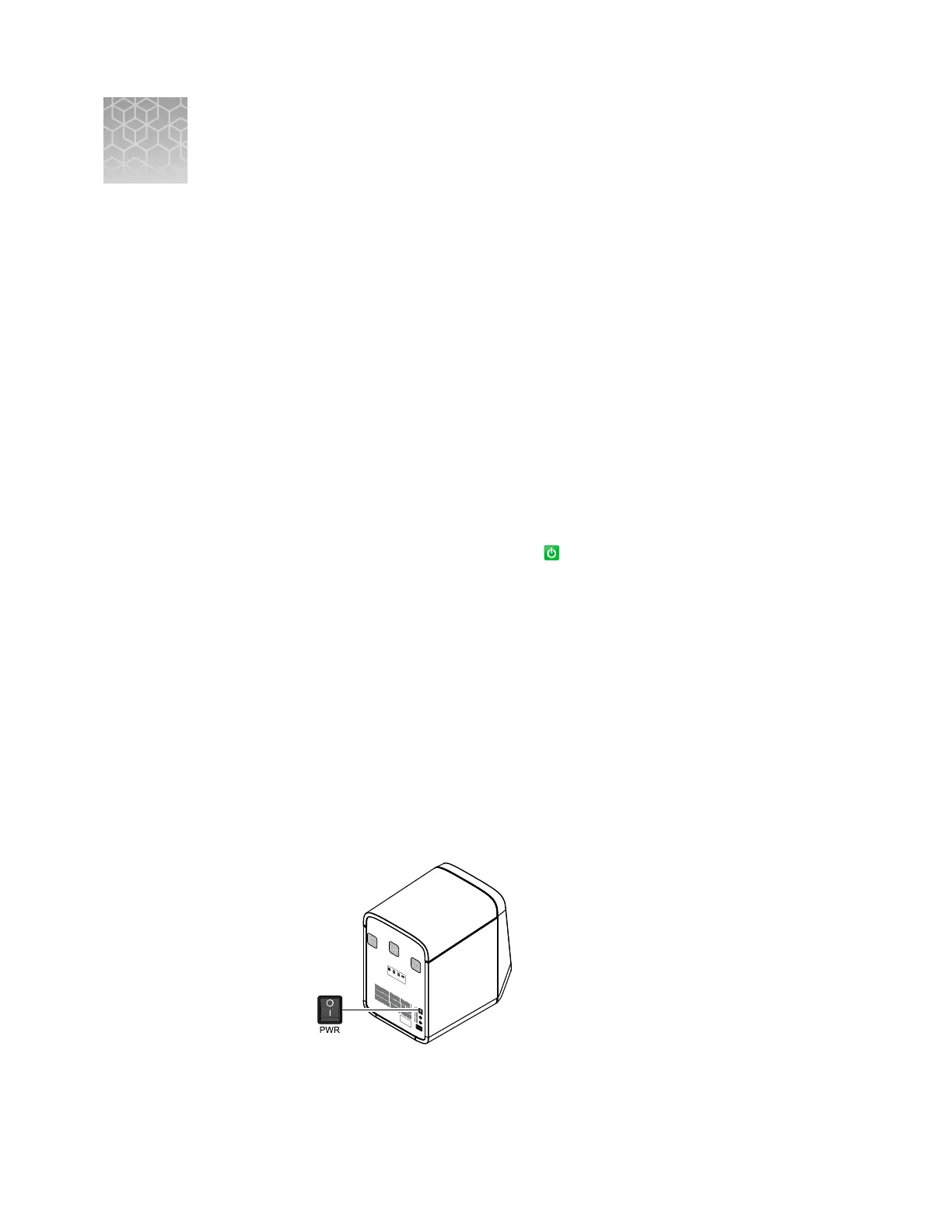
2.
Power on the system. Toggle the power buon on the rear of the system, then
wait for it to start.
PWR
F1
F2
Ethernet
USB
1
USB
2
RS232
The system is ready to use when the touchscreen displays the main menu.
D
QuantStudio
™
6 and 7 Flex Real-Time PCR Systems v1.6 Maintenance and Administration Guide
123












 To Next Page