Brake System Argo Service Manual
BR-15
Ontario Drive & Gear Limited www.argoutv.com
PH.(519)- 662-2840 FAX (519)- 662-2421
Installing The Hydraulic Brake Caliper - Service Brakes (Aurora)
1.
Attach the brake line to the new caliper and torque to 20-22 FT LBS. (27.12
Nm),orienting
the hose in the same direction as previously installed.
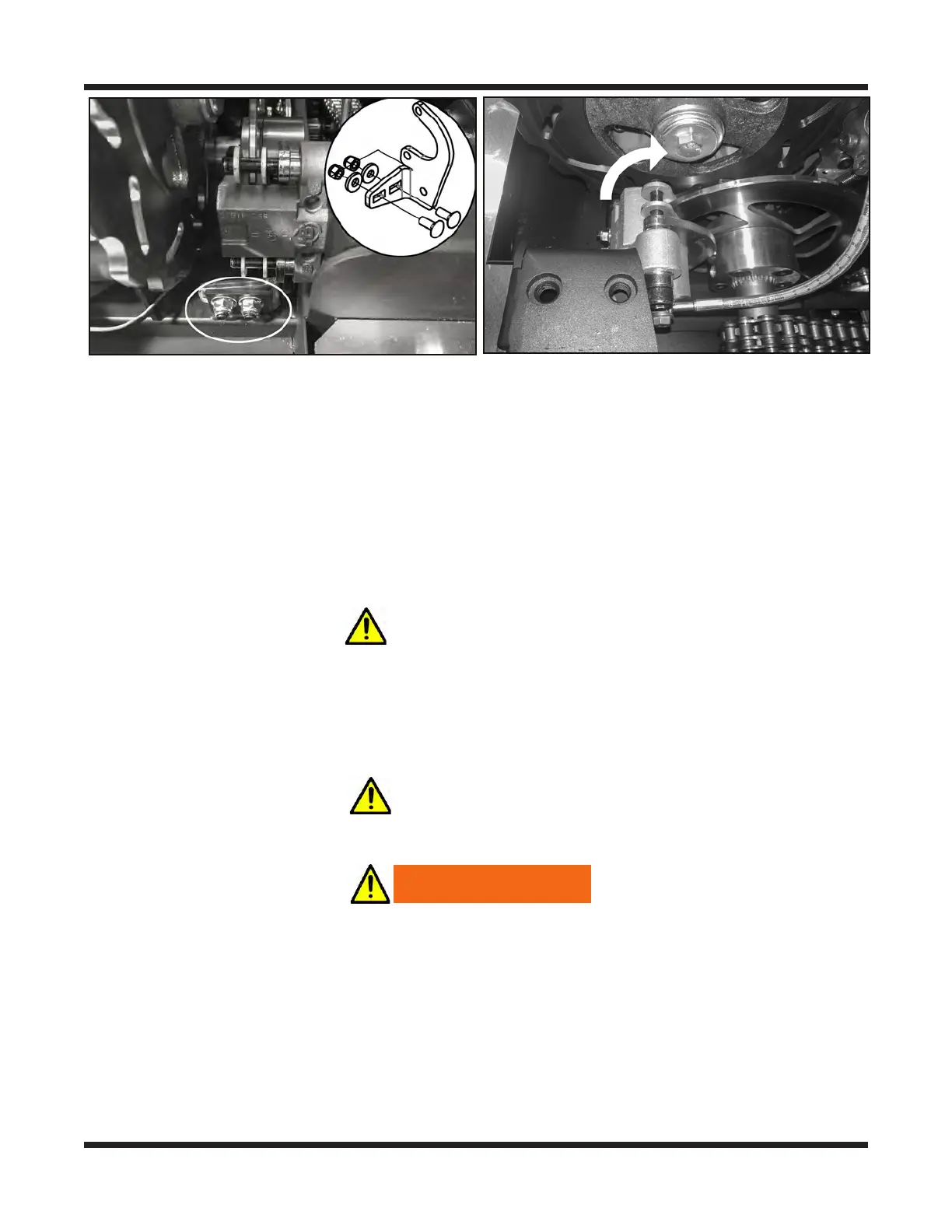
2. Re-attach the replacement caliper to the mounting bracket and slip the pads over the
brake disc.
3. Rotate the caliper and bracket assembly back down to the vehicle main frame and
re-attach it using two (2) C/Bolt 3/8-16X1.0 GR5 ZN, Washer .39X.94X.13 ZN
Di-Chro and Locknut, Nylon
3/8-16 ZP.
IMPORTANT
Loosely snug the nuts. Apply the hand brake a few times to set the brake bracket
position, then apply the brake and hold while tightly securing the nuts. Torque to 31
FT.LBS
Removing the Hydraulic Brake Caliper - Frontier Steering Brakes
IMPORTANT
1. Perform the servicing procedure, Removing The Firewall
WARNING
Use the appropriate PPE when working with hydraulic brake uid. Do not allow
brake uid to contact your eyes, skin or clothes. If brake uid contacts your eyes,
consult a physician immediately.
2. Disconnect the brake line at the caliper. Be aware of the brake uid present in the sys-
tem. Use a rag or small container to collect any initial uid that may drain from the
master cylinder until you can raise and secure the brake line high enough to stop the
ow of uid.






 To Next Page