ES-21
Electrical System Argo Service Manual
Ontario Drive & Gear Limited www.argoutv.com
PH.(519)- 662-2840 FAX (519)- 662-2421
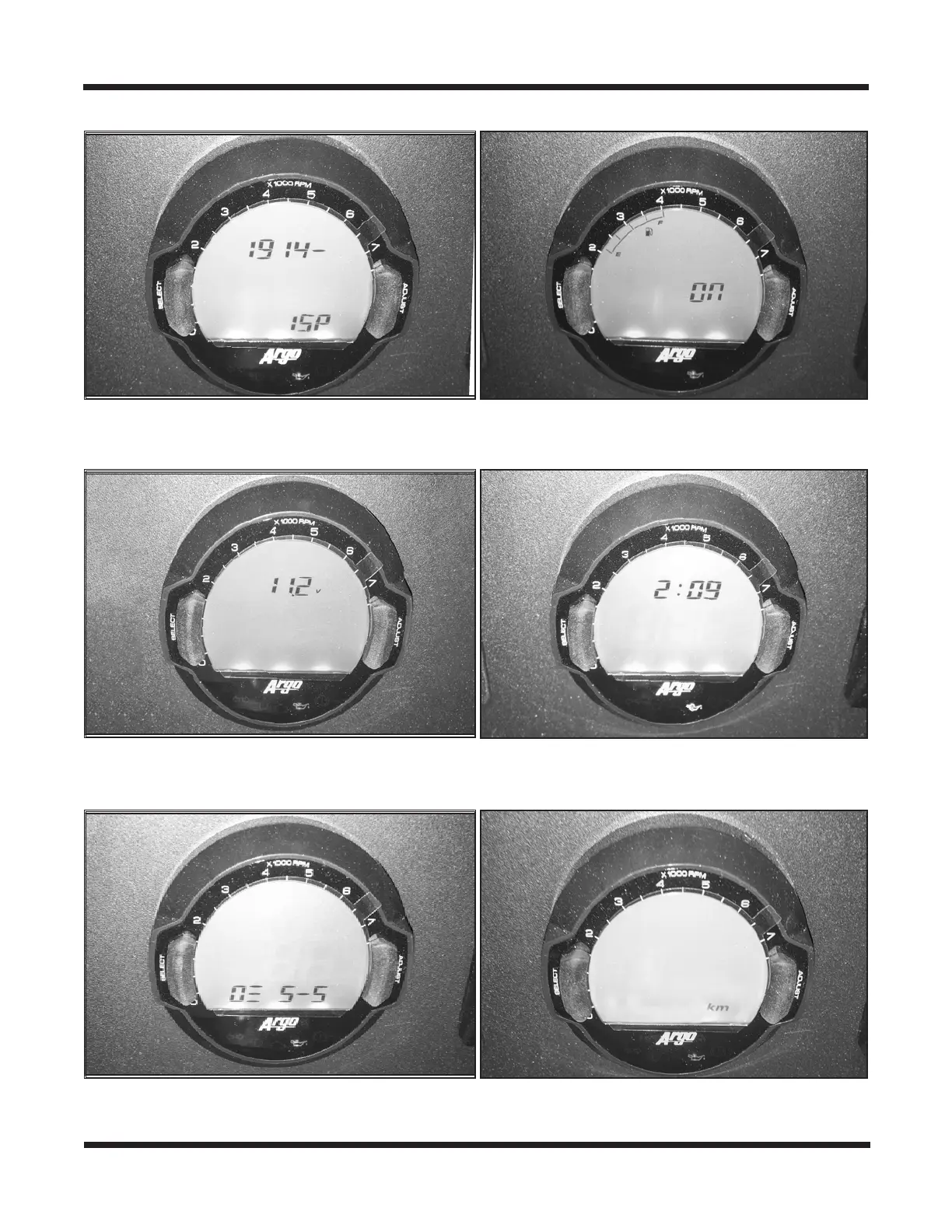
6. Set the fuel system to "On" and push the Select button.
7. Set the low voltage charge warning to 11.2V. Push the Select button.
8. Set the time on the clock. Push the Select button.
9. Set the display brightness between 5-1 and 5-5. Push the Select button.
10. Set the odometer to Miles or KM. Push the Select button.
11. Exit the setup by turning the key o. If the fuel gauge does not show up on the gauge
once it is programmed, hold down the Select Button for 3-5 seconds.









 To Next Page