Installation and Operation 55
CAUTION
Automatically move to the home position
Risk of crushing fingers. The camera / tilt and roll axis will automatically move to the home
position, after turning on the stabilization.
Make sure that your fingers do not get between the top cover and the camera while checking the
tilt axis.
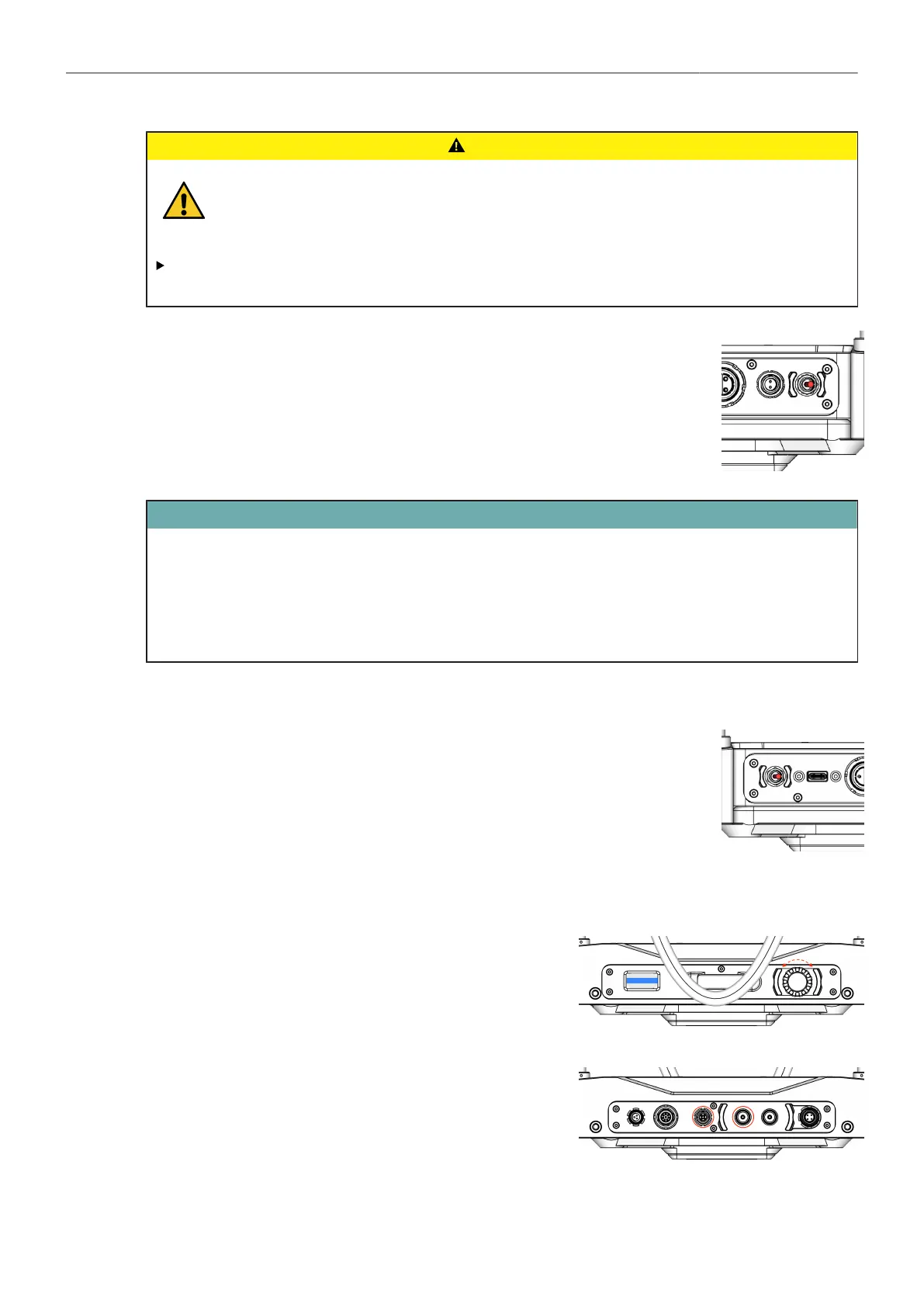
Main Power On
1. Bring the switcher into the ON position.
ATTENTION
After switching on, the TRINITY-2 head is supplied with 24V, camera, monitor, accessories are
supplied with 12V and 24V, depending on the case.
The motors are not yet active as long as the Stabilizer is set to OFF.
As long as the Stabilizer is OFF, you can work on the camera setting.
Stabilizer ON
2. Turn the Stabilizer ON, when the camera preparation is complete.
→ Observe the camera after turning on the stabilization, the camera
Tilt and Roll axis will automatically move to the Home Position.
Onboard GUI
3. Additional functions can be controlled via the jog-wheel
and read out via the display.
Cable Connections
4. Connect the joystick cable and video cable with the
Master Grip TRINITY and the monitor.



 To Next Page