Installation and Operation 78
8.7.8 Jog-Wheel Functions
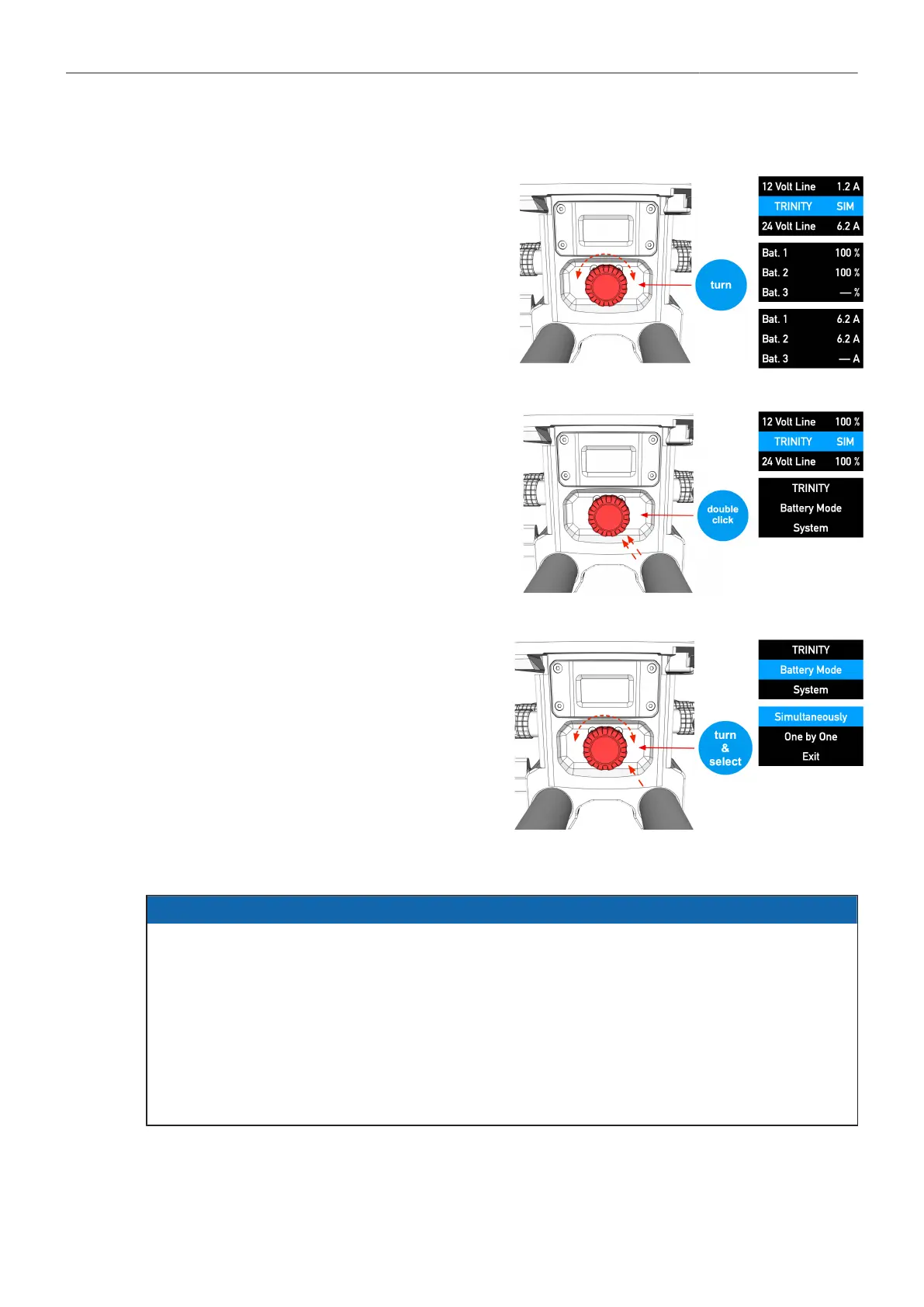
Turning the jog-wheel takes you through the
various status pages.
A double click on the jog-wheel opens
the menu.
There you set up the Battery Hanger
modes or carry out software updates in
the System sub menu.
Modes and functions can be selected
and activated by turning and pressing the
jog-wheel.
8.7.9 TRINITY / ARTEMIS Mode
ADVICE
The BHM-2 offers two different modes:
ARTEMIS and TRINITY.
Technically and functionally, both modes are exactly the same, they only differ in the way the display
acts.
In ARTEMIS mode, the display is rotated by 180° as soon as the artemis was moved into the low
mode position.
In TRINITY mode, the display will turn off as soon as the system is raised above 40° in the tilt axis.



 To Next Page