Installation and Operation 64
8.4.2 Mounting a Monitor Mount on the Master Grip TRINITY
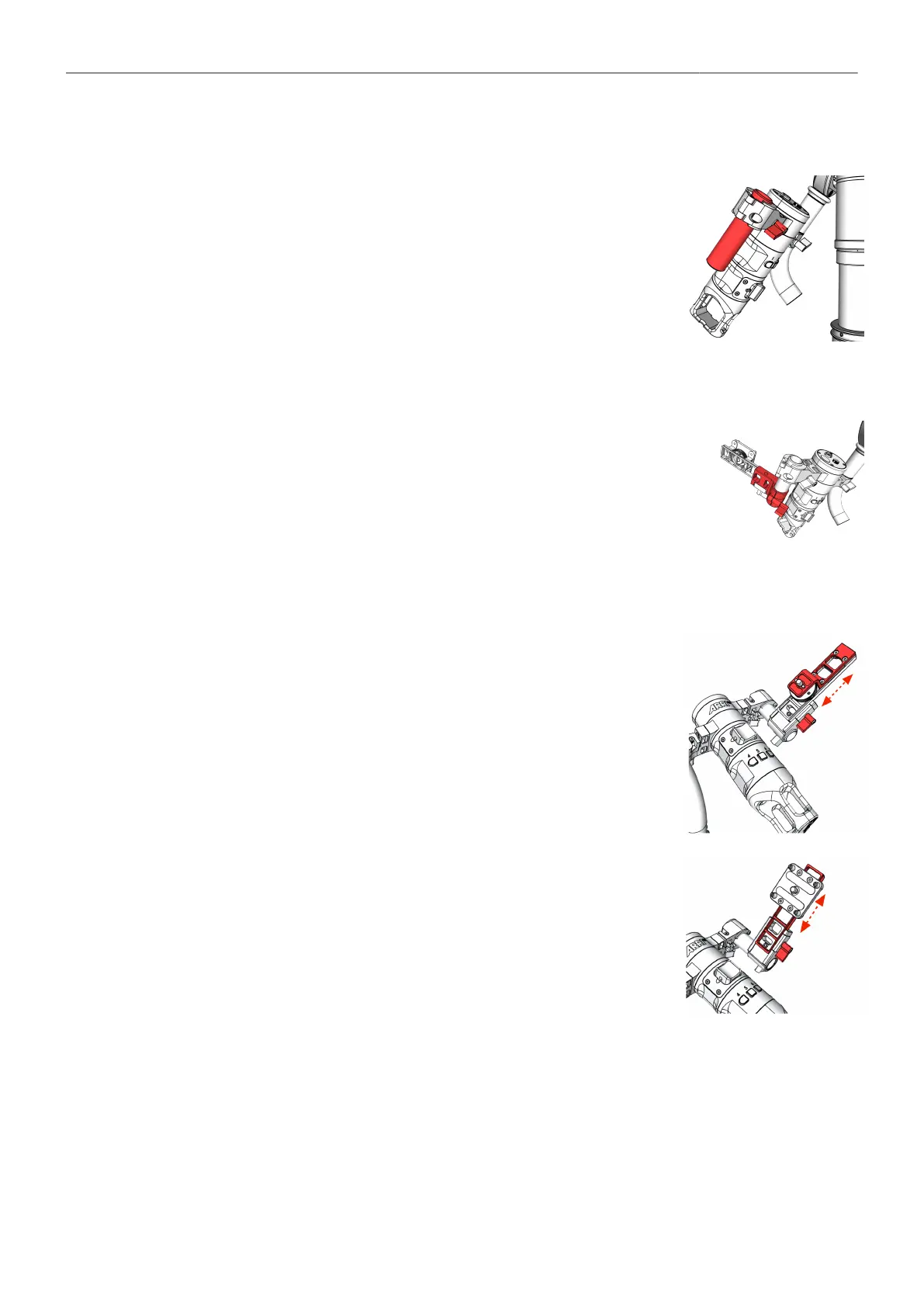
Mounting the 19mm rod
1. Loosen the mounting bracket clamp lever.
2. Slide the 19mm rod into the insert.
Mounting the Monitor Adapter
3. There are two different monitor adapters to choose from:
Monitor Adapter for Transvideo....K2.0014831
Monitor Adapter for Small HD......K2.0014832
4. Slide the monitor adapter on the 19mm rod and bring it in the desired
position.
5. Tighten the clamp.
Hight Adjustment
6. Open the clamp lever.
7. Move the mount in the desired position.
8. Tighten the clamp lever.



 To Next Page