Installation and Operation 65
8.4.3 Mounting Transvideo Starlite Monitor
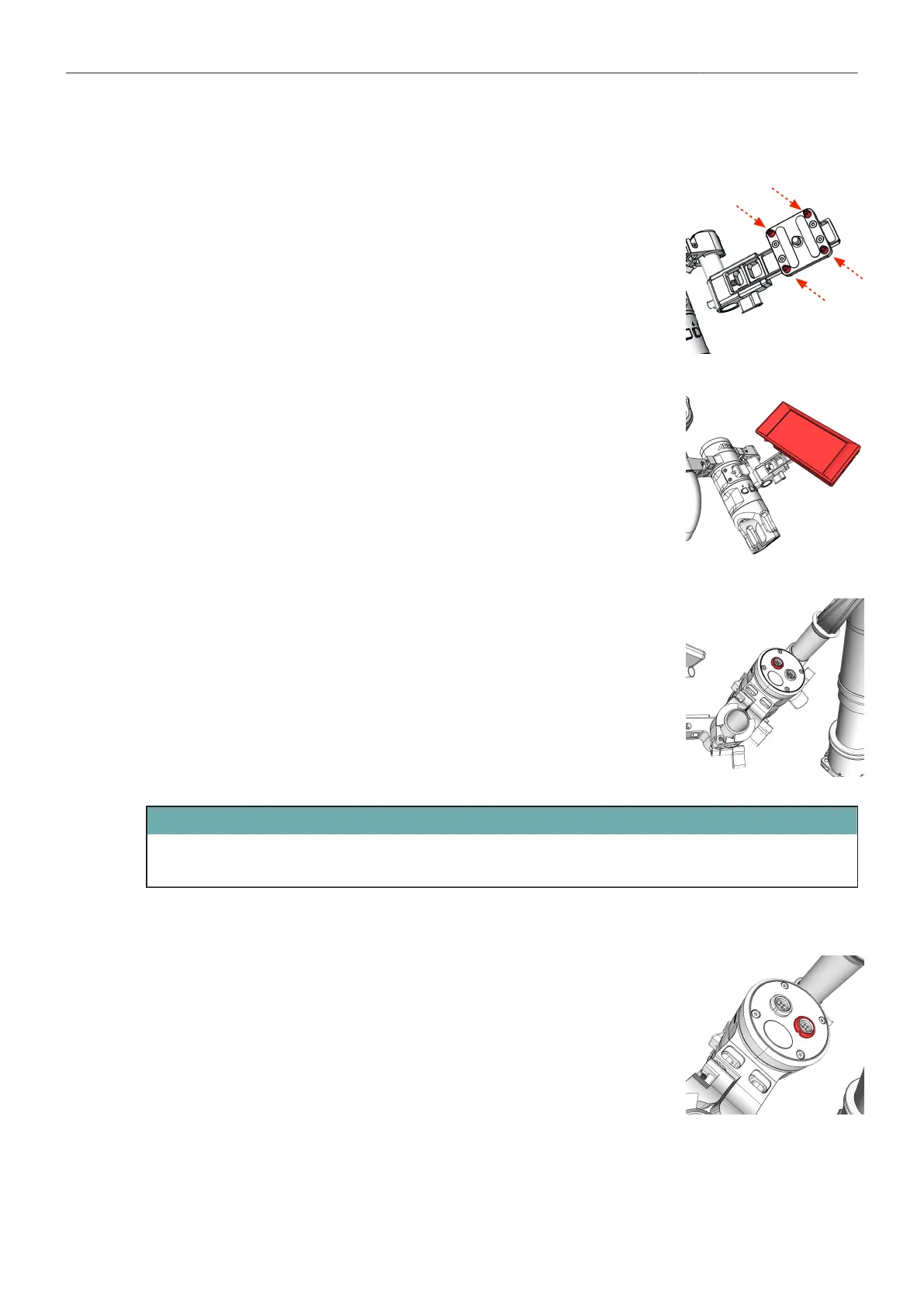
Location pins
1. Remove the location pins.
Monitor Position
2. Place the monitor and bring it in the desired angle.
3. Tighten the screw at the back.
Monitor Power
4. Connect the MTG Monitor Pwr, Lemo 0B, 5pin (K2.0038999) with the
Transvideo / ARRI Starlite monitor and with the upper LBUS Socket at
the Master Grip TRINITY.
ATTENTION
If you are using a standard Transvideo Starlite monitor with a 2pin Lemo socket, use the
MTG Monitor Pwr, Lemo 0B, 2pin (K2.0038998).
Joystick Cable
5. Connect the TRINITY 2 Joystick Cable 75cm/29.5in (K2.0043861) with
the lower LBUS Socket at the Master Grip TRINITY and with the LBUS
Socket at the TRINITY 2 head.



 To Next Page