Installation and Operation 69
8.5.3 Jog-Wheels
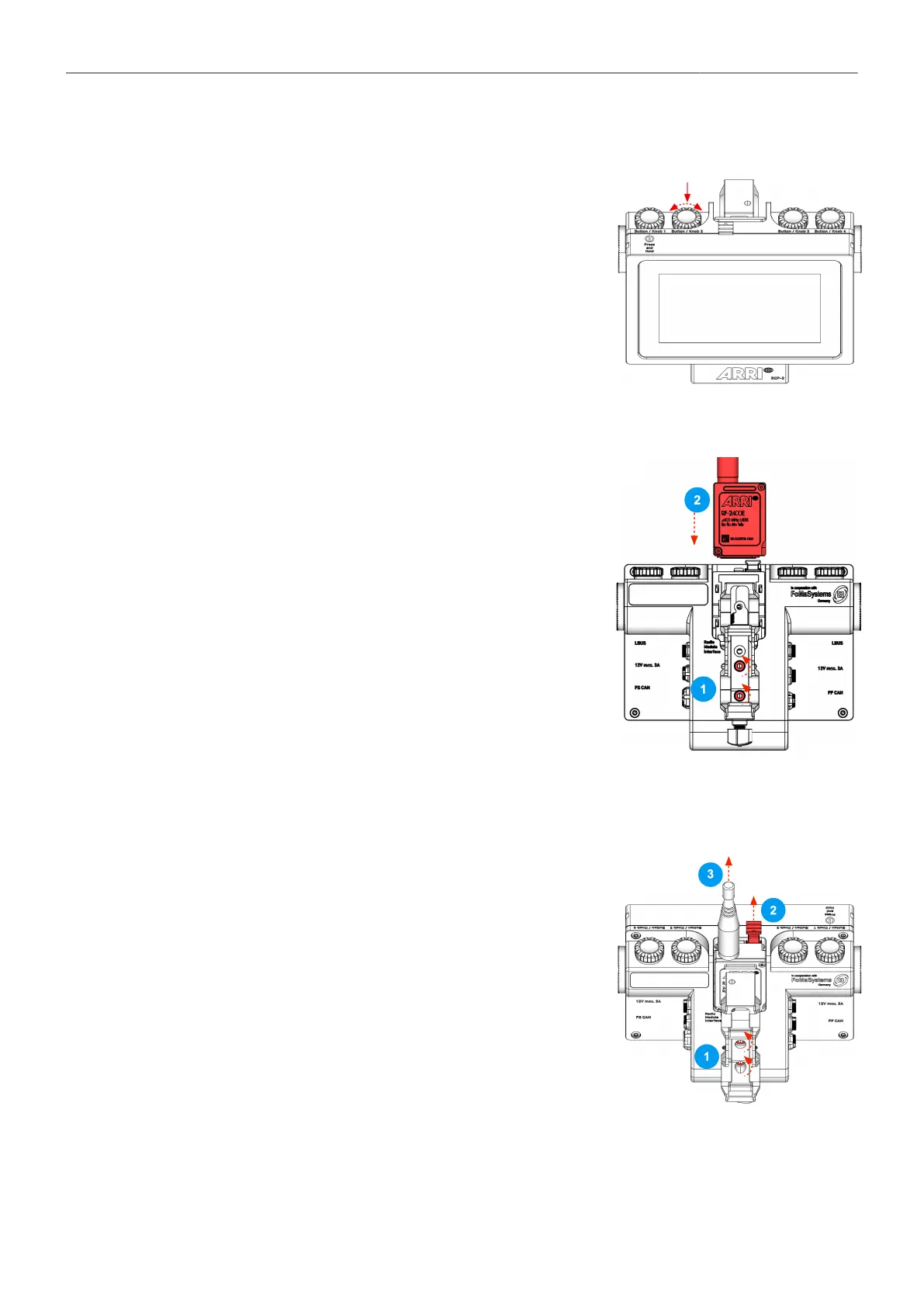
Once the Jog-Wheels have been assigned a function, these can
be used to quickly and intuitively change
values such as speed, ramp by turning the Jog-Wheel.
At the same time, the button function allows you to turn
ON / OFF functions such as:
Home Position, True Tilt, True Pan, etc.
8.5.4 Radio Module
Attaching the Radio Module
1. Open both Rod Clamp Bridge screws to allow some more
clearance.
2. Insert the Radio Module by fitting it into the radio module slot
and sliding it downwards until the Radio Release Button pops
back out.
3. Tighten both screws again.
Removing the Radio Module
1. Open both Rod Clamp Bridge screws to allow some more
clearance.
2. Press the Radio Release Button.
Pull the radio module out of the radio module slot.
3. Pull the radio module out of the radio module slot.
4. Tighten both screws again.



 To Next Page