Installation and Operation 68
8.5 RCP-3 Installation and Operation
8.5.1 RCP-3 Installation
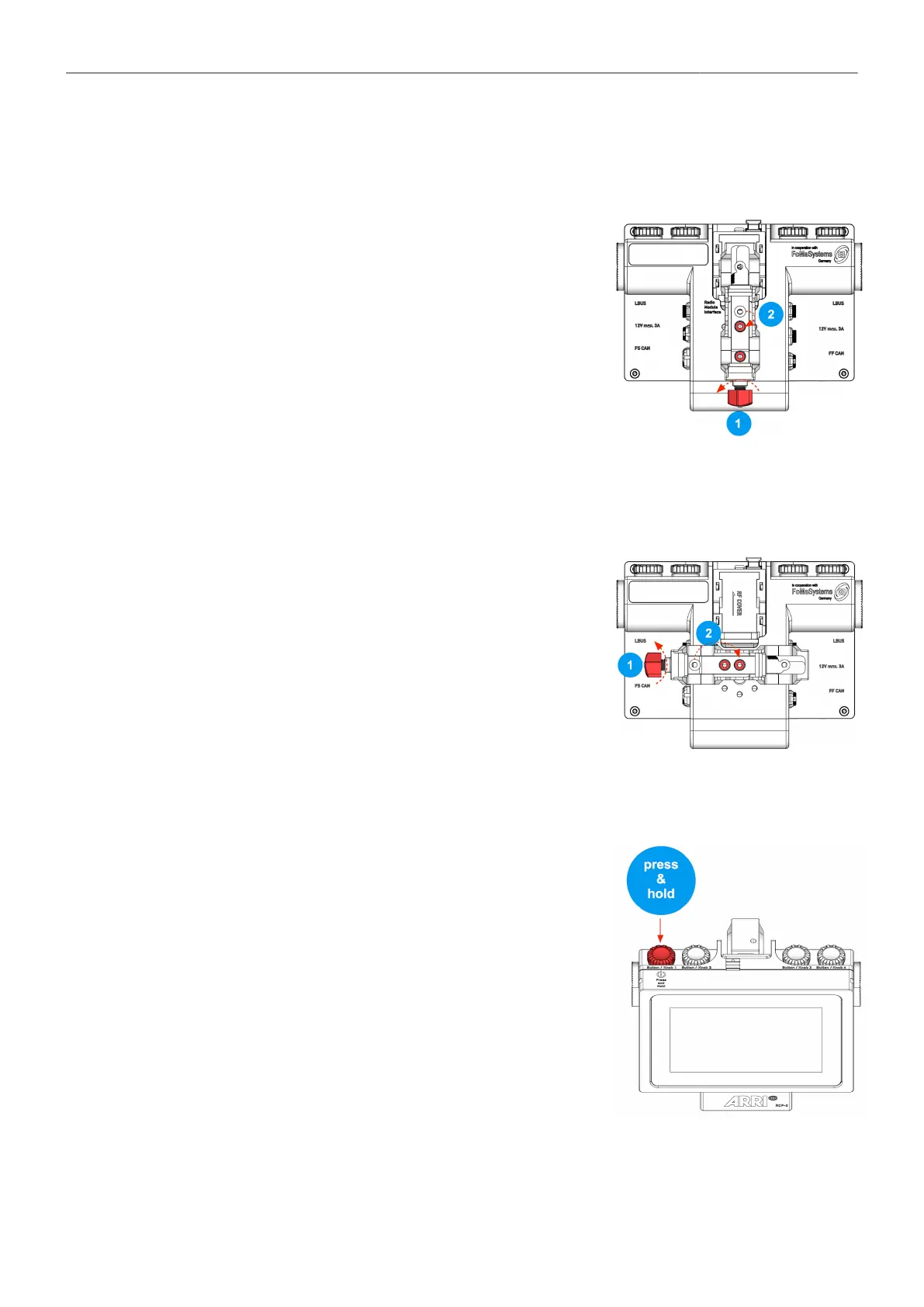
Mounting the Rod Clamp Bridge
vertical
1. Open the rod clamp wing nut by
turning it counterclockwise.
2. If necessary, move the top screw to the middle hole.
Pushing away the clamping slide makes it easier to move the
screws.
3. Tighten both screws.
Mounting the Rod Clamp Bridge
horizontal
1. Open the rod clamp wing nut by
turning it counterclockwise
2. If necessary, move the top screw to the lower hole.
Pushing away the clamping slide makes it easier to move the
screws.
3. Tighten both screws.
8.5.2 Power ON / OFF
To turn the RCP-3 ON and OFF, press and hold down the Jog-
Wheel until the ARRI logo appears on the display.



 To Next Page