Installation and Operation 53
Locking the Side to Side Movement
13. After the camera has reached the desired position, push the clamp lever all
the way to the right.
8.1.4 Height Adjustment
Introduction
In order to be able to move the camera and all components on the tilt axis through the TRINITY 2 head,
the height of the tilt axis / tilt motors must be adjusted in relation to the rear length of the camera from
the COG.
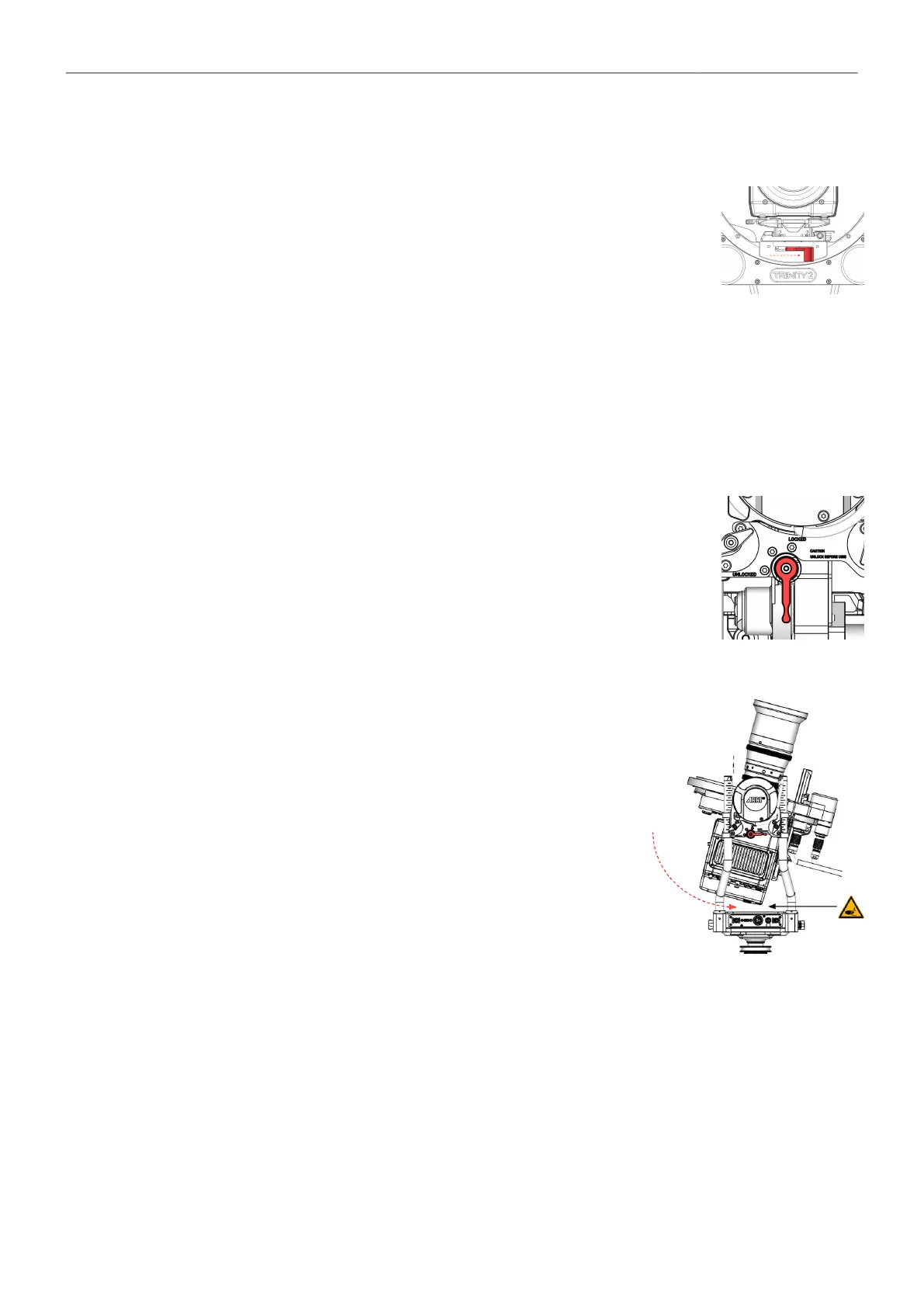
Tilt-Lock
1. Open the Tilt Lock.
2. Double check the center of gravity
of the camera.
The camera must be neutrally balanced!
Checking the current height
of the tilt axis
3. Slowly and carefully tilt the rear of the camera until the bottom cor-
ner of the camera approaches the top cover of the TRINITY head.



 To Next Page